The word and its meanings
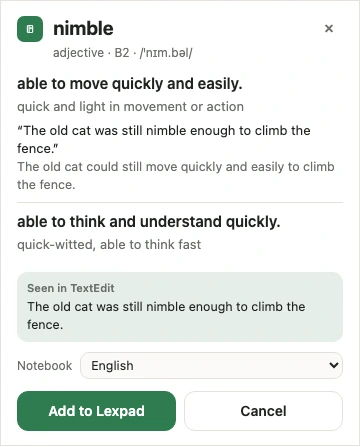
As the card showed them, ready to edit in your notebook.
 Lexpad
The Lexpad desktop app brings the browser extension’s card to the whole computer. Select a word in a document, an e-mail, a PDF or a chat, press one shortcut, read its meaning, and press Enter. The word goes into your notebook with the sentence you met it in.
Checked against the app on 7 October 2026.
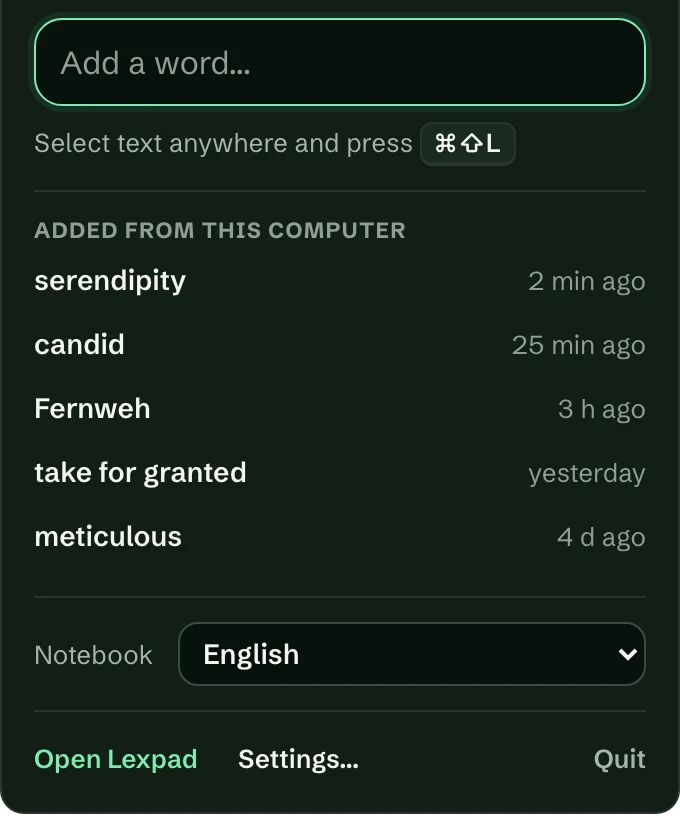
Lexpad lives in the menu bar on a Mac and in the system tray on Windows. Click its icon for a small panel:
It opens when you log in (you can turn that off in Settings), runs once, and has no Dock icon while it waits. It follows your system’s light or dark appearance.
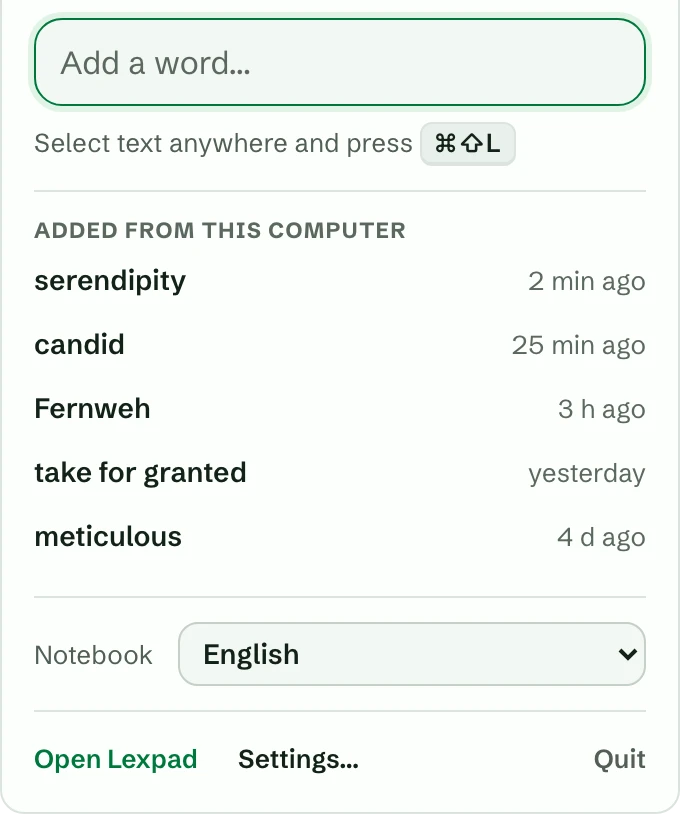
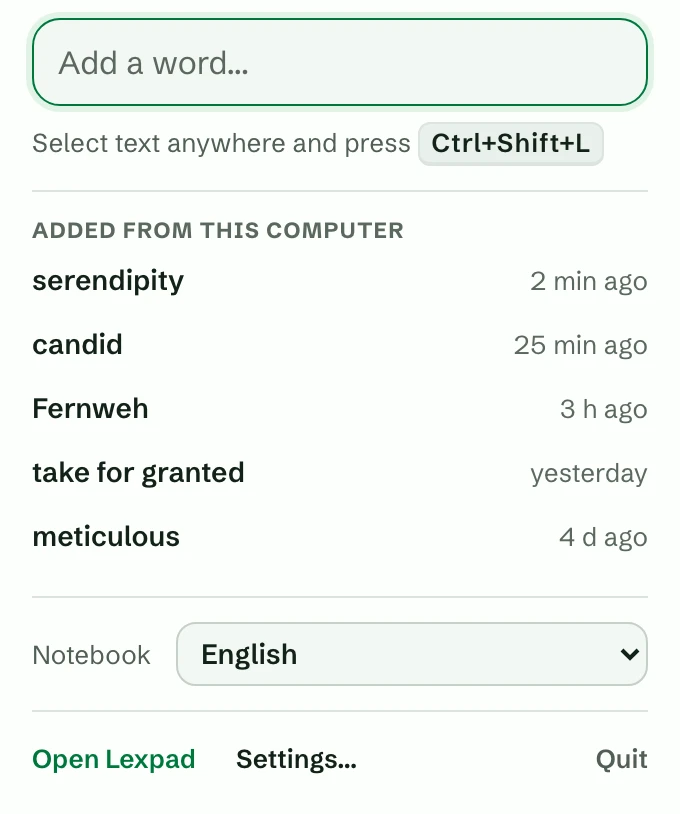
The panel pictures show the app’s own panel with sample words, not a real person’s notebook; the account line is left out. The card above is a real capture from our own test account.
The desktop app never asks for your password. You allow it from Lexpad in your browser.
Its sign-in is kept in the Mac’s Keychain or the Windows Credential Manager. It can add words and look up meanings; it cannot connect other apps, change your password or allow an assistant.
A word you already have is reported as already in your notebook.
As the card showed them, ready to edit in your notebook.
The sentence the word was in becomes its first example, when the app could read the text around your selection. When it could not, no sentence is kept, and none is made up.
A private note with the app’s name, such as “Seen in Microsoft Word”.
The note says “Seen in Microsoft Word”, not the window’s title. Window titles carry document names, e-mail subjects and the names of the people you chat with, and the note travels with the word into exports and shared notebooks. So Lexpad keeps only the app’s name.
On a Mac, Lexpad asks for the Accessibility permission. macOS only lets an app read another app’s selection with this permission. Lexpad explains it and opens the right pane: System Settings, Privacy & Security, Accessibility, then switch Lexpad on. Without it you can still type a word.
Version 0.1.1, 4.2 MB .dmg. macOS 11 or later, Apple silicon and Intel.
Version 0.1.1, 1.7 MB installer. Windows 10 or 11, 64-bit.
For managed Windows PCs there is also an .msi package (2.3 MB). All three are listed in lexpad-desktop.sha256.
SHA-256
lexpad-desktop-mac.dmg
eb49007db016ca0fabfa95e7f6b7ab9c3e2e49ecbae2b83397b7af5b5d5f6120
lexpad-desktop-windows.exe
1db72b9ddc8f6f5938032bda2173b02743b4abcfbab4887bfb71c0a958daaf2a
lexpad-desktop-windows.msi
82393aa2d051425168d1868e1d4f2c91995201cd3f831ffb188dd3bb6a8fd7ec
Lexpad for Mac and Windows is a beta. It is free; its meanings use the same AI allowance as the app, which Pro raises. Its own screens are in English, and adding a word needs a connection.
These builds are not signed yet, so your computer warns you once. This is expected for now.
Open the .dmg and drag Lexpad to Applications. The first time, macOS says it cannot check the app. Open System Settings, Privacy & Security, scroll down and choose Open Anyway. On macOS 14 or earlier you can instead Control-click Lexpad in Applications and choose Open. Then allow Accessibility when Lexpad asks; after an update macOS may ask again.
Run the installer. If Windows says “Windows protected your PC”, choose More info, then Run anyway. It installs for your account only, with no administrator rights needed.
Signed builds for Mac and Windows, and Lexpad in the Microsoft Store, are planned; there are no dates yet. There are no automatic updates in this beta: download a new version from this page.
macOS 11 Big Sur or later. One download for Apple silicon and Intel.
Windows 10 or 11, 64-bit.
A free Lexpad account. Sign in once from your browser.
Good to know
No. It reads only what you selected, only when you press the shortcut. It never records a window title or the rest of the text.
This beta is not signed by Apple yet. Use System Settings, Privacy & Security, Open Anyway once. Signed builds are planned.
The installer is not signed yet. Choose More info, then Run anyway. Signed builds and the Microsoft Store are planned.
No, and none is planned: the Mac App Store does not allow apps to read the selection in other apps, which is what Lexpad does.
No. The desktop app works in every app, browsers included. The extension adds a + button on web pages and the page’s address in the note.
Lexpad
Lexpad is free to start, on the web, on Android and now on your computer.