Cards and meanings

A whole card
for every word.

Each word in Lexpad is a card you can read, hear and practise. It can hold as much or as little as you like, and the order of its meanings is yours to set.

Checked against the app on 3 October 2026.

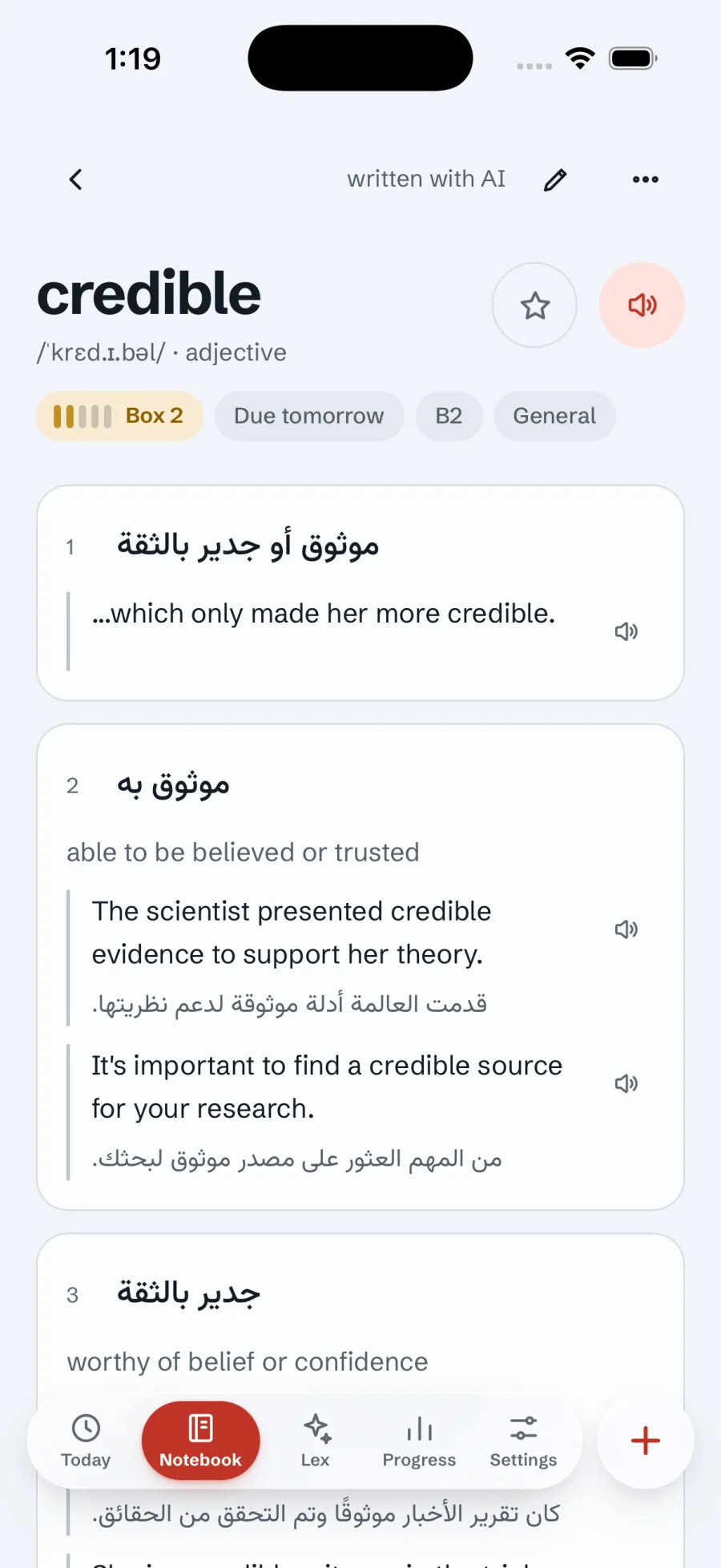
The word credible with Arabic meanings, pronunciation, examples and expressions
Meanings
Several per word; you pick the main one
Details
IPA, level, examples, collocations, notes
AI
Improve fills gaps; Refine rewrites on request
Plan
Free; AI within a daily allowance

What a card holds

  • The word or phrase, its pronunciation in IPA, part of speech, CEFR level and topic.
  • Several meanings, each with a short definition in the language you are learning and example sentences with translations.
  • Collocations, expressions and idioms, and related words: synonyms, opposites and words that are easy to confuse.
  • A usage note, a spelling note for hard words, and your own private note: a mnemonic, a sentence of your own, anything that makes it stick.
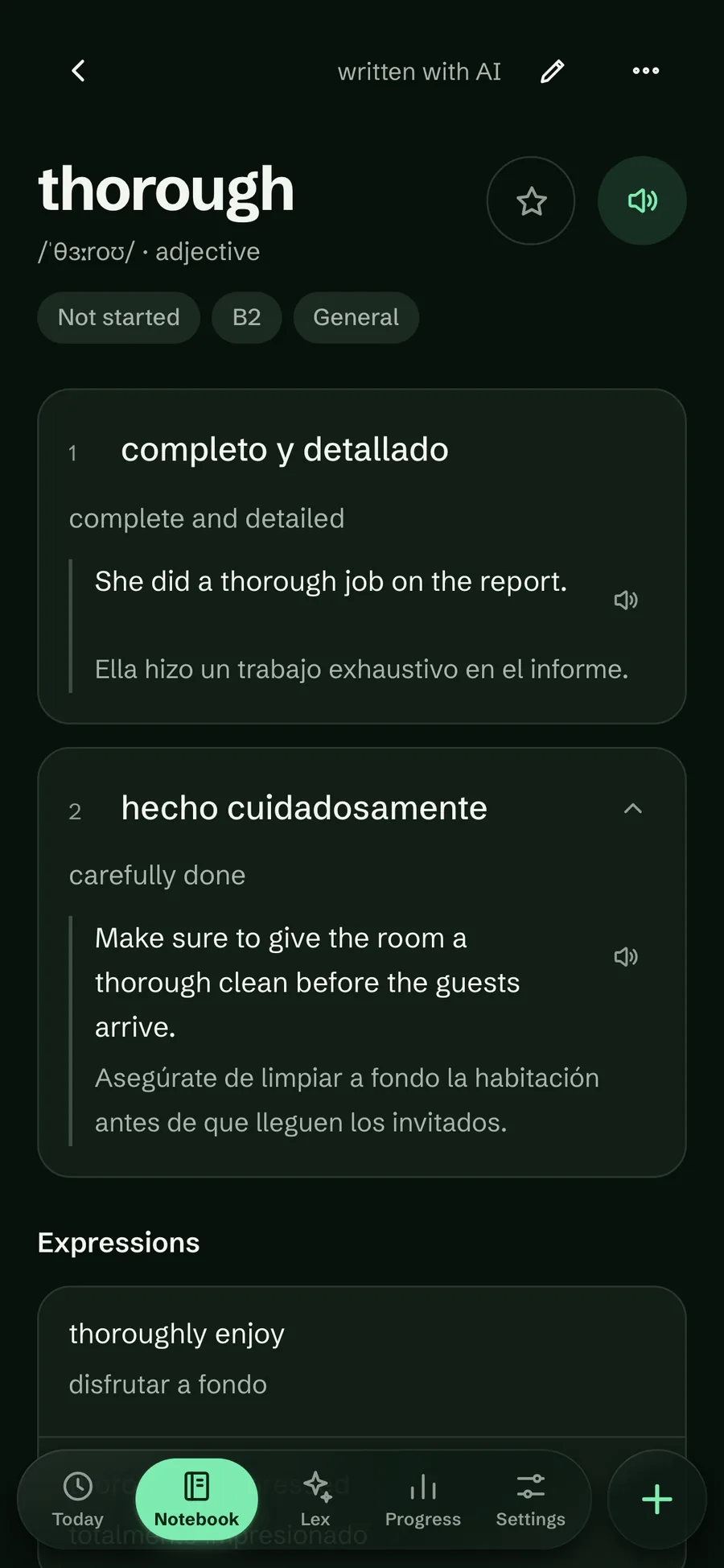
The word thorough in the dark theme with its Spanish meanings, pronunciation and examples
A word’s page, in dark

Choose the main meaning

Many words have more than one meaning, and the one you saved a word for is often not the first. On a word’s page, every meaning after the first has a move-up button. The first meaning is the one practice asks about, so moving your meaning to the top makes the flashcards and quizzes test the sense you care about. It acts at once and offers Undo; the examples move with their meaning.

Hiding examples in the notebook list never hides the other meanings: every meaning stays on the row. Both changes arrived on 30 September 2026 from testers’ requests.

Try it in Lexpad

  1. Open a word with several meanings, such as suspension.
  2. Find the meaning you want, for example the one about vehicles, and tap its move-up arrow.
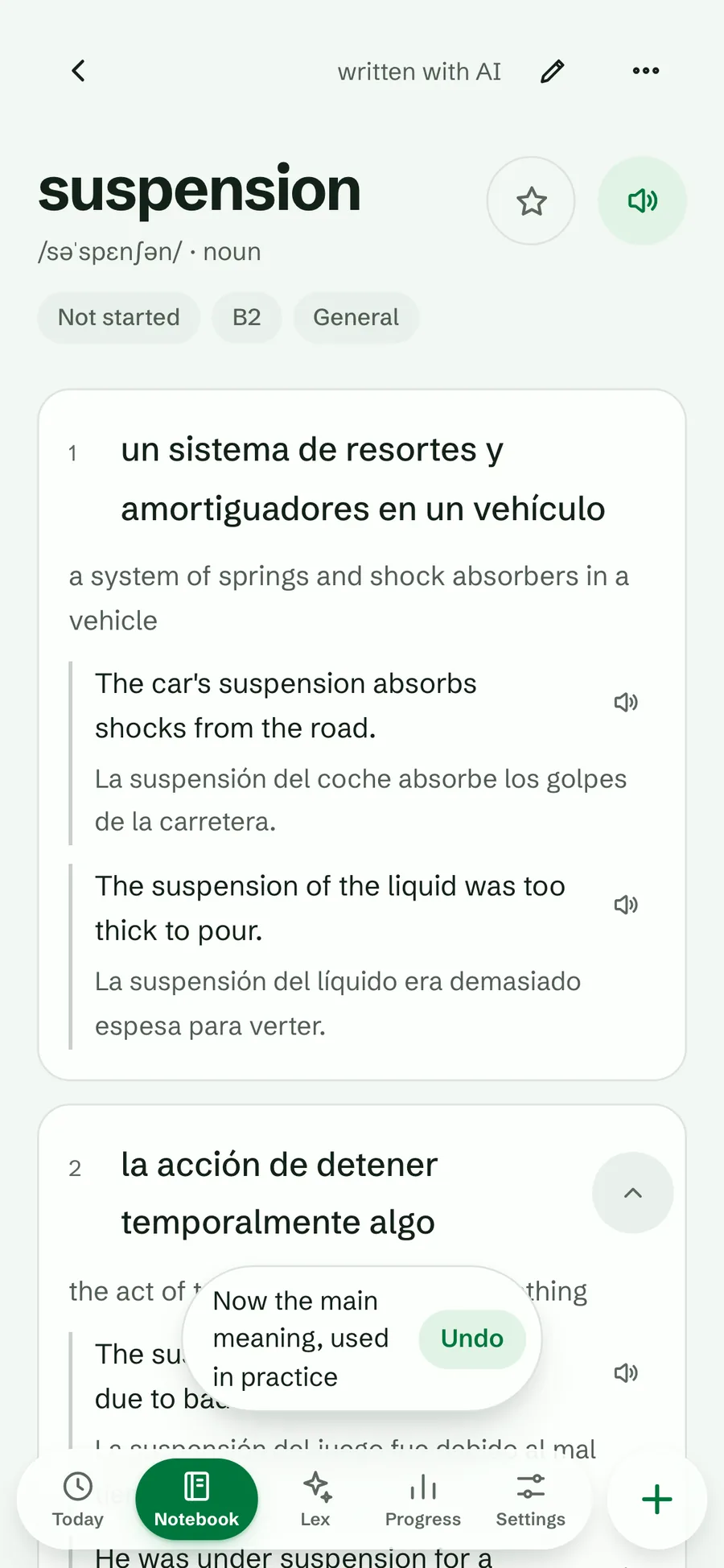
  3. The message “Now the main meaning, used in practice” appears, with Undo⁠.
The word suspension after moving its second meaning up: the vehicle sense is now meaning 1, with Undo offered
The chosen meaning moves to the top

Definitions instead of translations

A notebook can study a language in itself, English in English for example. The AI then writes simple learner’s-dictionary definitions in easy words, never using the word itself, instead of translations.

Choose the same language twice when you create a notebook. Everything else, from practice to Lex, works the same way.

Improve and refine with AI

AI helps when you ask, and never overwrites what you wrote.

Improve with AI

Fills in only what a word is missing, which is ideal for imported or Kindle words. It never changes your own text, your note or your learning.

Refine

Rewrites a card on request: Simpler, More examples, More formal, or anything you type, such as “British spelling”.

Correct form

If you wrote “The last but not the least”, Lexpad says the usual form is “last but not least” and offers Rename or Keep mine.
Things you can do with a word

  • Star it, or Retire this word from practice. Both act at once and can be undone.
  • Move to the top of the notebook, or Practise this now⁠, alone or with its related words in Practise this group⁠.
  • Hear it and each of its examples read aloud, where your device has a voice for the language.
  • Remove from notebook⁠, after a confirmation, since that cannot be undone.

Finding a word again

  • Search covers both languages and every field: meanings, definitions, examples, translations, expressions, collocations and notes. It ignores case and accents.
  • Filters: Starred, Due, Not started, Struggling, Corrections, Hard spelling, Mastered, Retired; plus level and kind: phrasal verbs, idioms and phrases, nouns, verbs, adjectives, adverbs, slang and informal. Kinds are read from the part of speech, so there is nothing to tag.
  • Order by latest, by the day you wrote words down (pages), or A to Z.
  • The Show row under the filters switches meanings and examples on and off. The notebook remembers the whole view, filters and switches included, when you visit another tab and come back.
  • The header slides out of the way as you scroll down the list; scroll up and the search, filters and Show row are back.
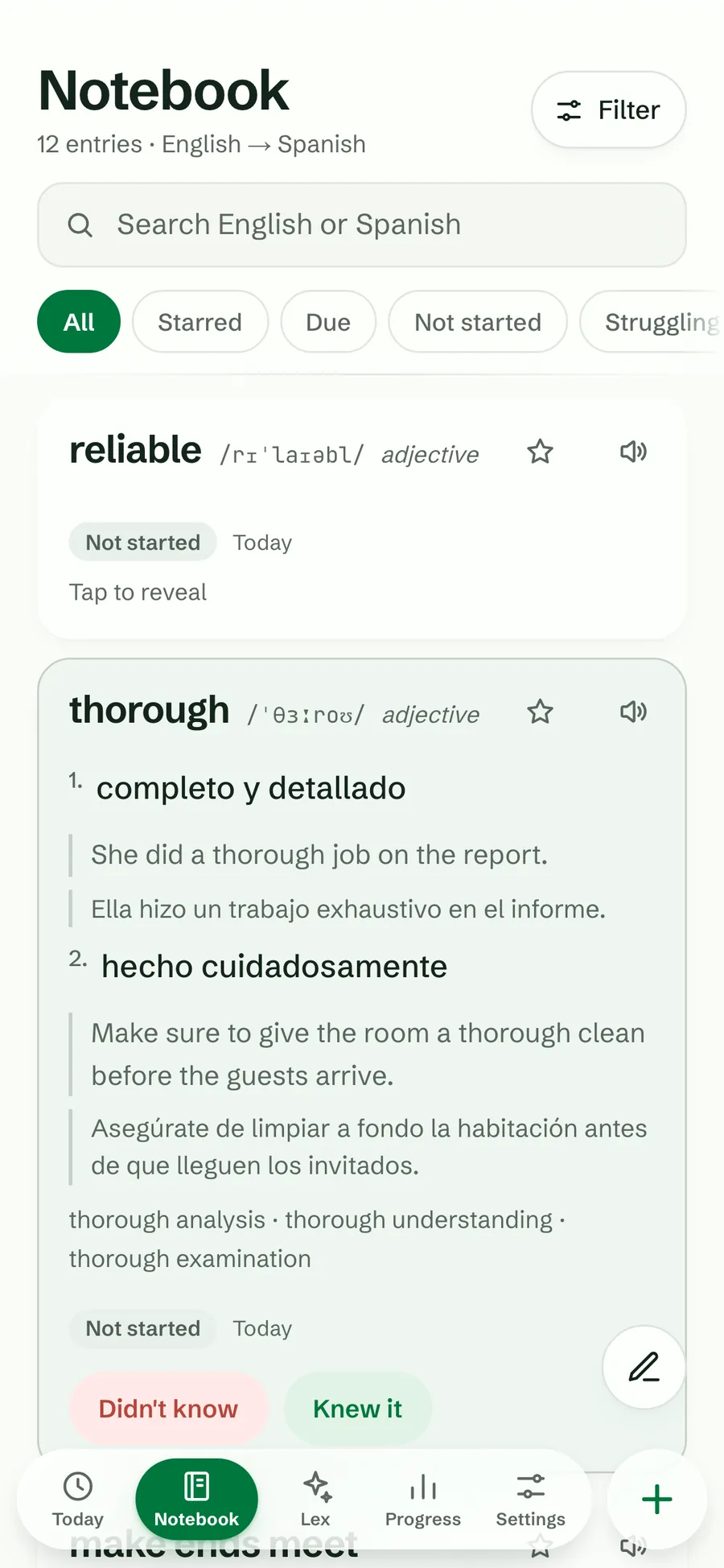
  • Self-test mode: switch Meanings off in the Show row and the notebook becomes a quiz. Tap to reveal, then “Knew it” or “Didn’t know”; those answers move the word through the boxes like a practice session.
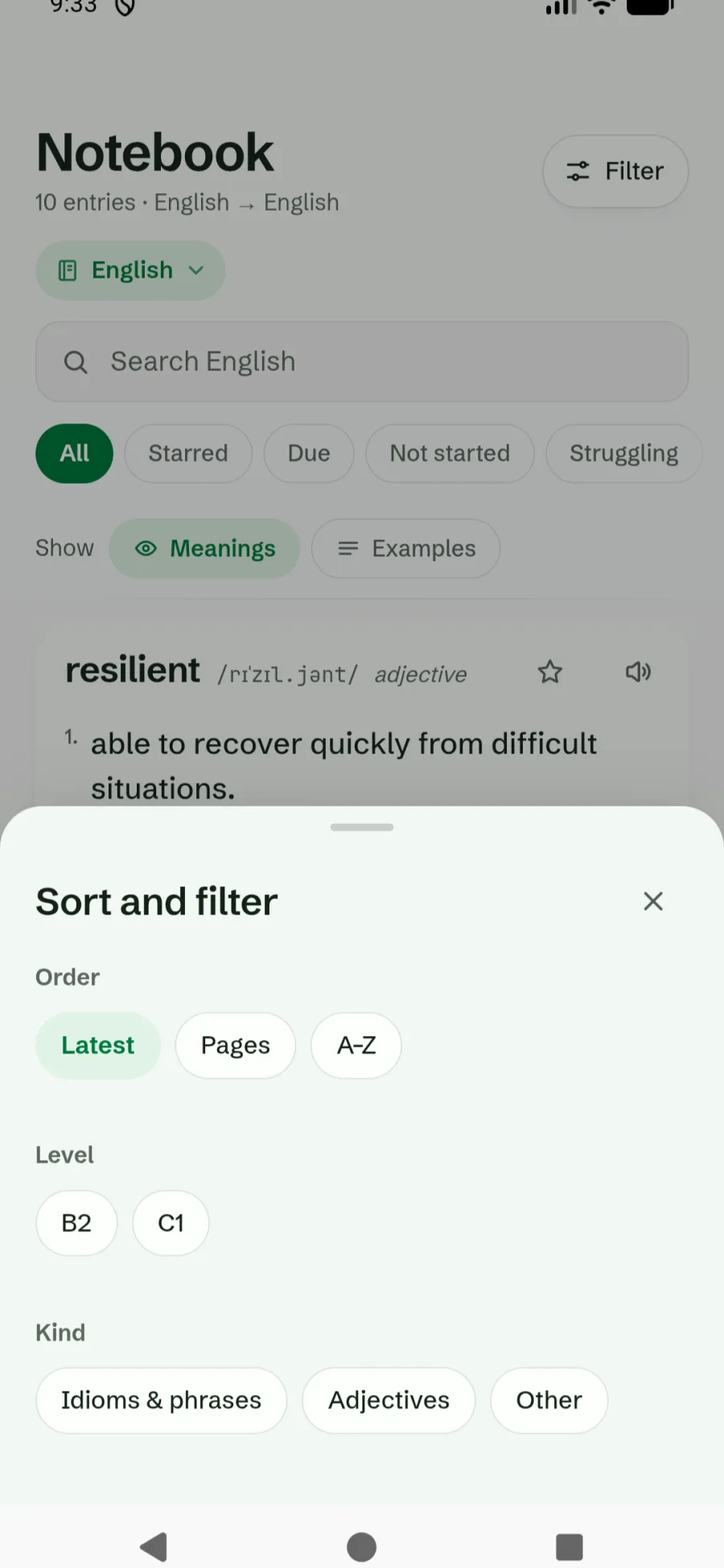
The notebook with its Show row, Meanings on and Examples off, under the filter chips, and the Sort and filter sheet open with order, level and kind options
Show switches and Sort and filter
The notebook in self-test mode: one word hidden behind Tap to reveal, another revealed with Didn’t know and Knew it buttons
Self-test in the notebook

Try it in Lexpad: practise just your phrasal verbs

  1. Open Notebook and tap Filter⁠.
  2. Under Kind, choose Phrasal verbs; add a level such as B2 if you like.
  3. Close the sheet. The list shows only those words, and Practise these 10 appears (with your own count).
  4. Tap it for a session of exactly that selection.

Good to know

Questions

Which meaning does practice ask about?

The first one. Move any meaning up on the word’s page to make it the main meaning; Undo is offered.

Will Improve with AI change what I wrote?

No. It fills only empty fields and never touches your own text, your note or your learning progress.

Can I edit an AI-written card?

Yes, every field, at any time, from the pencil on the word’s page.

Lexpad

Your next word is worth keeping.

Lexpad is free to start, on the web and on Android. Bring the words you meet.