Practice and review

Vocabulary practice,
a few minutes a day.

Lexpad’s spaced repetition brings each word back just before you would forget it. Every card type, deck and setting on this page is free.

Updated . Checked against the app on 3 October 2026.

A flashcard for ephemeral is turned over, answered Knew it, and its step meter moves from step 1 to step 2
Schedule
Today, 1, 3, 7, 21 days, then longer
Card types
Six, from flashcards to listening
Ways
Seven, from Mixed to Flashcards
Decks
Daily, starred, struggling, by level, topic, kind
Plan
All free, and it works offline

Spaced repetition with five Leitner boxes

By default Lexpad uses the Leitner system. A new word starts on step 1. Each step has a waiting time before the word comes back: today, 1 day, 3 days, 7 days and 21 days. Know it and it moves up one step; miss it and it goes back to step 1, to be asked again today. Days follow your own time zone. How the Leitner system works, and what spaced repetition is.

In the app the boxes are called steps: the word’s page, its row in the notebook, the session summary and Progress say “Step 2 of 5”, and link to How Lexpad works. Boxes is still the name of the schedule. Since 22 October 2026 on the web, in the Android app from 1.0.74.

Step 5 counts as mastered. A mastered word first comes back after 21 days. Each time you know it, it waits longer: 45 days, then 90, 180 and 365, and then once a year. If you miss it, it goes back to step 1 like any other word.

Every notebook can change this. Choose Go back two boxes after a miss, or the Smart schedule (Beta), which learns how fast you forget each word. See How words come back and when each word comes back. On Progress you can see the next 30 days of reviews.

  1. Step 1Today
  2. Step 21 day
  3. Step 33 days
  4. Step 47 days
  5. Step 5 · mastered21 days, then longer

Six kinds of card

The card follows how well you know the word, so cards get harder as your words get stronger: new words and words on steps 1 and 2 get multiple choice and example cards, steps 3 and 4 recall or spelling, step 5 recall. Spelling starts at step 3, and a word marked hard to spell gets the spelling drill more often.

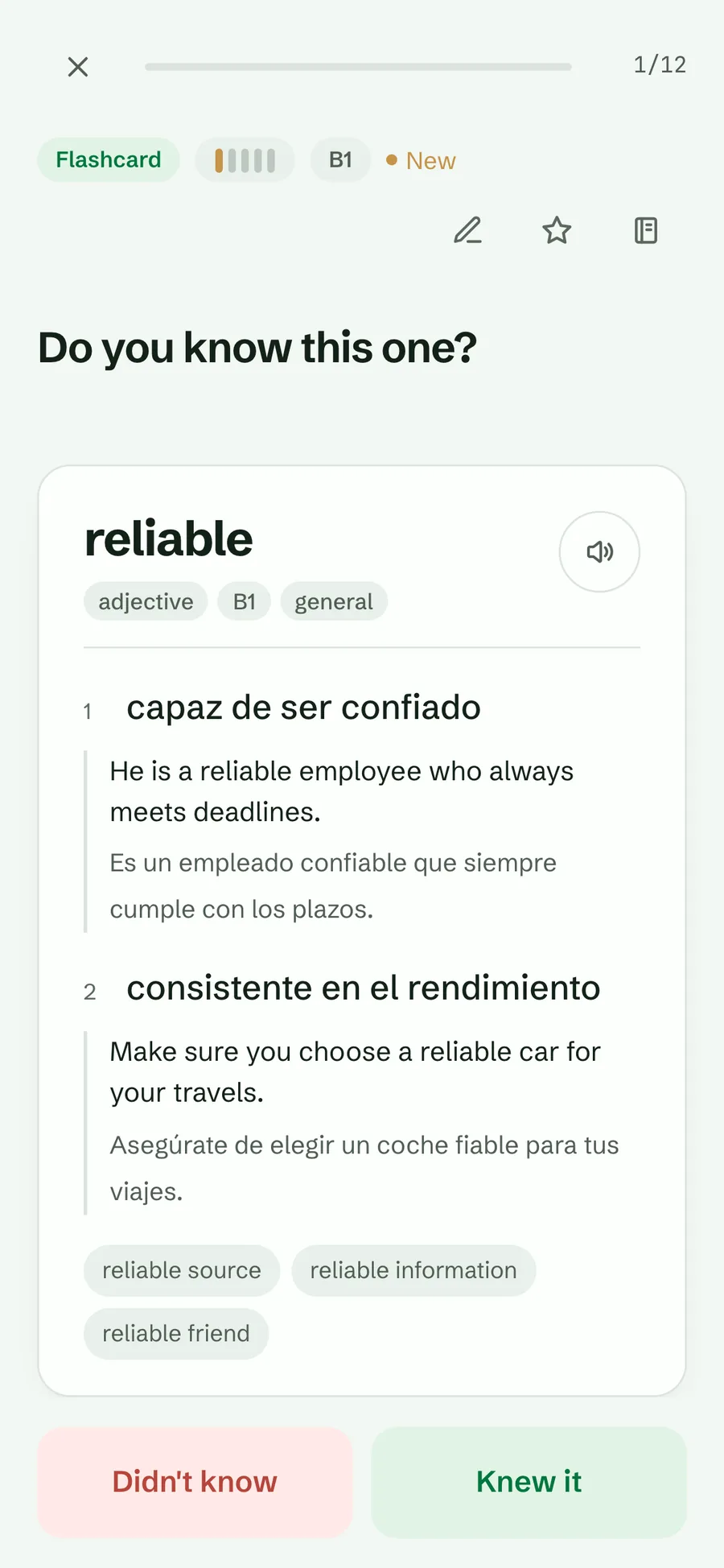
A turned-over flashcard for reliable showing two numbered Spanish meanings with examples and the Didn’t know and Knew it buttons
A flashcard, turned over

Flashcard

See the word, turn it over, say whether you knew it.

Recall

See the meaning, recall the word.

Multiple choice

Pick the word for a meaning from four, with the wrong options taken from your own notebook.

Example cloze

Find the word missing from one of its example sentences (a cloze).

Spelling drill

Type the word, with a letter mask to guide you.

Listening

Hear the word with no text, then recall it, in the Audio only deck.

Typed answers

Typing strictness is Exact, Allow one typo (the default) or Lenient. Case, accents, bracketed asides and punctuation never count against you, “sb” and “sth” match “somebody” and “something”, and either half of an answer like “big / large” is accepted.

Almost counts. A typed answer one letter off a word of four letters or more, or two letters off a word of nine or more, is marked “Almost”: the card shows the right spelling, the word counts as remembered, and its spelling joins the Spelling focus practice. With Exact strictness there is no Almost. If you type another word from your notebook with the same meaning, the card asks again, with no penalty.

Ways to practise

Start practice from Today and Lexpad asks How do you want to practise? Every way asks from the same words planned for today, due and new, in another shape or a part of them, so your schedule stays honest. Each row shows how many words it has and about how long it takes. Your choice lasts for the day; tomorrow starts on Mixed again.

  • Mixed (recommended): cards get harder as your words get stronger.
  • Flashcards: every card is a flashcard. Flip it, then say if you knew it: tap Knew it or Not yet, swipe right or left, or on a computer press Space to flip and → or ← to answer. It asks the same words as Mixed, a card you miss comes back three cards later, and a word without a meaning is left out.
  • Quick: the five words that waited longest, for a session under a minute.
  • No typing: every card answered by a tap.
  • Listening: hear each word first. It asks words you have practised before.
  • Spelling focus: write the strong words that are due today.
  • Struggling words: only the words that keep going back to step 1. It is also first in More ways to practise on the games page.
  • New words only: the first practice of the words you added.

The list stays responsive with thousands of words in your notebooks, and so do Today, the start of a session, the notebook, Progress and the games.

The ways to practise, cards that follow the step, Almost and a miss three cards later are in the web app now and in the Android app, on Google Play and as the direct APK: from 1.0.80, and Flashcards from 1.0.81. The iPhone and iPad app gets them with its next update, and Lexpad for Mac and Windows with its next release. Struggling words is in the web app since 30 October 2026 and in the Android app from 1.0.82, and comes to the other apps with their next update.

Focused decks

  • Daily practice: words that are due, earliest first, then new words.
  • Audio only, Starred, Struggling words (stuck on step 1), Mixed-up words (pairs you keep mixing up) and Hard spellings.
  • By level, by topic or by kind, such as phrasal verbs or idioms.
  • Any filtered or searched selection of the notebook, one word and its relatives, or the words you just added.
  • On Today, the Starred, Struggling and Hard spellings tiles each have a list button in the corner. It opens the notebook filtered to exactly those words, where Practise these, with the number of words, practises just that set. The tile itself still starts practice in one tap, and an empty set says so. On the web since 17 October 2026, in the Android app and in Lexpad for Mac; in the other apps with the next update.
  • Games and drills: Match, Speed round, Dictation, Sentence builder, Word partners, and with Pro, Say it and Use it in a sentence. Today has its own row for them. More on vocabulary games
  • With several notebooks, practise one or all of them; each notebook’s cards run together, so the language and voice never switch card by card.

Paused words appear in no deck. In any deck, a word that is not due yet keeps its step when you get it right; a miss always counts (Only due words move, on by default). Due words move as they always did.

Try it in Lexpad
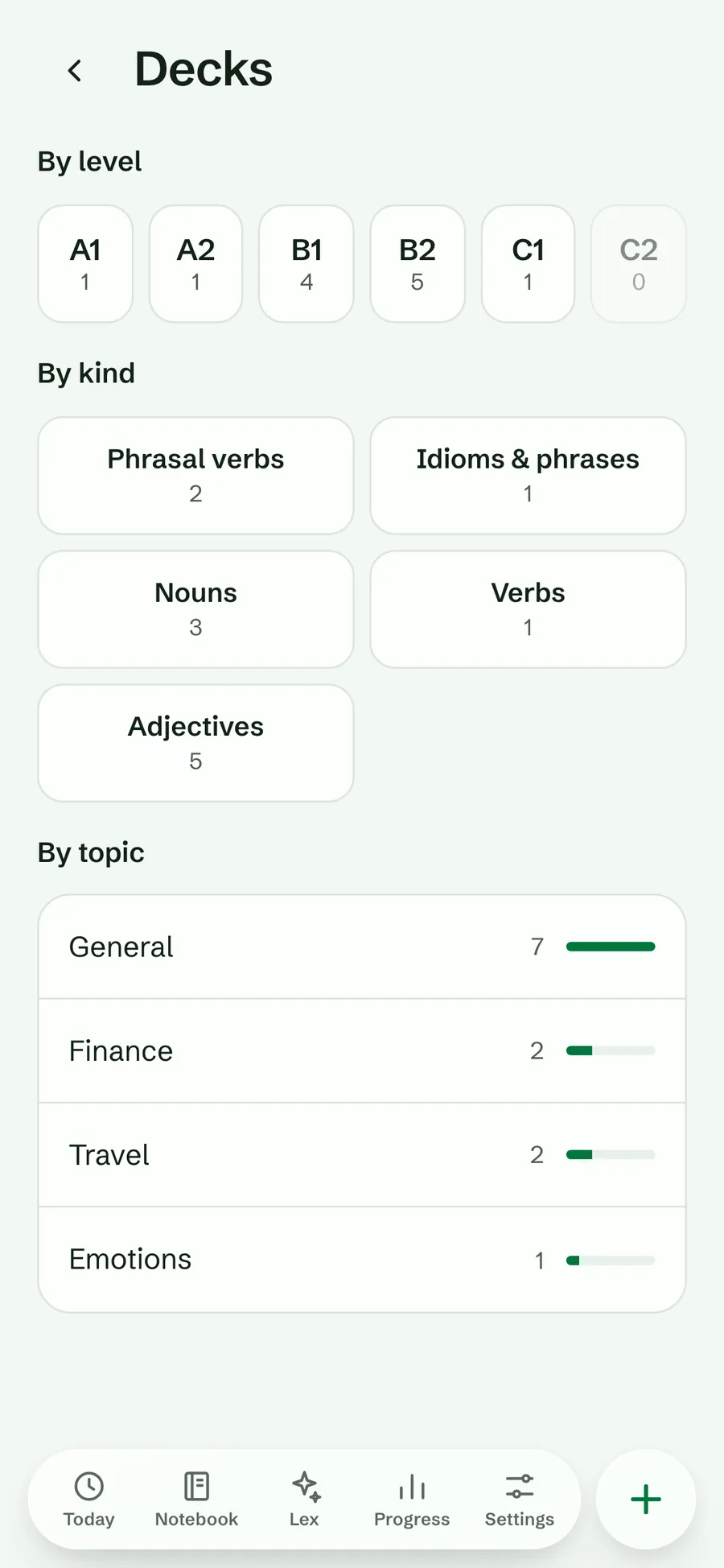
  1. On Today, under Focused practice, tap Decks (on a computer, also in the sidebar).
  2. Choose a level such as B2⁠, a kind such as Phrasal verbs⁠, or a topic.
  3. The session uses only those words.
The Decks screen with level decks A1 to C2, kinds such as phrasal verbs and nouns, and topics with their word counts
Decks by level, kind and topic

During a session

  • After a mistake the right answer stays on screen until you tap Next (or press Enter or Space). A right answer moves on by itself. Settings → Practice → After an answer can make every card wait, or every card move on by itself.
  • A card you miss comes back three cards later, asked an easier way. Miss three in a row and Lexpad offers to ask the next ones as choices for now; they still count.
  • Undo is there for a few seconds after each answer, even once the card has gone, and for as long as a card waits for Next.
  • The step meter moves up in gold or back in red, so you see the schedule working; a word reaching step 5 gets a small celebration.
  • Open the whole word card, add a note or star a word without leaving.
  • Swipe to answer: right if you knew it, left if not, before or after turning the card; the buttons stay. Web, Mac, Windows and Android now; iPhone with its next update.
  • Above the card, one row holds the card type, the word’s step, Undo, the star and a ⋯ menu (Add a note, Word details). Your first miss in a session says once that missed words come back at the end.
  • The summary leads with three numbers: the words you practised, how many answers were right, and your streak. Under them, When they come back lists up to five words with the day and the step each one reached, missed words first, with a star for any of them; with more words, a count and See all. Done stays at the bottom, with Add a word you met today under it.
  • A word you have missed on six different days gets a question in the summary: add a note, see examples, rest it or keep going. More on how words come back
  • With streak freeze on, a day you miss can keep your streak.
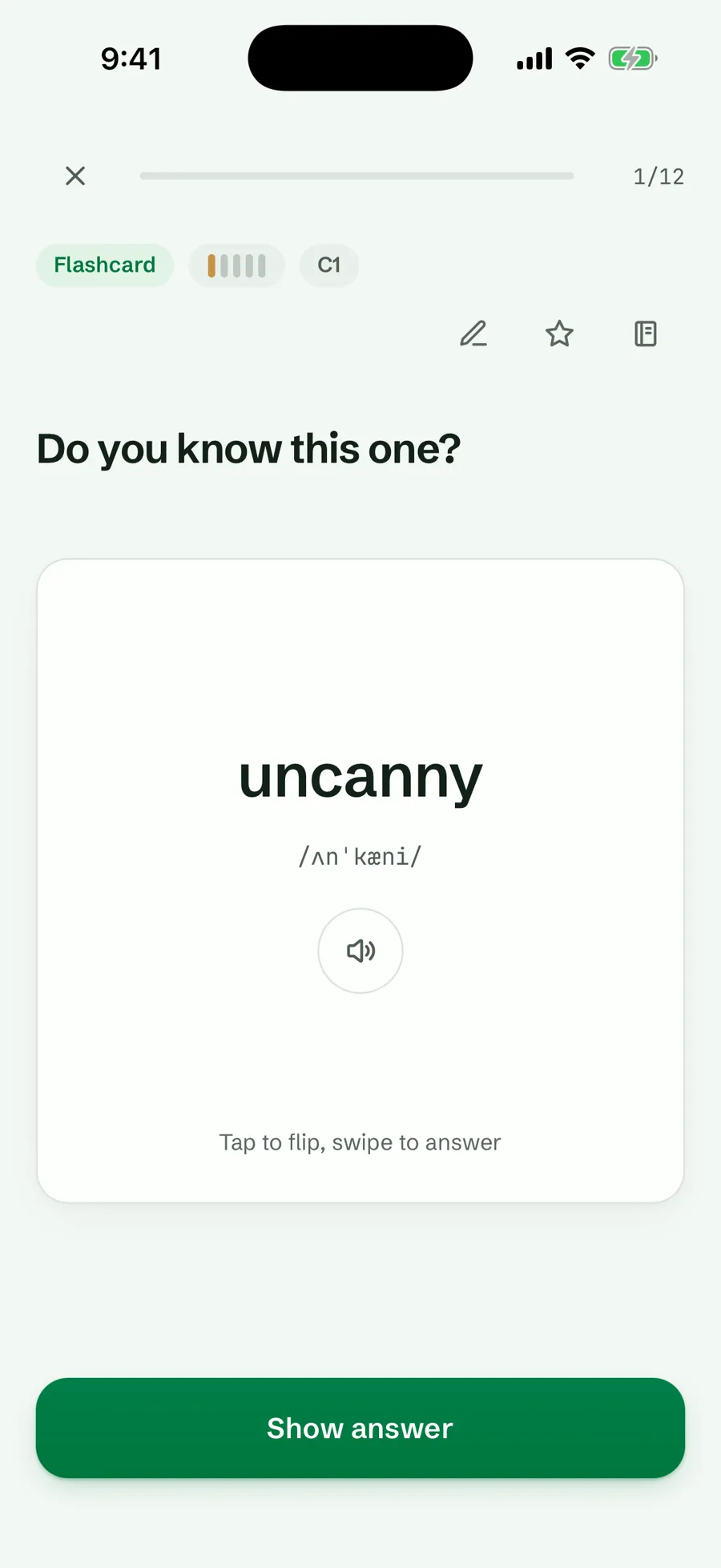
Lexpad flashcard practice: Do you know this one? with the word uncanny and a Show answer button
Tap to flip, swipe to answer
Keyboard shortcuts during a session, on a computer.
KeyWhat it does
SpaceTurn the card
← →Answer: didn’t know, knew it (also from the front)
1–4Pick an option in multiple choice
EnterCheck a typed answer, or go to the next card
ZUndo the last answer (also Backspace)
SStar the word
EscLeave the session

Lexpad notices your milestones

Since 9 October 2026 Lexpad marks real progress with a short moment of its own (from tester feedback that the app felt lifeless). Every one comes from your own practice and your own words, never a sample.

  • Your first session is done, with the word and when it comes back.
  • Days in a row: a line at 3 days, confetti at 7, 14, 50 and 200, and a full celebration at 30, 100 and 365 days, then every year. Also your longest streak yet.
  • Your first word mastered (step 5), and round counts of mastered words.
  • Words in your notebook: a short note at 10, 50, 250 words and on; round numbers such as 100, 500 and 1,000 get a celebration on Today.
  • That’s everything due today, once a day. On Today a ring fills as you practise, and the day card says All done for today with when the next words come back.
  • Smaller ones: a word remembered after some days, a slipping word that stuck, good to have you back, a freeze that saved your streak.

Each moment happens once, across all your devices, and old milestones are not replayed. At most one big celebration a day, and never during a card, while adding a word, in Lex or in Settings. There are no points, coins or leaderboards, and nothing celebrates accuracy, because honest answers matter more.

Turn it off

  1. Open Settings⁠, then Practice⁠.
  2. Switch Celebrations off (on by default, per device).

No confetti and no celebration lines. The day’s ring and All done for today stay, because they are plain facts.

Reduced motion. With your system’s reduce-motion setting on, every celebration still appears, but nothing moves: small still sparkles instead of confetti. Screen readers hear each one once.

On the web now, in the Android app from 1.0.52 and in Lexpad for Mac and Windows from 0.3.1.
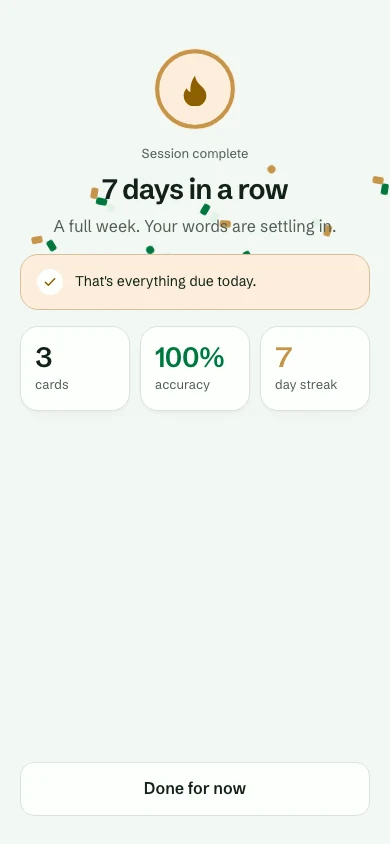
The session summary: 7 days in a row, A full week. Your words are settling in., confetti falling, and the line That’s everything due today.
7 days in a row
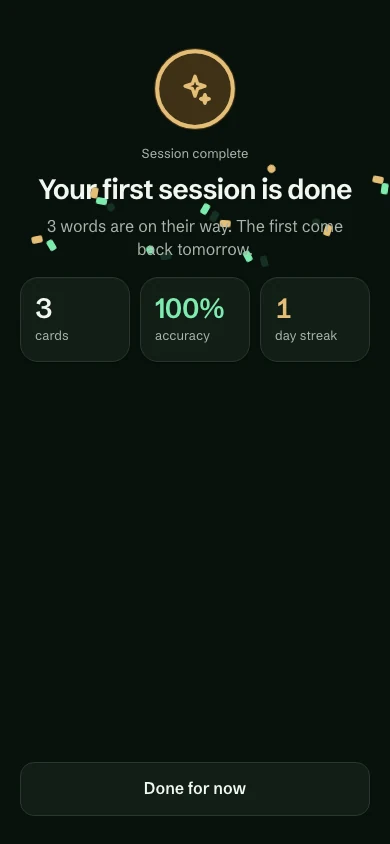
The session summary in the dark theme: Your first session is done, 3 words are on their way. The first come back tomorrow., with confetti falling and 3 cards, 100% accuracy, 1 day streak
Your first session
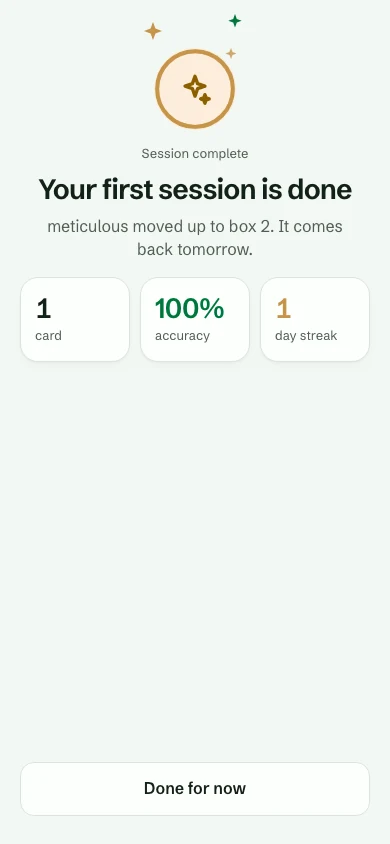
Your first session is done under reduced motion: still sparkles around the badge, no confetti, and meticulous moved up to step 2. It comes back tomorrow.
Reduced motion: still

Practice settings

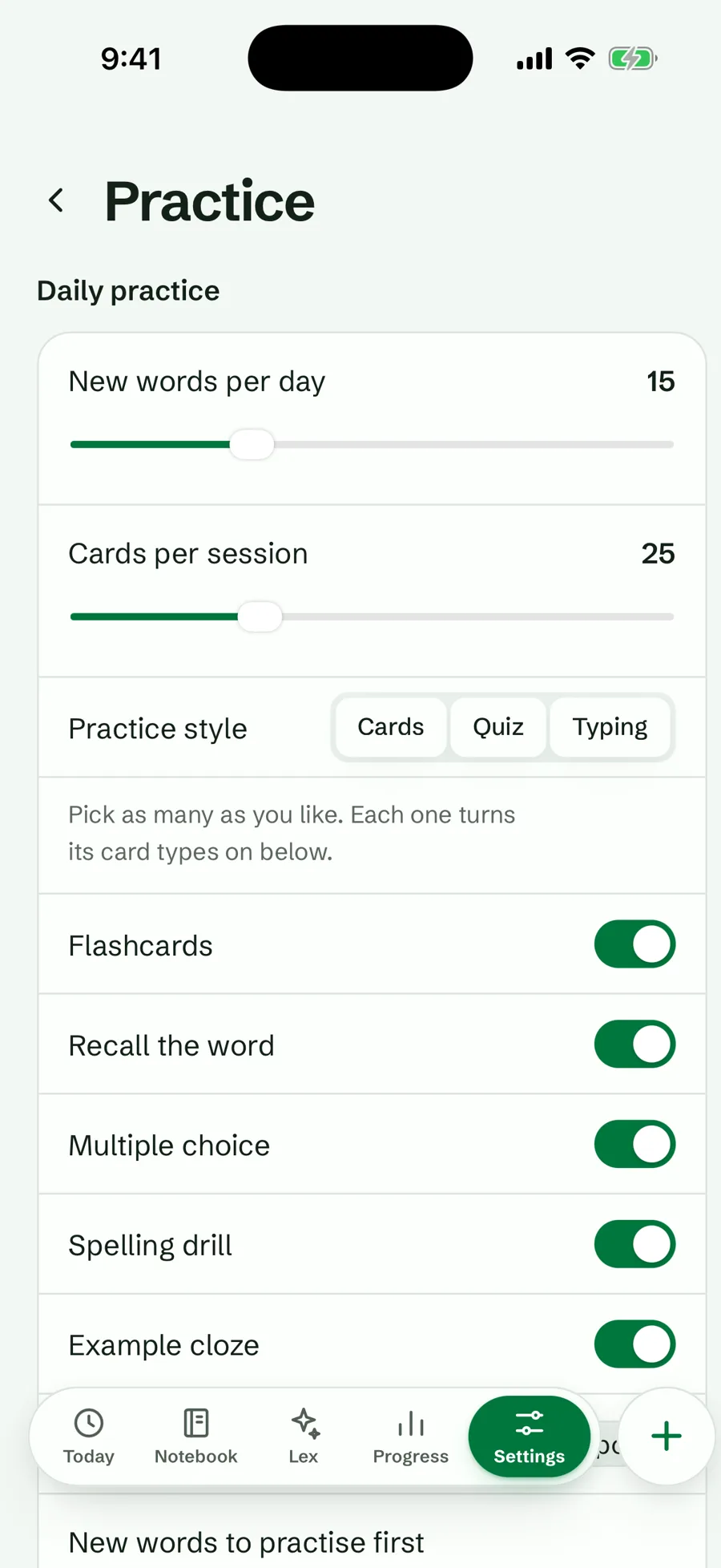
  • All of these are in Settings, Practice. The first row, How words come back, opens the schedule rules of your notebook.
  • New words per day (across all sessions in a day) and cards per session.
  • Practice style (Cards, Quiz, Typing) and each card type on or off.
  • Which new words come first: newest, from the start of the notebook, or shuffled.
  • Pronounce words automatically, and read example sentences aloud when a card is turned over. On the web you can slow the voice down (Normal or Slower), and with Pro pick the natural voice for each language.
  • How the app looks and when it reminds you are covered in colours, reminders and accessibility.
Practice settings: new words per day, cards per session, practice style and each card type switch
Practice settings

Self-test in the notebook

Switch Meanings off in the Show row on the notebook screen to test yourself anywhere in it. Your “Knew it” and “Didn’t know” count as real answers and move the words through the steps.

Try it in Lexpad

  1. Open Notebook⁠.
  2. In the Show row, switch Meanings off.
  3. Tap Show meaning on a word.
  4. Answer Knew it or Didn’t know; the word moves up or back a step, as in a session.

Offline and across devices

Practice works without a connection and syncs later. If two devices disagree about a word, the lower step wins, so syncing never makes a word look better learned than it is.

You can also practise from ChatGPT or Claude: answers you give in the chat are recorded as practice: they move your words up or back a step and count for your streak.

Practise listening and speaking, too

Your cards cover meaning and spelling. For your ear, the browser extension turns any subtitle line into an exercise: replay it, type what you hear and see each word checked, or say it back with Pro (dictation and shadowing on YouTube). With films on your computer, Lexpad Player pauses after each line so you can say it. To use your words in sentences, ask Lex, the AI tutor, to quiz you or check what you write.

Good to know

Questions

How should I practise vocabulary every day?

A few minutes, every day, on the words that are due. Lexpad shows them on Today: answer each one, and a word you know waits longer while a word you miss comes back tomorrow. On a busy day, the due words are enough. On a good day, add a game, or practise listening with a video.

What happens when I get a word wrong?

By default it goes back to step 1 and is asked again today; within a session a missed card also comes back once at the end. A notebook can choose Go back two boxes instead.

Is there more than one schedule?

Yes. Boxes are the default; any notebook can switch to Smart (Beta), built on FSRS, and back again. Both are free.

Is mastered the end?

No. A mastered word comes back after 21 days, then after 45, 90, 180 and 365 days as long as you know it. Miss it and it starts again from step 1.

Do paused words come back?

No deck includes them. Tap Practise it again on a word’s page whenever you like.

Lexpad

Five minutes today, on the right words.

Lexpad is free to start, on the web and on Android. Bring the words you meet.