 Lexpad
Your notebook. In your pocket.
Lexpad for Android.
The same vocabulary notebook, ready for the everyday. Offline practice, text-to-speech, haptics and a daily reminder at a time you choose.
Download the Android app
Lexpad for Android
Version 1.0.74 · Free
From Google Play (recommended)
Google Play installs Lexpad and keeps it up to date by itself.
Or download the APK (10.0 MB)
Your download starts in a moment… Didn’t start? Click here.
Direct link: lexpad-1.0.74.apk
- Needs
- Android 7.0 or later
- File
- .apk, signed with Lexpad’s release key
SHA-256 50297806a577a9487f77cea7c44586c7b5f603164f2e6b61fbd5278bd44efad7
Signed with Lexpad's release key, so later versions install over this one and keep your data. Prefer not to install anything? Open the web app.
Home-screen widgets
Your words, on your home screen.
Today’s reviews, one of your own words to flip, a quick way to add one, and your progress, a glance away.

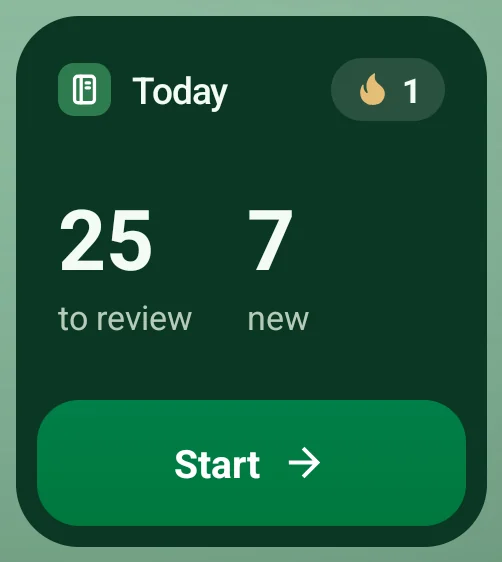
Today
Words to review, new words and your streak, with a Start button that opens practice.
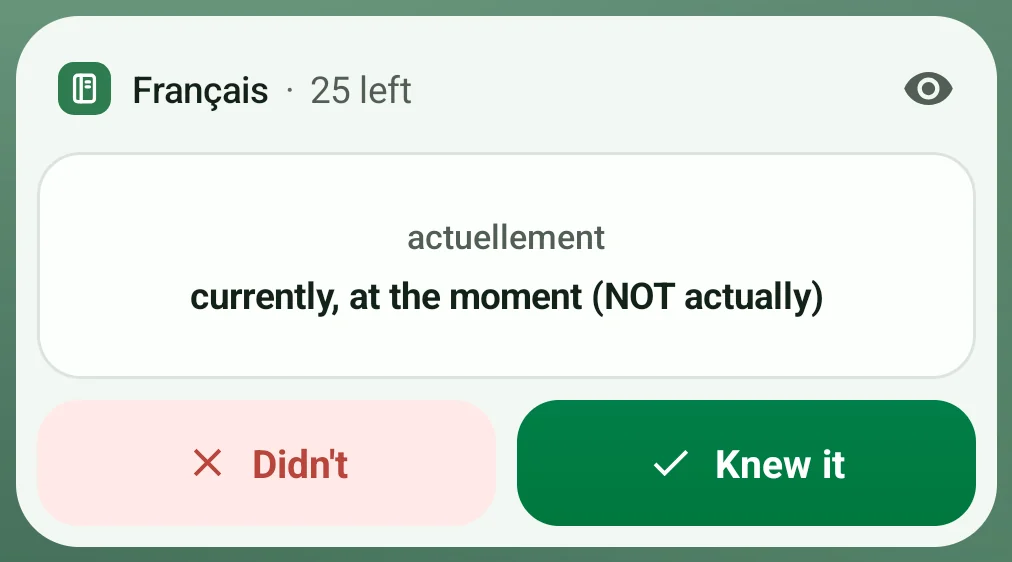
Word card
One of your own due words. Tap it for the meaning, then Knew it or Didn’t. Your answer counts as practice the next time Lexpad opens.

Quick add
Type a new word straight into Lexpad, or say it (Pro).
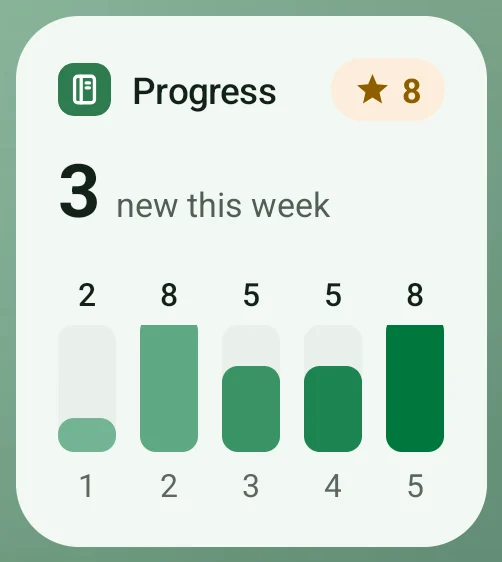
Progress
New words this week, your five boxes and the words you have mastered.


Light and dark, resizable, in Lexpad’s own colours. Touch and hold the Lexpad icon for Add word or Start practice, or add the Add word tile to Quick Settings. Free on every plan, in the Google Play app from 1.0.69, and in the APK 1.0.69 on this page. How the widgets work.
How to install
- Open the downloaded file from your notifications or the Files app.
- Android asks once to allow installs from your browser. Allow it, then come back and tap Install.
- Sign in with the same e-mail or Google account as on the web, and your notebook syncs to the phone.
Google Play
Lexpad for Android is on Google Play since 17 October 2026. The release-signed APK on this page stays available, for phones without Google Play.
Google Play and the Google Play logo are trademarks of Google LLC.
Prefer not to install an APK?
Open app.lexpad.app in Chrome, then choose Install app or Add to Home screen from the menu. It opens full screen, works offline and gets every update automatically.
What the Android app does
Every current Lexpad feature is in the Android app, with a few things only a phone does well.
- Your words on the home screen. Four widgets: Today, a Word card to flip and answer, Quick add and Progress, plus app shortcuts and an Add word tile. Android widgets.
- Opens with no connection. Your notebooks, practice sessions, progress, editing and search work offline and sync when you are back online. AI cards, Lex and payments need a connection. Notebooks, offline and sync.
- A daily reminder at a time you pick. It says how many words are due that day, and tapping it opens Today. Reminders and themes.
- Spaced repetition in short sessions. Five Leitner boxes (today, 1, 3, 7 and 21 days) or the Smart schedule, with flashcard, recall, multiple choice, cloze, spelling and listening cards. Practice and spaced repetition.
- Hear every word. Pronunciation uses your phone’s own voice for each language, where the phone has one.
- Say a word instead of typing it (Pro). The app uses Android’s own speech recognition in the notebook’s language, and you check the word before it is added. All the ways to add words.
- Links open in the app. A shared notebook link or a Lexpad link from an e-mail opens straight in the app.
Questions
- Is the Android app free? Yes. The Free plan is the same on every device: one notebook with unlimited words, every practice type and both schedules, and AI cards every day. Pro is optional; see pricing.
- Will my words from the web or my computer be there? Yes. Sign in with the same account and your notebooks sync.
- Which languages can I learn? Any of 81, in any pair, with right-to-left text on its own side of the card. Languages and scripts.
- Is there an iPhone app? The iPhone and iPad app is coming to the App Store. Until then, open the web app in Safari. The released home-screen widgets are on Android.
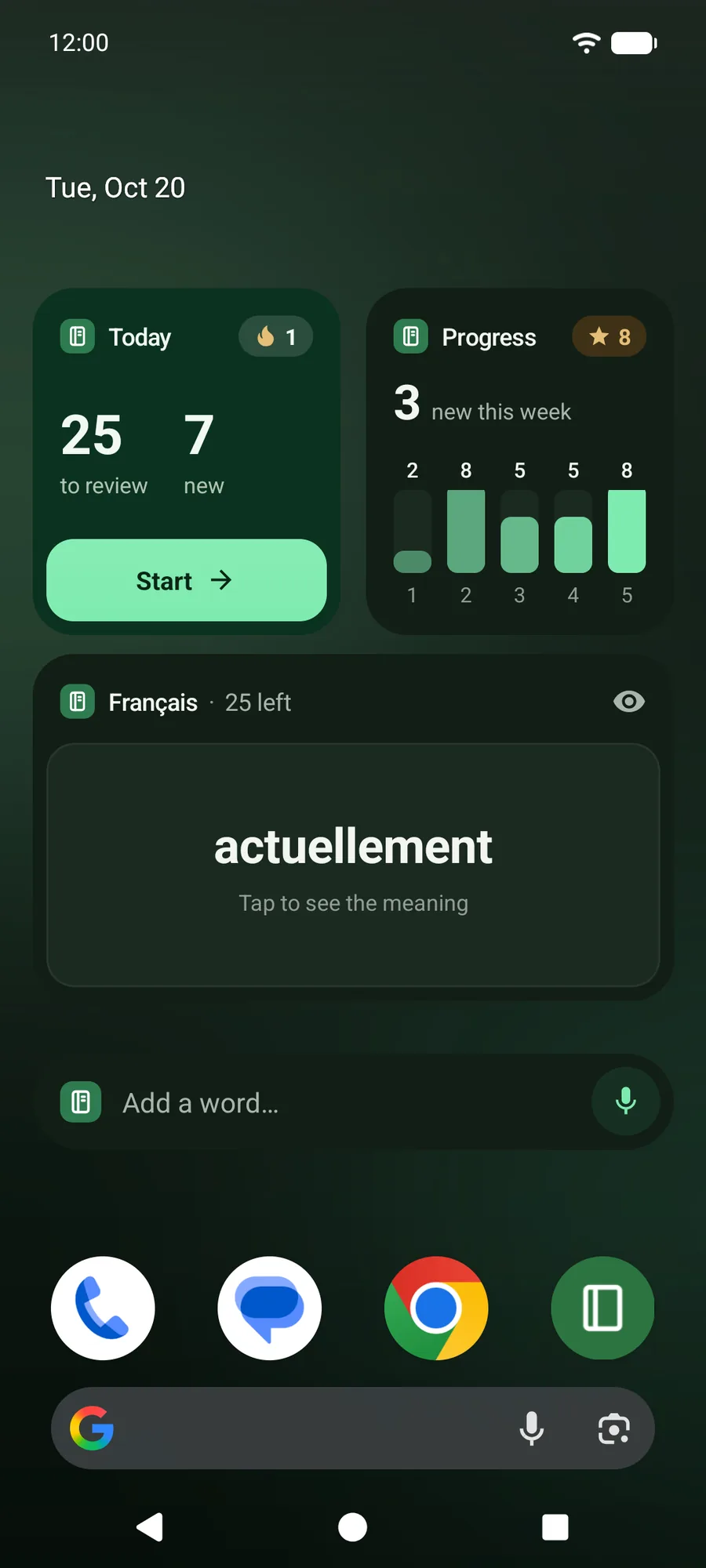
Lexpad 1.0.69 on an Android home screen.
Your notebook syncs
across devices.