 Lexpad
Getting started with LexpadAdd a word.
Practise. Come back.
That is all you need on day one. Lexpad picks the day each word comes back, so you never have to plan a review or open a setting. This guide explains what happens behind the cards, and the extras you will meet later, each when it can help.
By Reza Pirighadim, who makes Lexpad. Checked against the app on 8 October 2026.
- Day one
- Add, practise, come back
- Boxes
- Today, 1, 3, 7, 21 days, then longer
- A miss
- Back today. Nothing lost
- Settings
- None needed
Your first minutes
Open Lexpad and three short animated stories show what it does: you meet a word, Lexpad writes its card, and the word comes back before you forget. The words in them are drawn examples; nothing is added to your notebook. Skip goes straight on, and Watch a 30-second tour plays a short video with captions, only if you tap it.
- Four short questions: the language you are learning, the language you speak, what you are learning for (pick up to three reasons), and where you meet new words.
- Your plan: how many new words a day fit into 5, 10, 15 or 20 minutes, worked out from Lexpad’s own schedule, and the quickest ways to save words from the places you picked. Change it any time in Settings.
- Type a word you met recently and tap Make my card. This is where you create your free account, with Google or e-mail, and your word is kept. Any language and any script works, right to left too. Nothing is sent and no AI runs before you have an account.
- Once you allow AI, it writes the card: meanings in your language, an example and pronunciation. It is your card: edit anything.
- Three quick cards of that word (the flashcard counts, the other two are practice), then a short celebration shows its box and the day it comes back.
- In the Android app, the tour ends by offering one reminder a day at a time you pick. Android asks for notification permission only after you tap Turn on reminders; Not now asks nothing.
- Already have an account? I already have an account is under every story. Not ready for a word? I’ll add words later skips it.
- Then Today carries the story on: your first word and the days it comes back (tomorrow, then about 3 days, 1 week and 3 weeks), your plan, and at most one notice. The rest of Today appears as your notebook grows, for example your latest entries from your second word and focused practice from ten words. Since 22 October 2026 on the web, in the Android app from 1.0.74.
This tour is on the web since 22 October 2026 and in the Android app from 1.0.73.
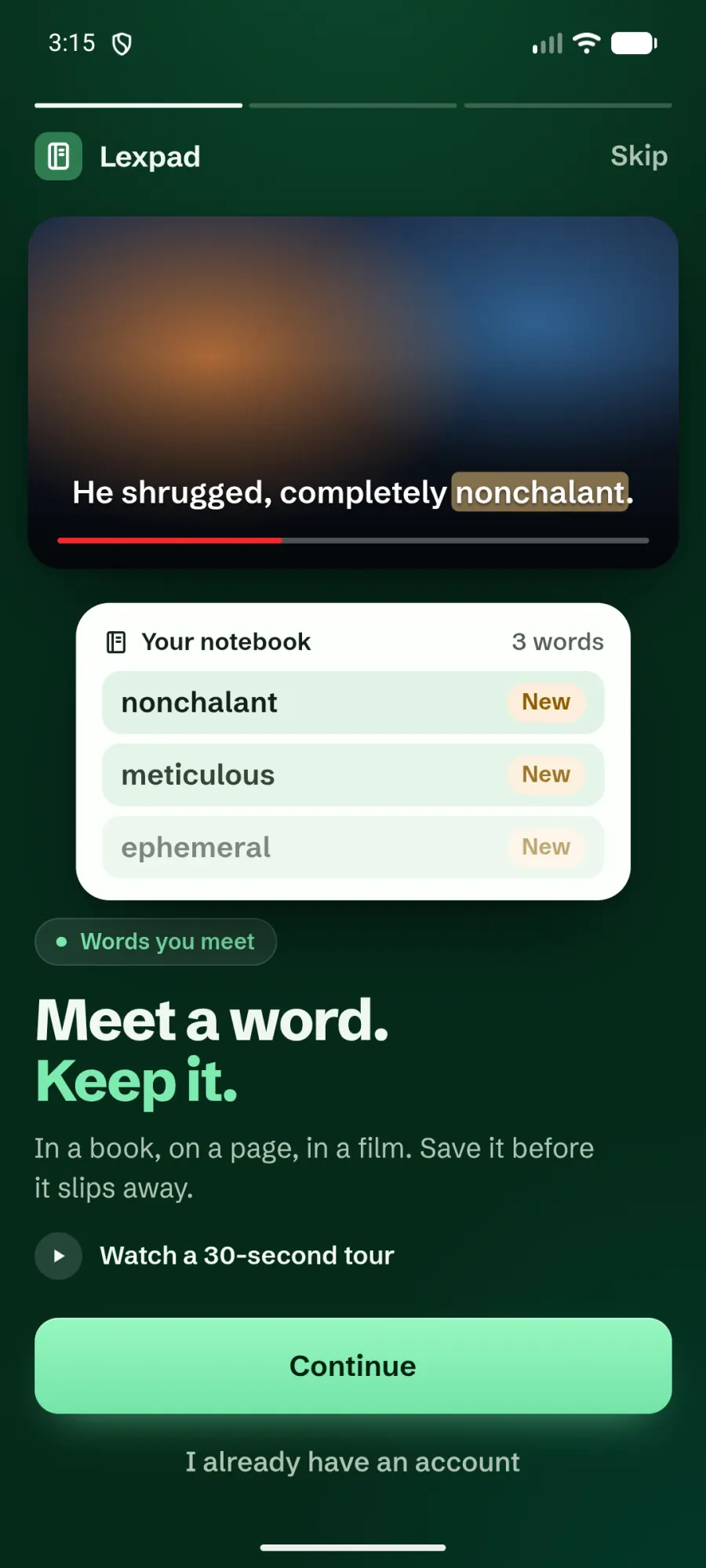
Three short stories. What Lexpad does, with drawn example words.
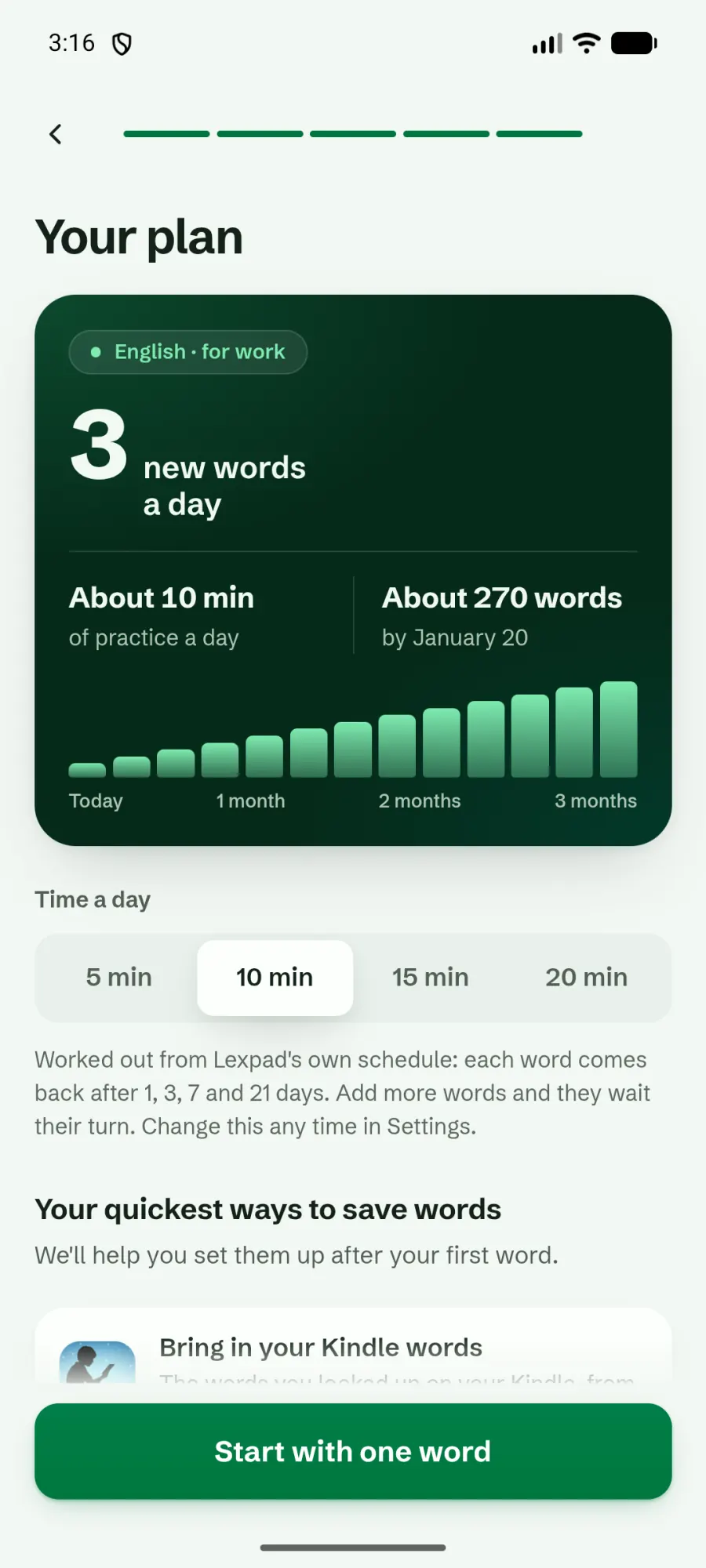
Your plan. New words a day for the minutes you pick.
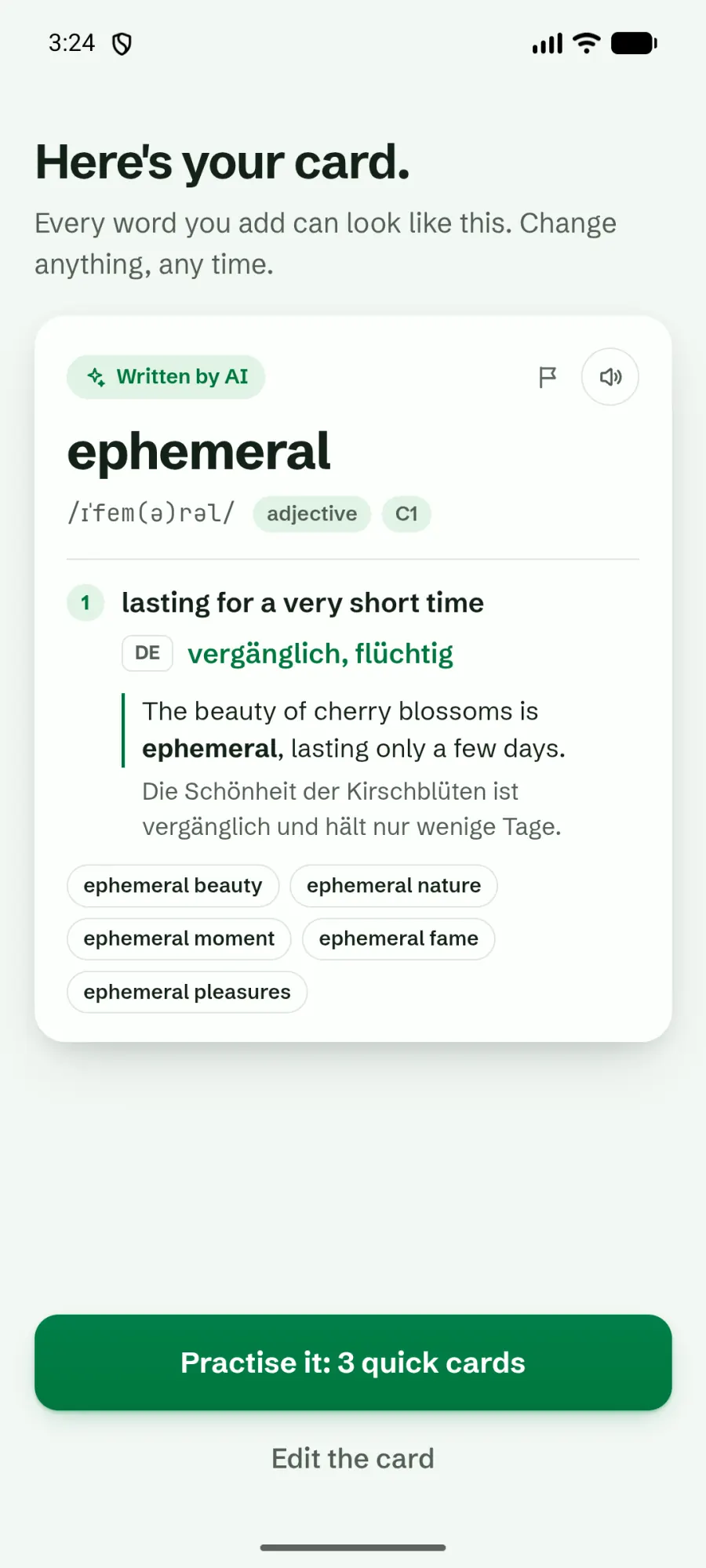
Your first card. AI writes it for the word you typed.
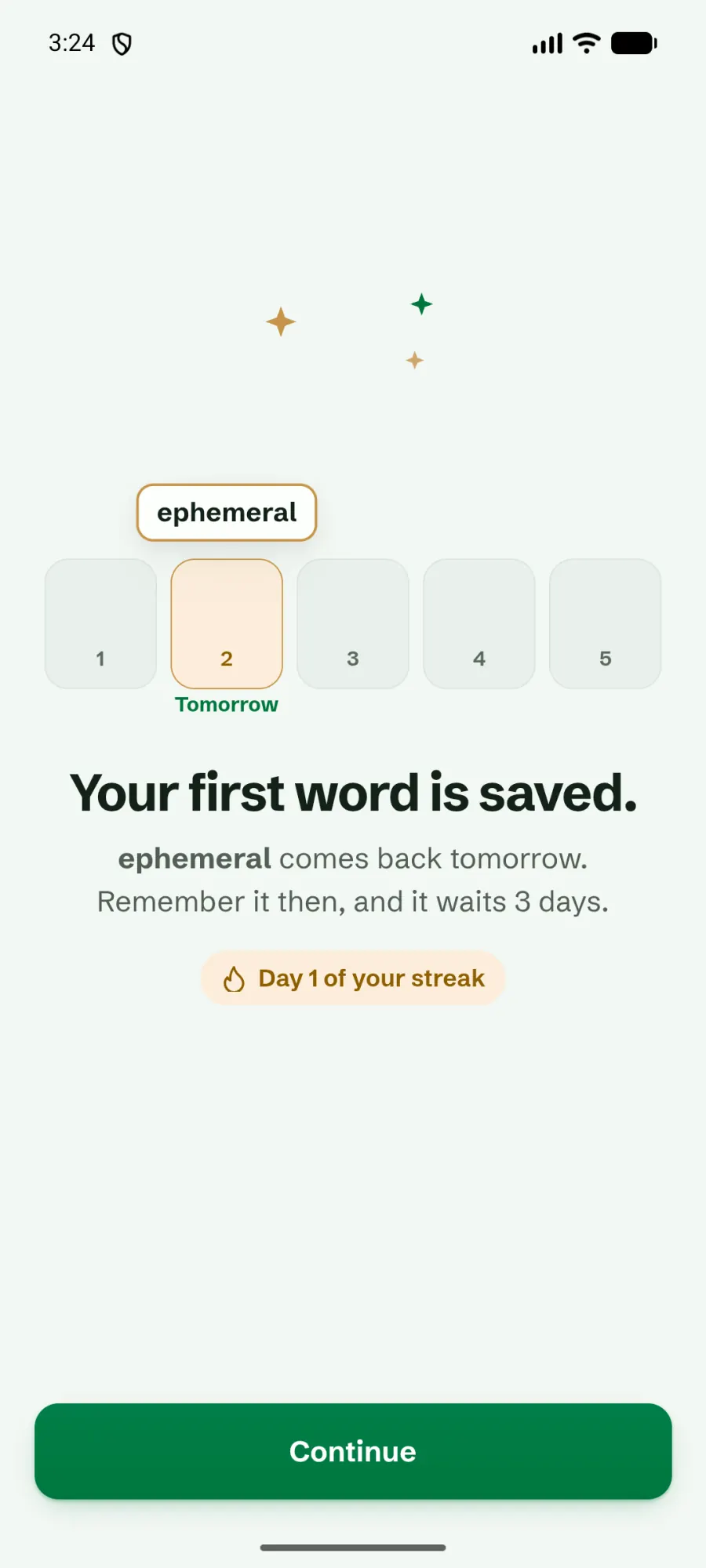
It is saved. The box it sits in and the day it comes back.
Your first day
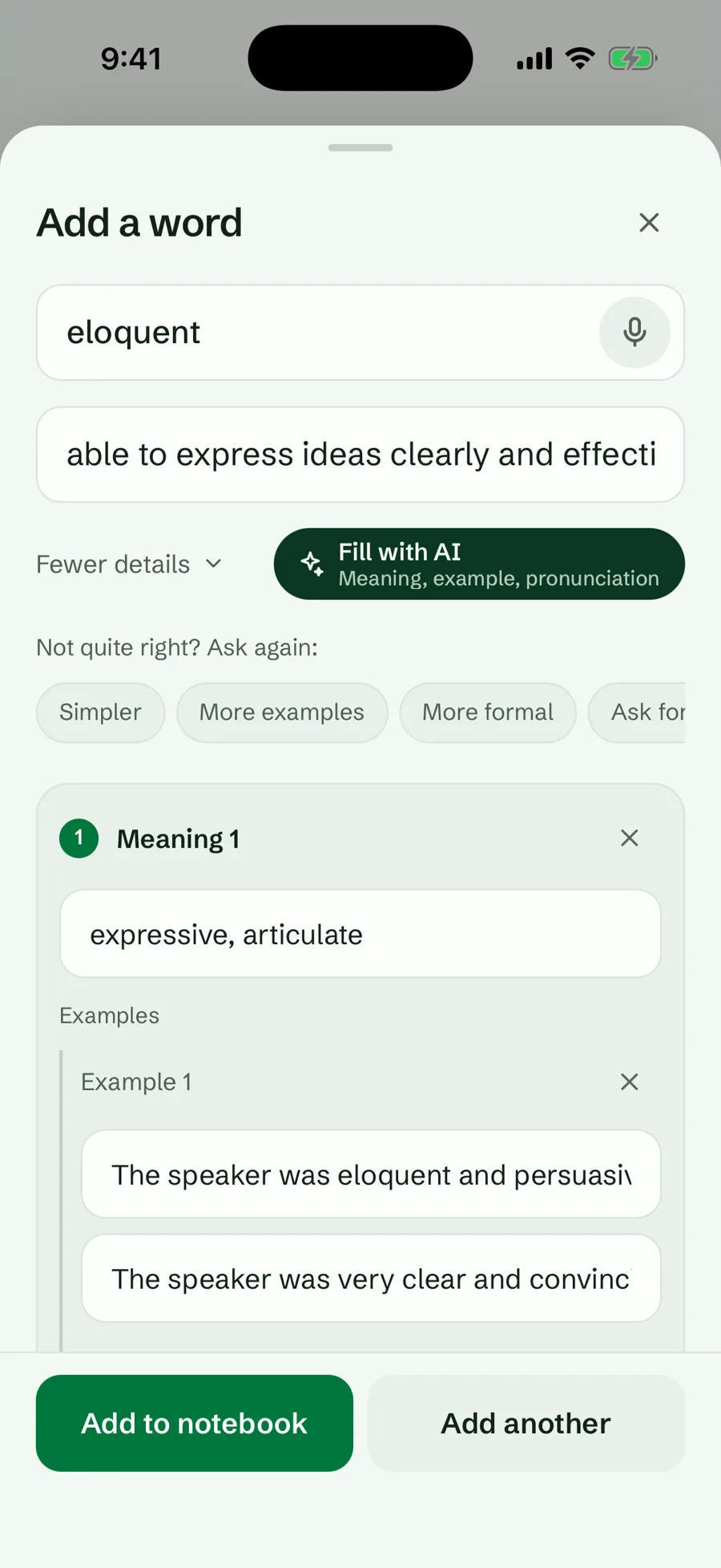
Lexpad is a notebook for the words you meet yourself, in a book, a film, a chat or at work. It has no word lists. You add a word, and AI can fill in its meanings and examples.
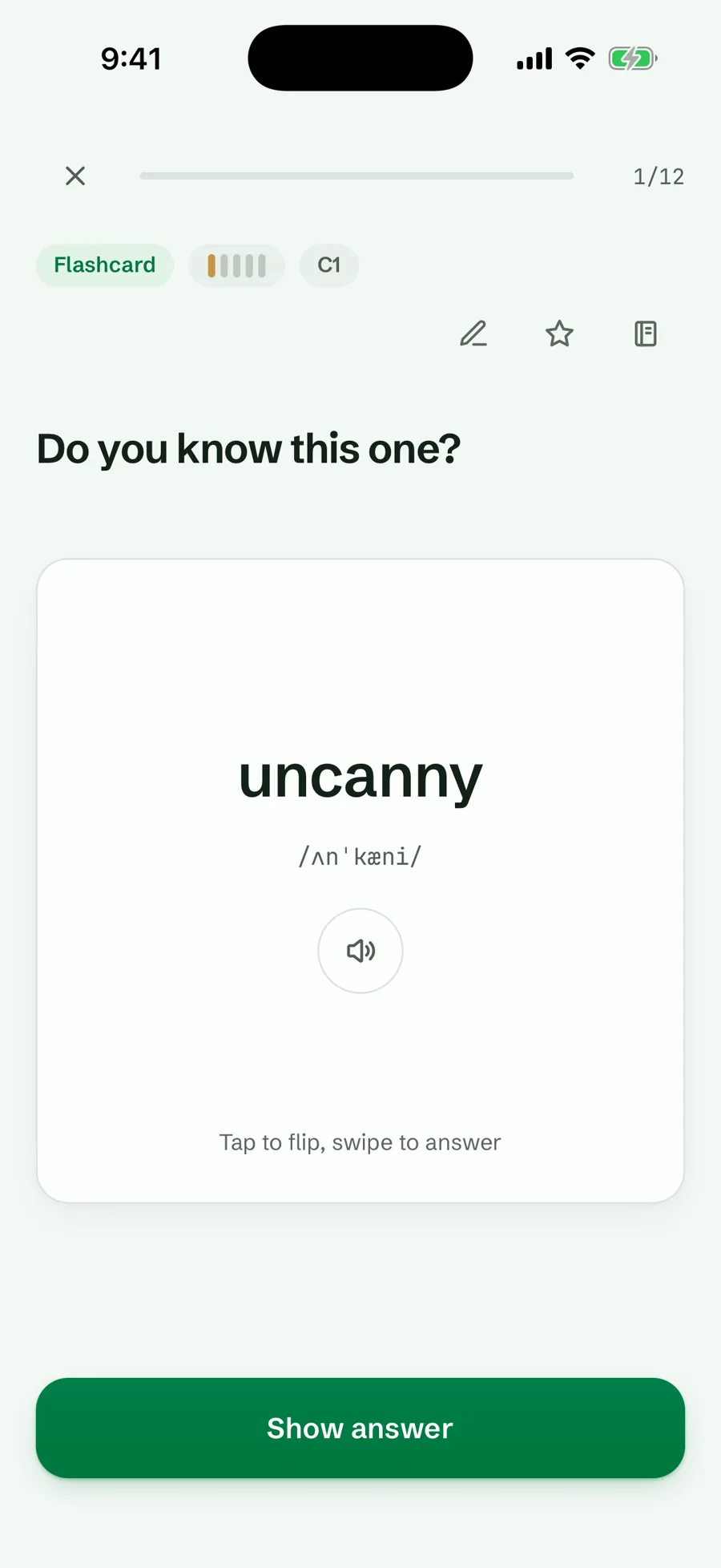
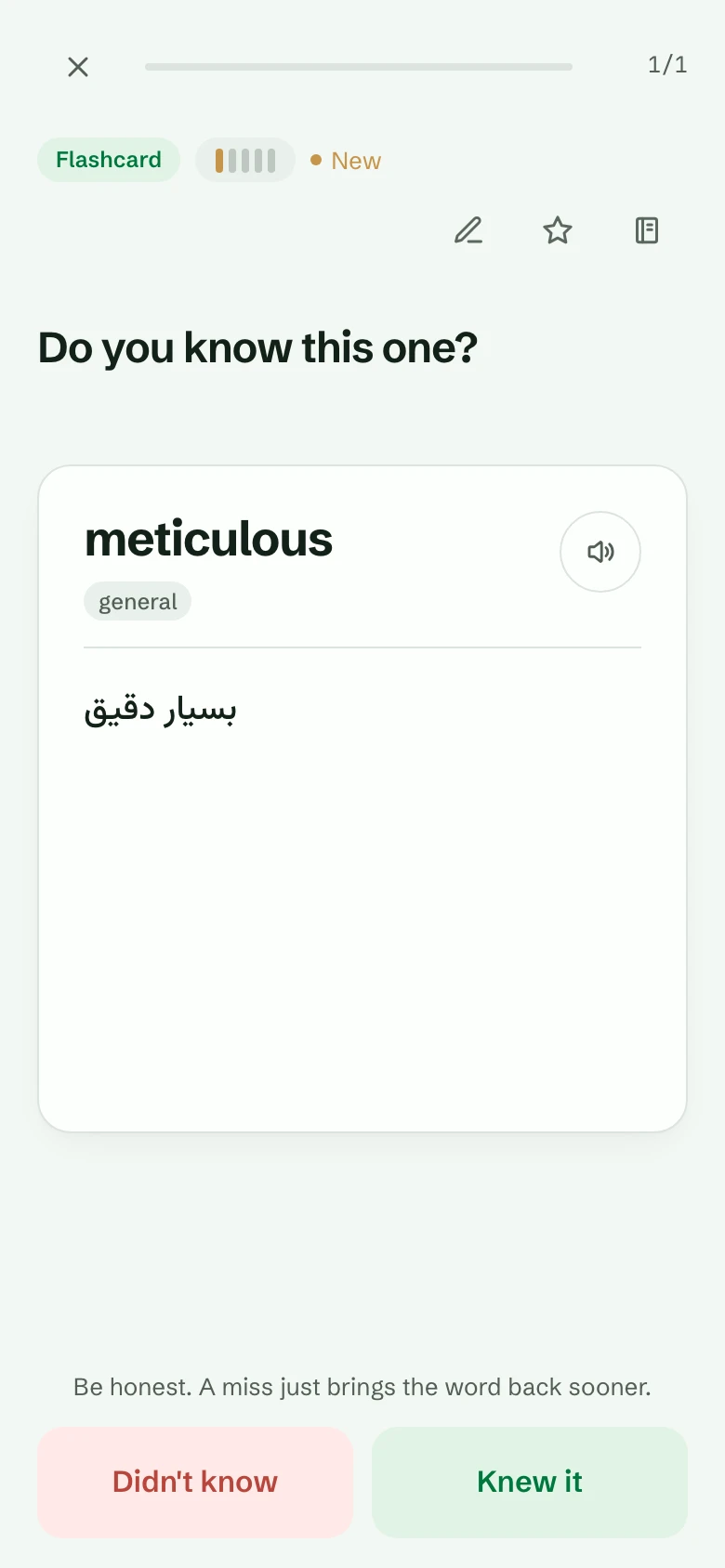
Then practise. A practice card is a quick check, not a test: Lexpad shows a word, you turn the card over and tap Knew it or Didn’t know. Be honest. A miss just brings the word back sooner.
Add a word. Type it, then Fill with AI if you like. It is your card: edit anything.
Practise. Tap the card to turn it. On a phone, swipe to answer.
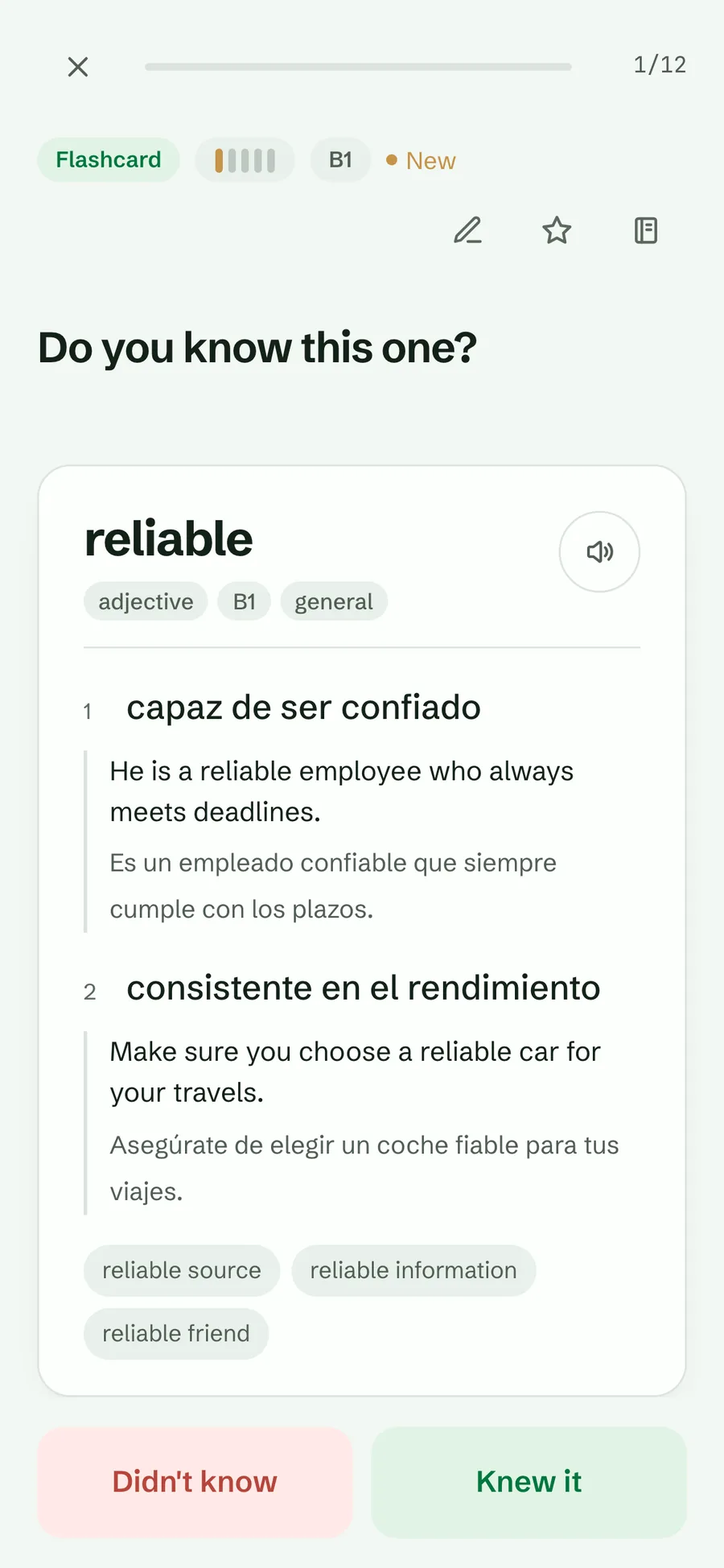
Answer. Knew it or Didn’t know. That is the whole job.
What the five boxes mean
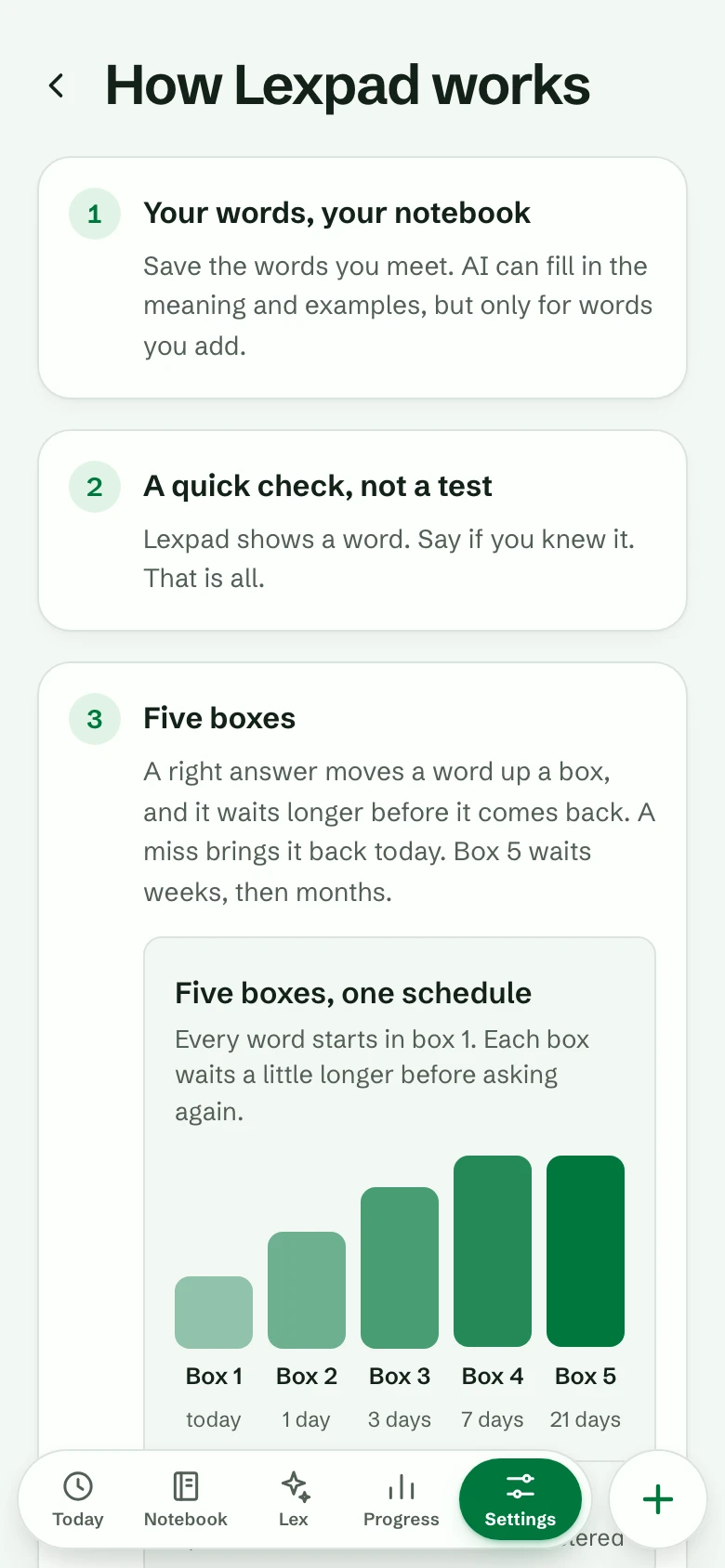
Every word sits in one of five boxes. A right answer moves it up a box, and it waits longer before it comes back. A miss brings it back today. Box 5 means mastered: it waits weeks, then months.
- A new word starts in box 1 and is asked today.
- Then it waits 1 day in box 2, 3 days in box 3, 7 days in box 4 and 21 days in box 5.
- A mastered word you still know waits 45, 90, 180, then 365 days.
- Each word’s page says when it comes back: “Next check: tomorrow”. Days follow your own time zone.
So a word you know every time is mastered in under two weeks, and you spend your minutes on the words you do not know yet. More on the Leitner system.
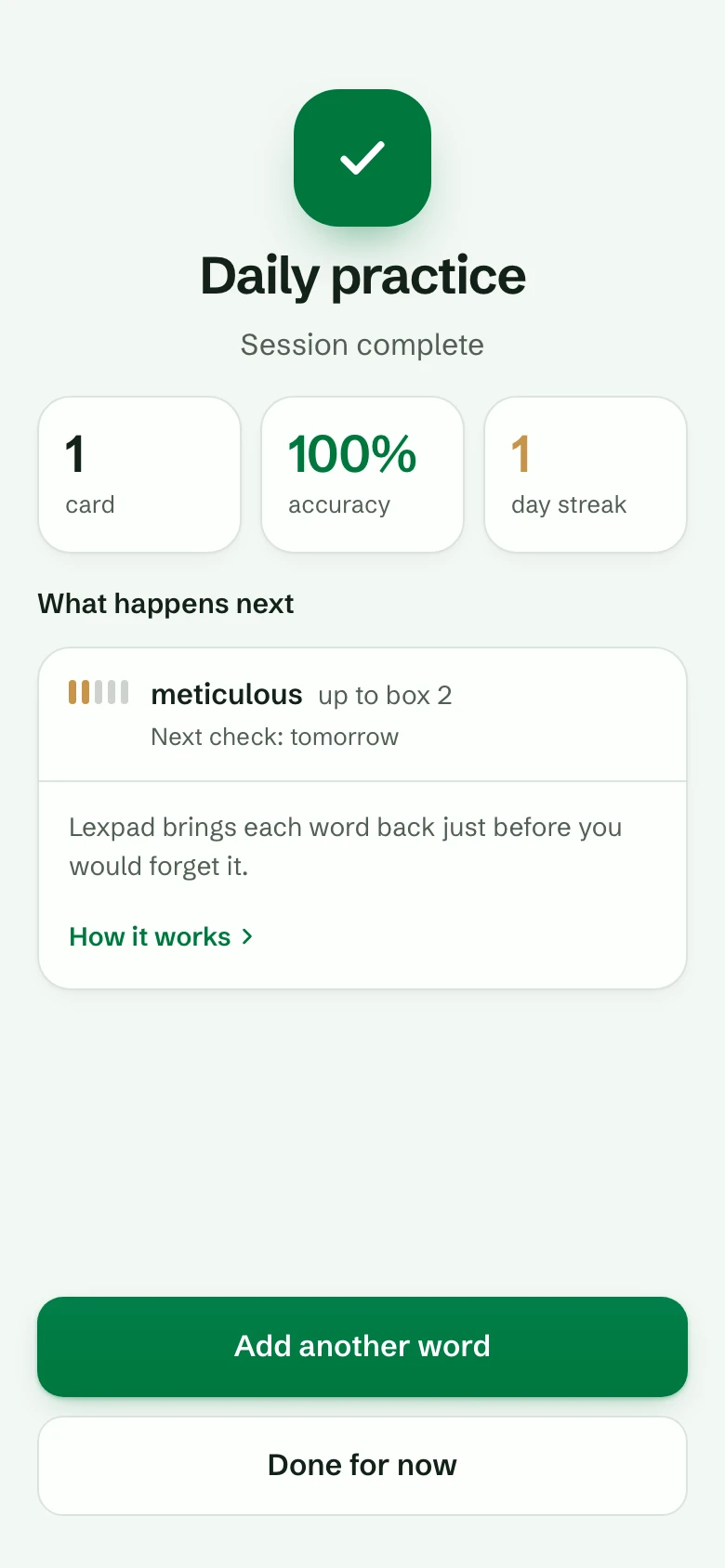
- Box 1Today
- Box 21 day
- Box 33 days
- Box 47 days
- Box 5 · mastered21 days, then longer
What happens after a miss
Nothing bad. A missed word goes back to box 1 and comes back today; in a session it also comes back once at the end. Forgetting is part of learning; the schedule simply brings the word back sooner.
- Want a softer rule? A notebook can choose Go back two boxes instead, so one slip does not undo weeks of work.
- A word you miss on many different days (six, unless you change it) gets a question at the end of a session: add a note, see examples, rest it for now, or keep going. Lexpad never hides a word by itself.
Come back tomorrow
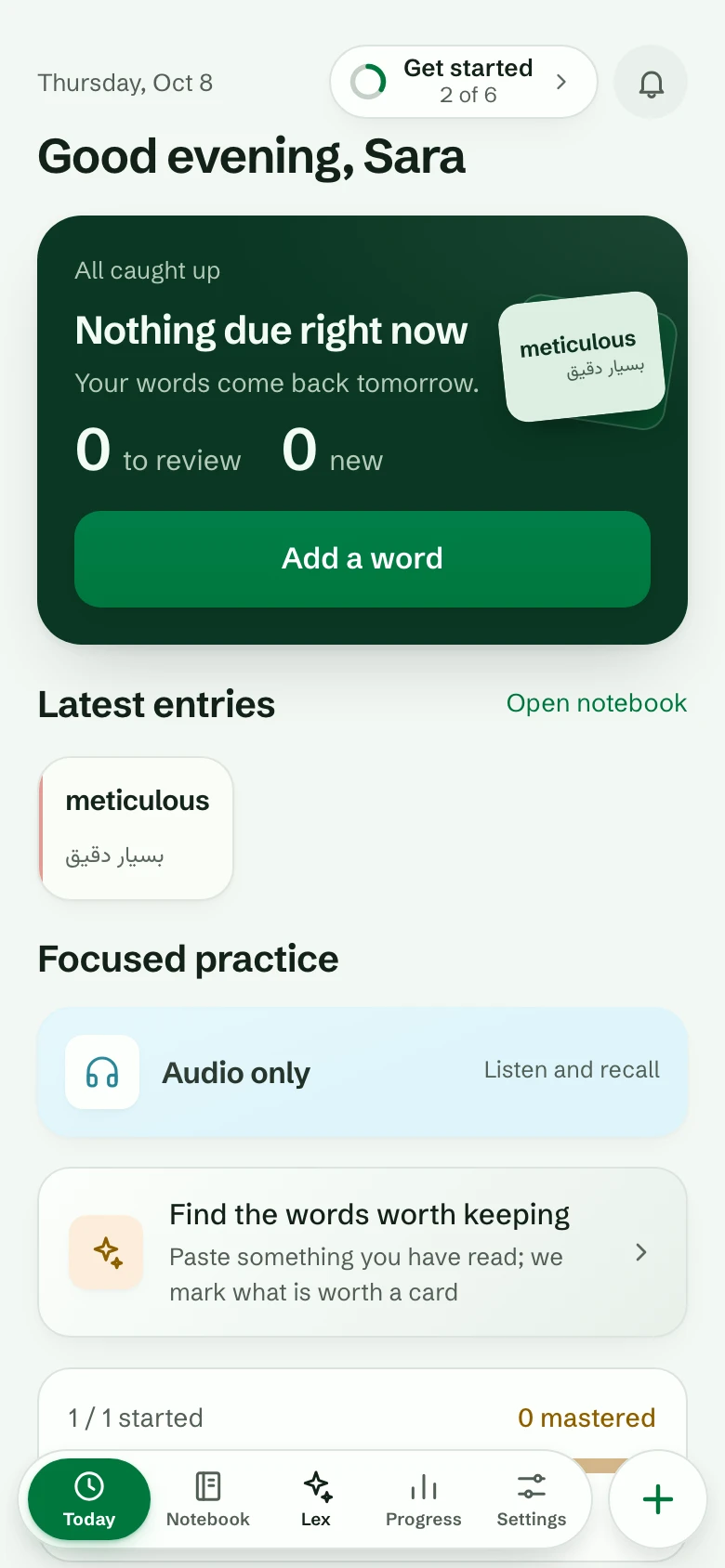
Open Today once a day. It shows how many words are due and about how long they take; Start session does the rest. A few minutes a day works better than an hour once a week.
- Missed a day? Nothing is lost. Due words wait for you, and the ones most at risk come first.
- Back after a long break with a big pile? Today offers a daily limit once, so the pile becomes a few calm days.
- Like streaks? After seven days in a row, turn on streak freeze by tapping your streak on Today: one missed day will not break it.
- A daily reminder can tell you when words are waiting. In the Android app from 1.0.52, the summary of your first day’s session offers it once, at the hour you practised; the phone asks for permission only when you tap it. You can set it in Settings at any time.
- Lexpad notices your milestones: your first session, days in a row, your first mastered word. Once each, never during a card.
Due words and extra practice
Today brings the words that are due. Decks and games are for extra practice, any time, as much as you like.
- In extra practice, a word that is not due yet keeps its box when you get it right, so it still comes back on its day. A miss always counts. (Only due words move.)
- Every answer counts for your streak and your day.
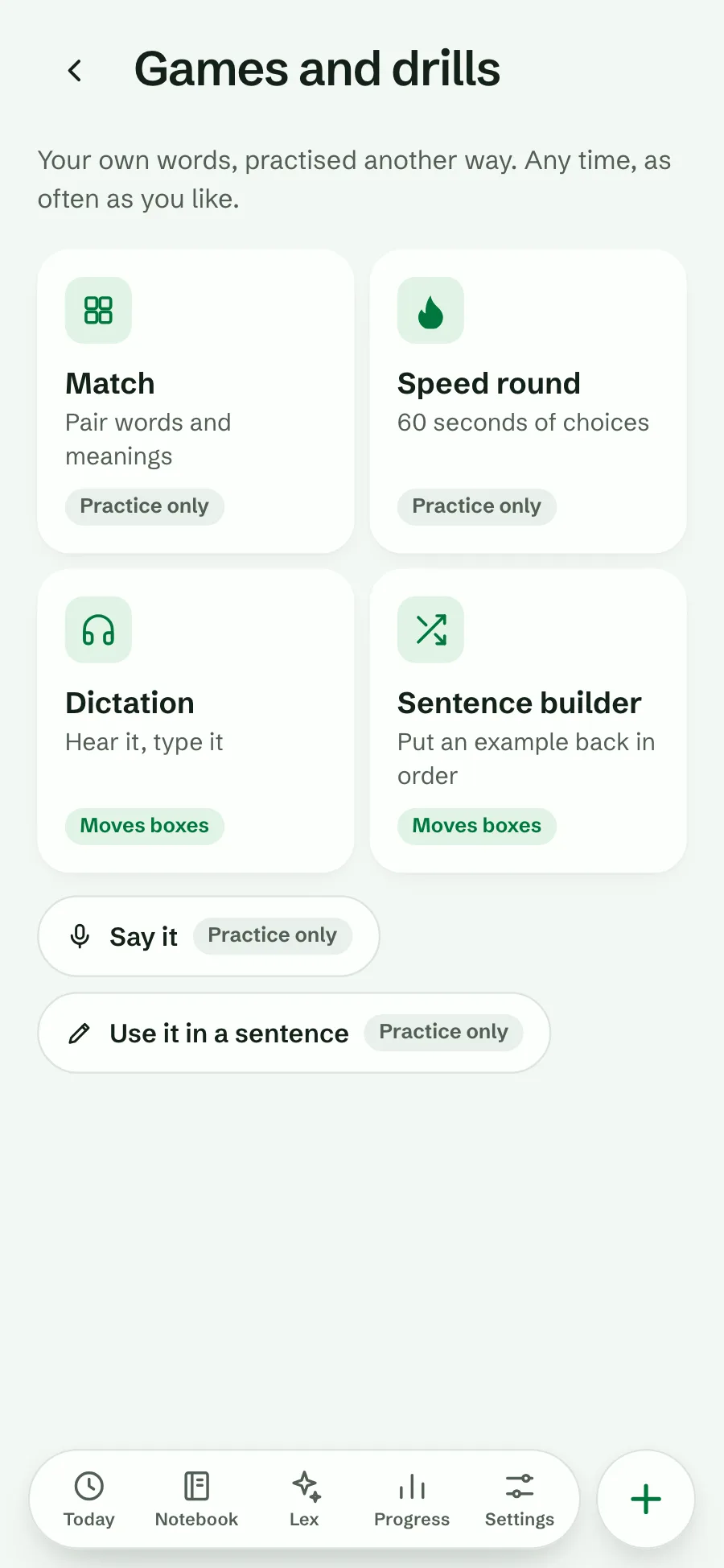
There are seven games and drills, all on your own words. Each says before you start whether it moves boxes (“Counts like a review.”) or not (“Practice only.”):
| Mode | What you do | Boxes |
|---|---|---|
| Match | Pair each word with its meaning. | Practice only |
| Speed round | As many as you can in 60 seconds, or without a timer. | Practice only |
| Dictation | Hear the word, type it. | Moves boxes |
| Sentence builder | Put one of your examples back in order. | Moves boxes |
| Collocations | Find the word that completes a phrase you saved. | Moves boxes |
| Say it (Pro) | See the meaning, say the word out loud. | Practice only |
| Use it in a sentence (Pro) | Write your own sentence; AI tells you if it sounds natural. | Practice only |
Find them on Today under Games and drills. They open once a notebook has a few words. All about games and drills.
When to try Smart
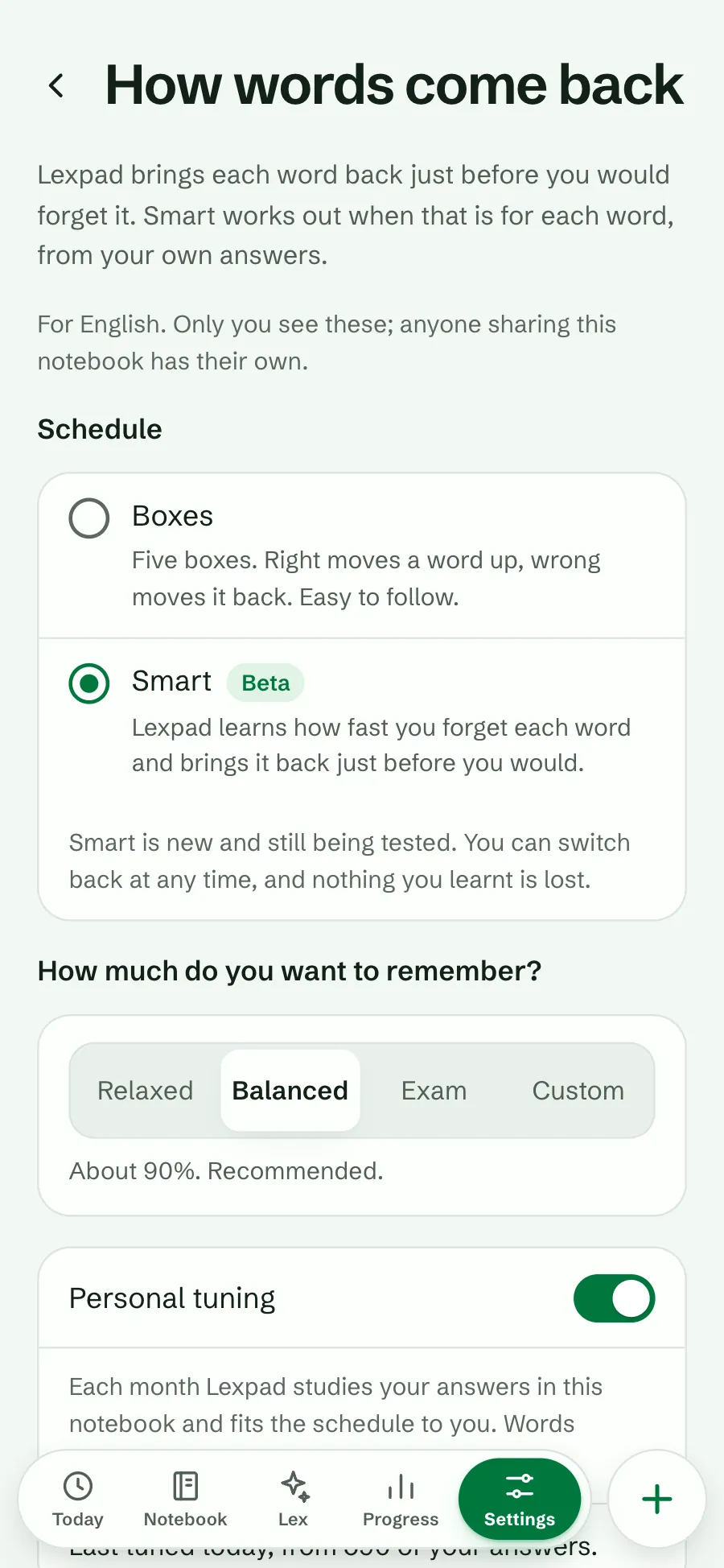
Boxes are simple and easy to follow, and they are the default. Smart (Beta) is a second schedule that watches your own answers and works out how fast you forget each word, then brings it back just before that. You choose how much you want to remember: Relaxed, Balanced or Exam.
- Not on day one. Smart needs answers to learn from. After two weeks of practice and 50 words started in a notebook, Today mentions it once.
- Good for a notebook you keep for months, or a test coming up.
- Nothing to lose. Your boxes and dates do not change when you switch, each notebook has its own choice, and you can switch back at any time. Both schedules are free.
You can change how it works
The defaults work for most people, so you never have to. If you want to, each notebook has a page called How words come back (Settings → Notebooks): a daily limit, a softer rule after a miss, when to ask about hard words, or the Smart schedule. New words per day is in Settings → Practice.
In the app, Settings → Help & about → How Lexpad works explains all of this in five short cards.
Every rule, explained. To see what is coming, Progress shows your next 30 days.
Tips that make it work
- Add the words you meet, with the sentence you met them in. Your own words stay better than a list.
- Keep it short and daily. Five minutes today beats an hour on Sunday.
- Be honest. Tapping Knew it when you were not sure only brings the word back later, when it is harder.
- Give a hard word a note: a memory trick, a picture in words, or a sentence about your own life.
- Use the extras when you feel like it. A game on a tired day still counts for your streak.
Good to know
Questions
Do I have to set anything up?
No. Answer four quick questions, type one word you met, sign up, and practise it. Lexpad picks the day each word comes back.
Where do the words come from?
From you. Lexpad has no word lists or starter decks. Add the words you meet; AI can fill in their meanings and examples.
How many words should I add a day?
As many as you meet and want to keep. New words join your practice at up to 15 a day by default, across all sessions; change it in Settings, Practice. How many new words a day shows the reviews each one brings.
What if I miss a day?
Nothing is lost. Due words wait for you. With streak freeze on, a missed day can keep your streak too.
Do games count?
Dictation, Sentence builder and Collocations count like a review. Match, Speed round, Say it and Use it in a sentence are practice only. All of them count for your streak.
Should I switch to Smart?
Not at first. Start with Boxes; after a couple of weeks, try Smart on one notebook if you like. You can switch back at any time.
Is this free?
Yes. Adding words, every card type, both schedules, five of the seven games and every rule on this page are free. Pro adds more AI, Say it and Use it in a sentence.
Lexpad
Add your first word.
Free, on the web and on Android. Lexpad does the planning.