Vocabulary games and drillsSeven more ways
to know a word.

Cards are the core of Lexpad. Games and drills add variety: pair, race, listen, build, complete, speak and write, always with the words you saved yourself. Five are free; Say it and Use it in a sentence are part of Pro.

Updated . Checked against the app on 8 October 2026.

Match: words on the left, meanings on the right, two pairs found
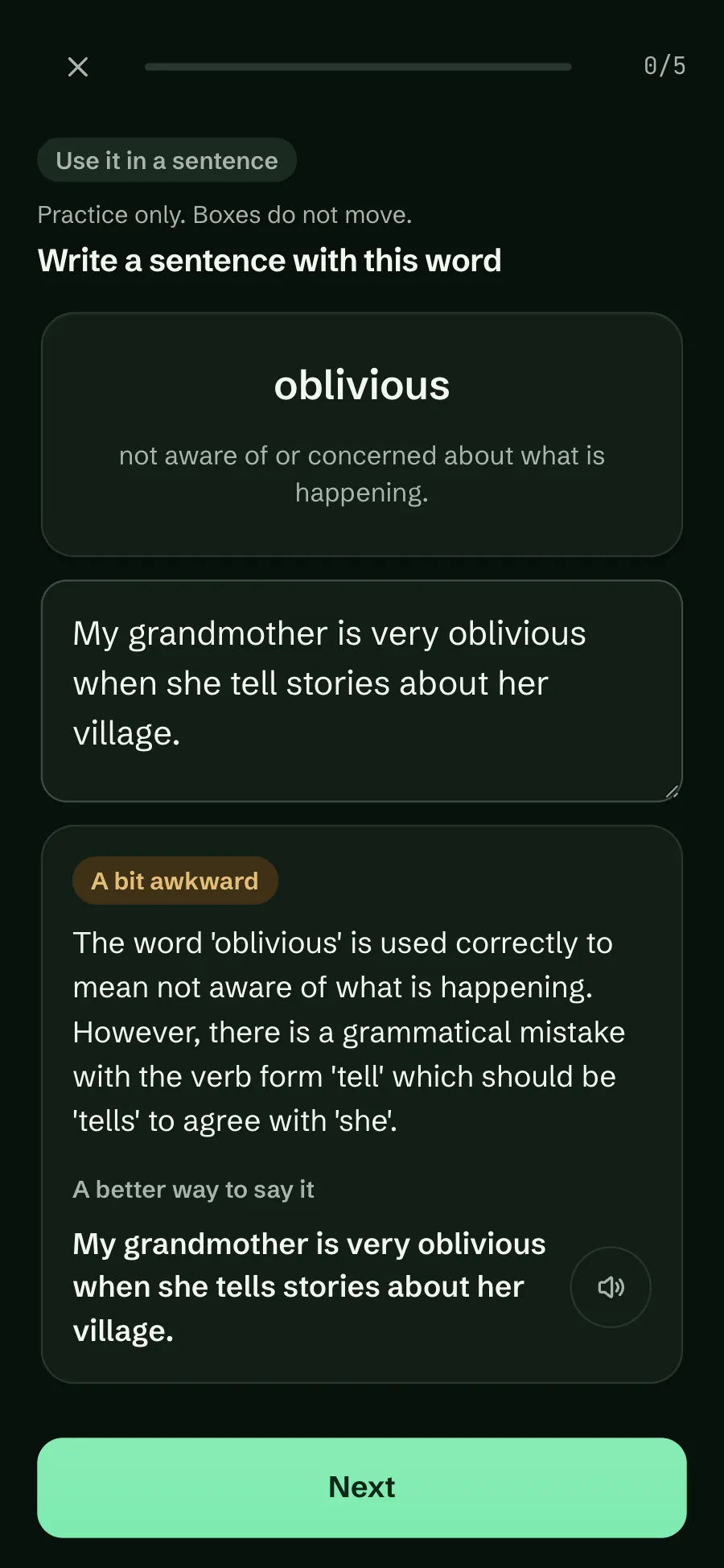
Use it in a sentence in the dark theme: a sentence with oblivious about a grandmother’s stories, marked A bit awkward because tell should be tells, with a corrected version
Modes
Seven
Free
Match, Speed, Dictation, Builder, Collocations
Pro
Say it, Use it in a sentence
Words
Only yours

Where to find them

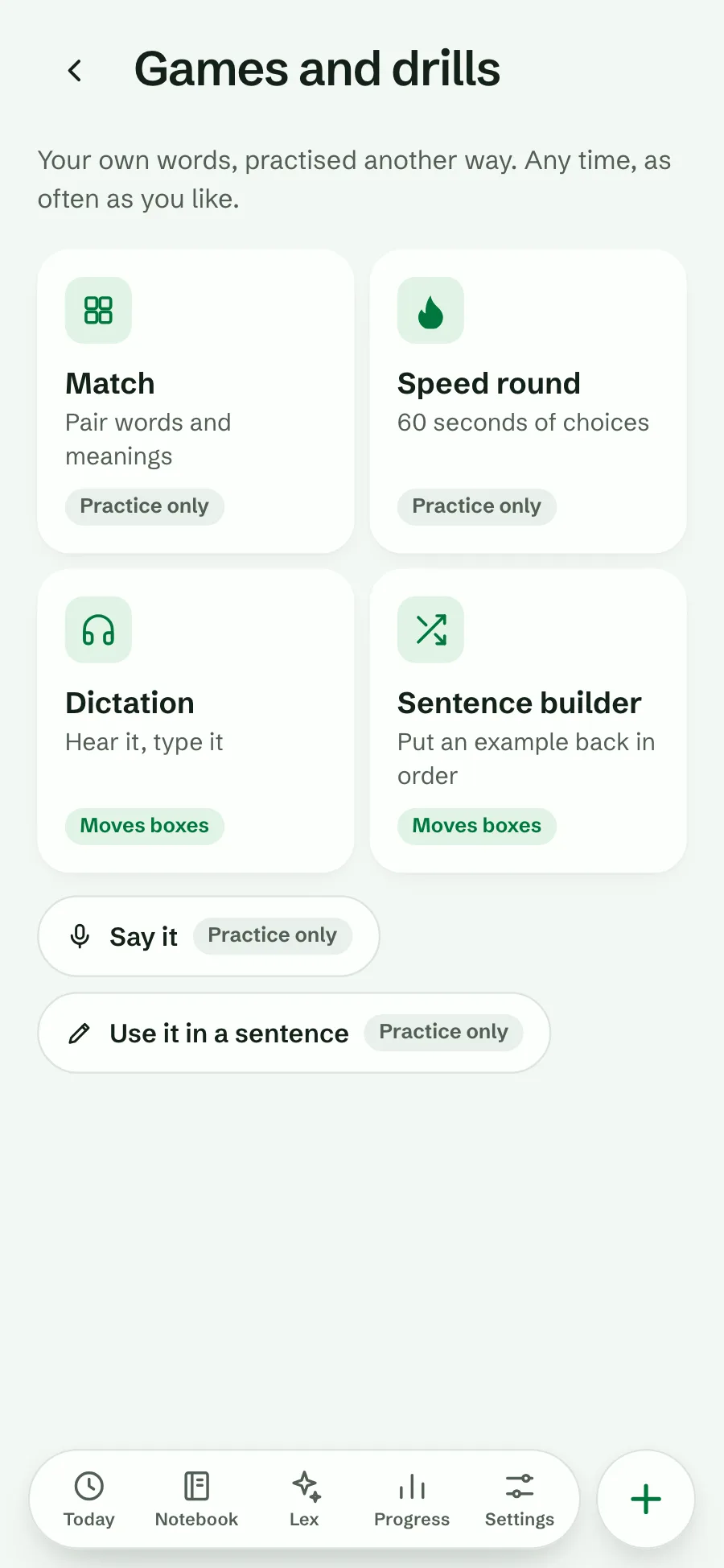
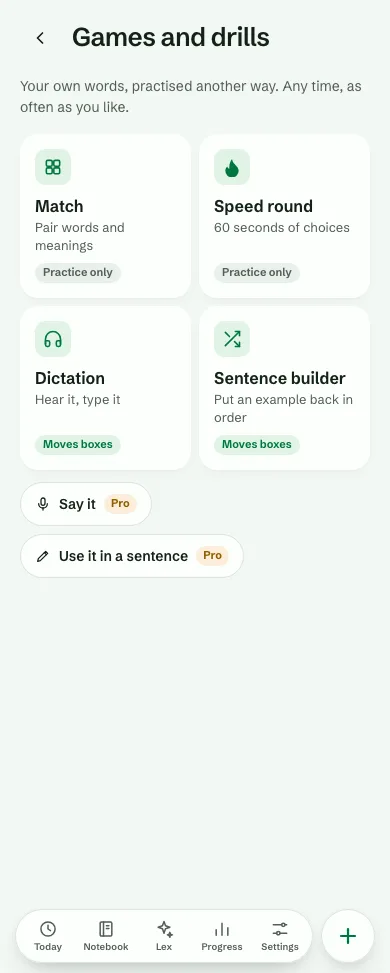
On Today, under Focused practice, tap Games and drills⁠. It opens a screen of its own with every game and drill: Match, Speed round, Dictation and Sentence builder, then Collocations, Say it and Use it in a sentence. On a computer, Games is also in the sidebar, under Decks⁠, and Decks has a Games and drills link at the top. Each one uses the notebook you have open.

A mode shows once the notebook can feed it, for example Match from five words with meanings, or Collocations once some cards have collocations. Today counts the ones that are open. When none can start yet, the screen says what each one needs and offers to add a word.

  • Games (Match, Speed round) and Say it and Use it in a sentence are practice only: the boxes do not move, because guessing, a noisy room or a judgment by AI should not change your schedule. They still count for your streak.
  • Dictation, Sentence builder and Collocations count like a review, as spelling and cloze cards do. Words that are due come first. A word that is not due yet keeps its box when you get it right (Only due words move).
  • Each mode says which it is before you start: “Counts like a review.” or “Practice only. Boxes do not move.”
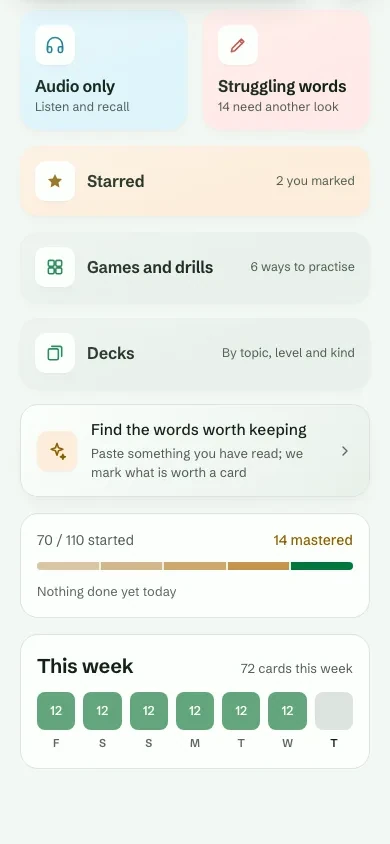
Today’s Focused practice: Audio only, Struggling words, Starred, then Games and drills, 6 ways to practise, and Decks, By topic, level and kind
Today
The Games and drills screen: Match and Speed round tagged Practice only, Dictation and Sentence builder tagged Moves boxes, then Say it and Use it in a sentence
Games and drills

Seven modes at a glance

Each mode practises the same word in a different way. Mix them: a word you can recognise, hear, spell, place in a sentence and say is a word you know.

What each mode trains, and whether it moves the schedule.
ModeTrainsSchedulePlan
MatchRecognising meanings, fastPractice onlyFree
Speed roundQuick recall under a timerPractice onlyFree
DictationListening and spellingCounts like a reviewFree
Sentence builderWord order and grammarCounts like a reviewFree
CollocationsWhich words go togetherCounts like a reviewFree
Say itSpeaking and pronunciationPractice onlyPro
Use it in a sentenceWriting, with AI feedbackPractice onlyPro

Game · Free

Match

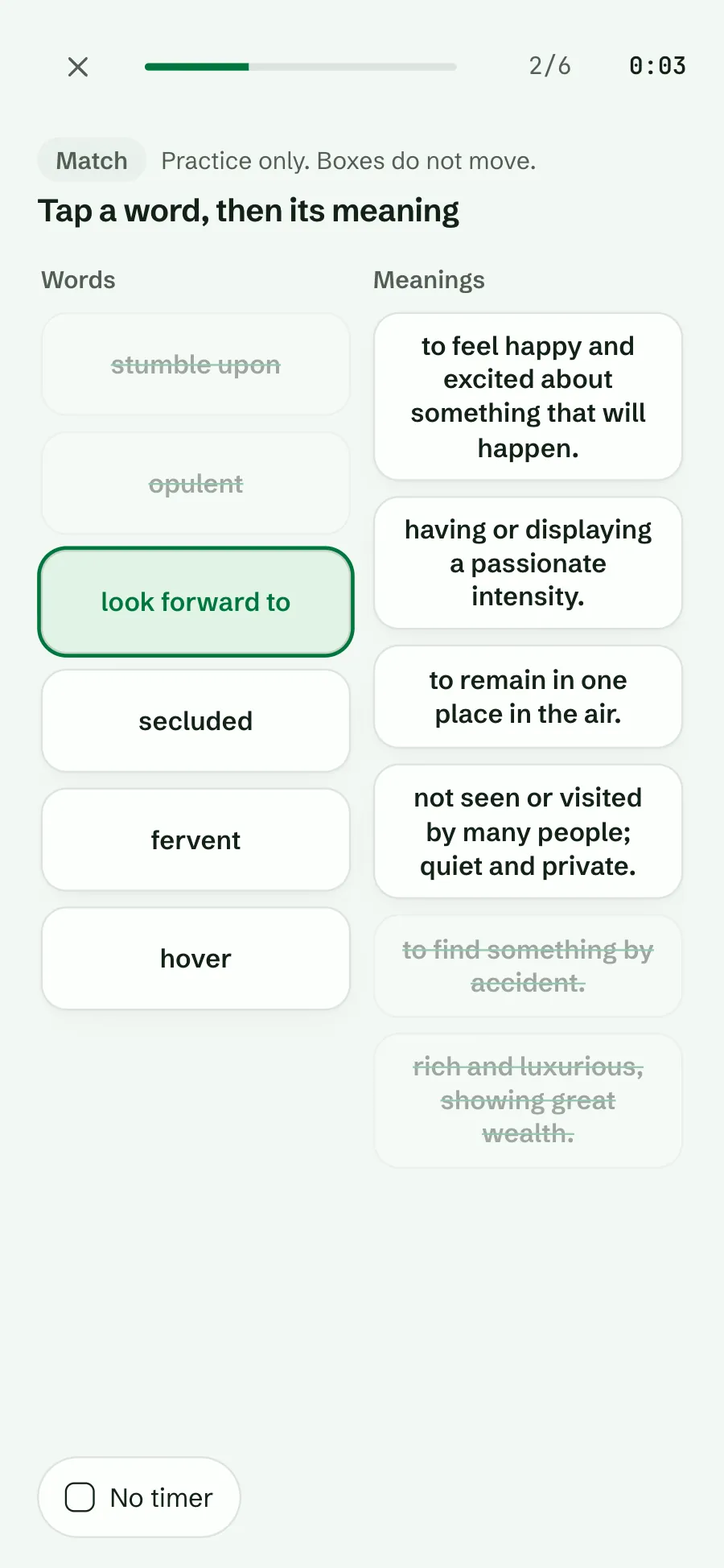
Six of your words on one side, their meanings on the other. Tap a word, then its meaning. A wrong pair shakes and you try again. There is a timer, and a No timer switch if you would rather not race. On a keyboard, arrow keys move and Enter picks.

  • Practice only. Boxes do not move.
  • Needs: Five or more words with meanings.
  • Plan: Free.
Match: six words on the left, six meanings on the right; two pairs found and crossed out, look forward to picked, a timer at 0:03 and a No timer switch
Pair words and meanings

Game · Free

Speed round

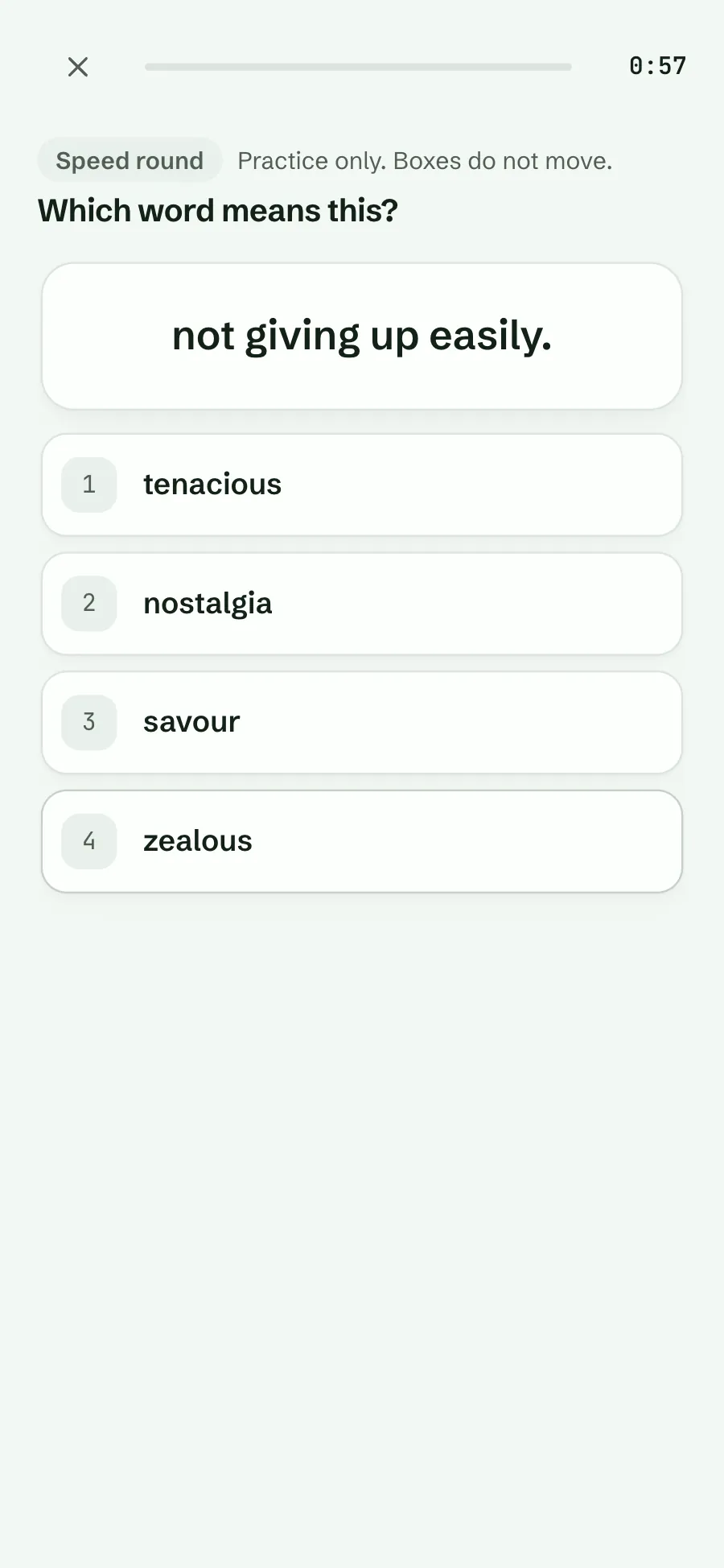
One meaning, four of your words, as many as you can in 60 seconds. With No timer it is 20 questions at your own pace. Keys 1 to 4 answer. Your best score for the notebook is kept.

  • Practice only. Boxes do not move.
  • Needs: Four or more words with meanings.
  • Plan: Free.
Speed round: Which word means this? not giving up easily, with the choices tenacious, nostalgia, savour and zealous, and 0:57 left
60 seconds of choices

Drill · Free

Dictation

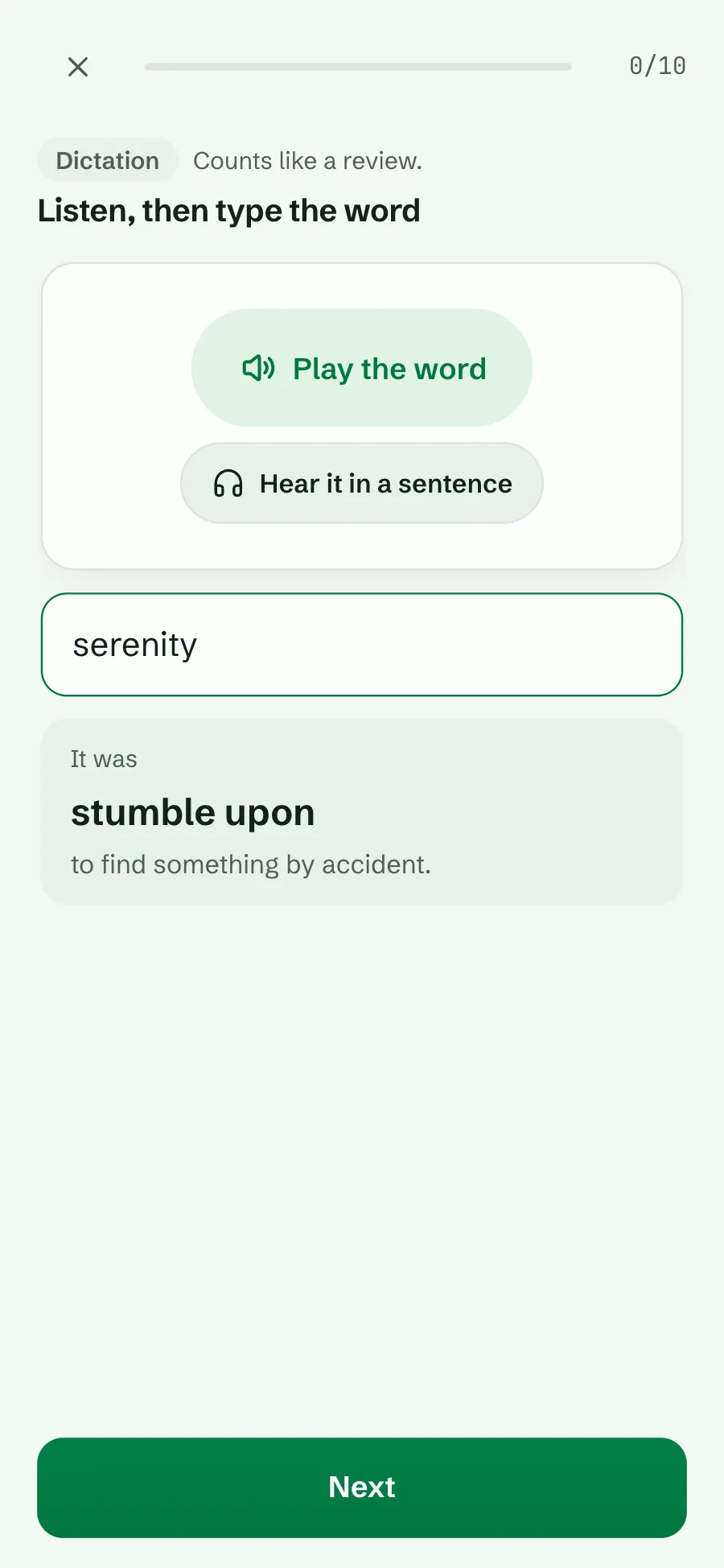
Lexpad says the word in the notebook’s language; type what you hear. Hear it in a sentence plays one of your examples. Your typing strictness applies, and after each answer you see the word and its meaning.

  • Counts like a review.
  • Needs: A device that can read the language aloud, and three or more words.
  • Plan: Free.
Dictation after an answer: Play the word and Hear it in a sentence buttons, the typed answer serenity, and It was stumble upon with its meaning
Hear it, type it

Drill · Free

Sentence builder

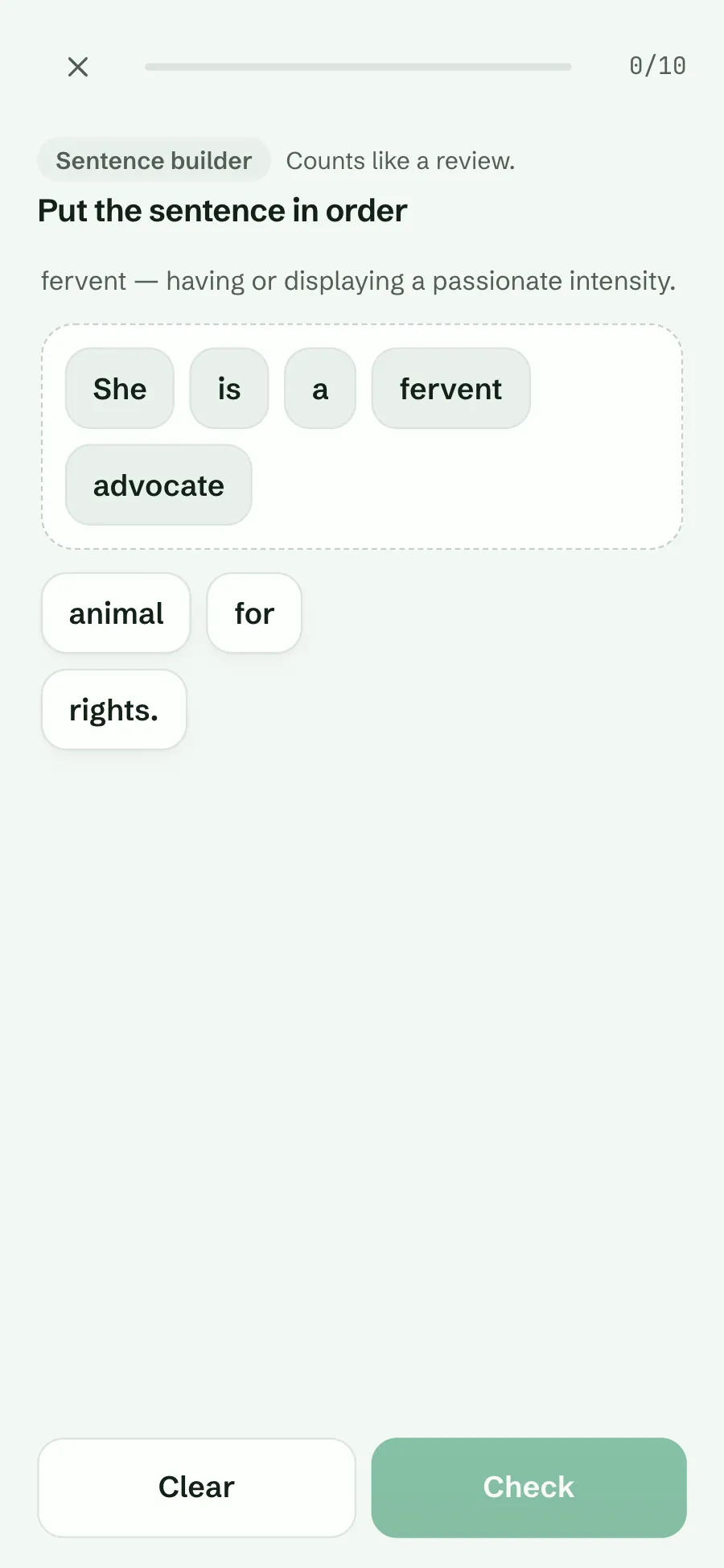
One of your own example sentences, broken into tiles. Tap them in order to build it again, then Check. In a right-to-left language the sentence builds from the right.

  • Counts like a review.
  • Needs: Examples of 3 to 12 words.
  • Plan: Free.
Sentence builder for fervent: the tiles She is a fervent advocate placed, and animal, for, rights. still in the tray
Put an example back in order

Drill · Free

Collocations

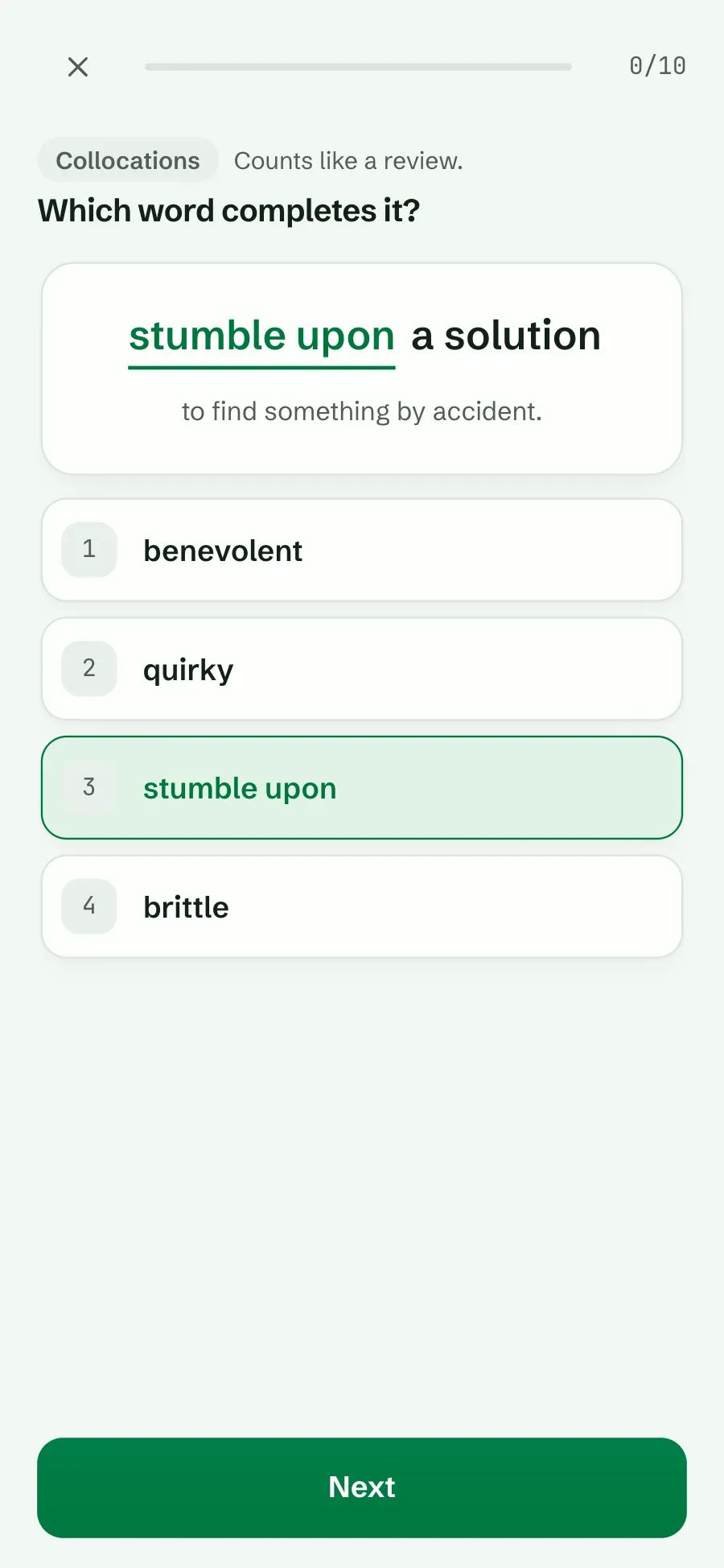
A collocation saved on one of your cards, such as “stumble upon a solution”, with the word missing. Pick the word that completes it from four.

  • Counts like a review.
  • Needs: Saved collocations on three or more words.
  • Plan: Free.
Collocations: stumble upon a solution completed, with the meaning to find something by accident, and stumble upon marked right among benevolent, quirky and brittle
Which word completes it?

Drill · Pro

Say it

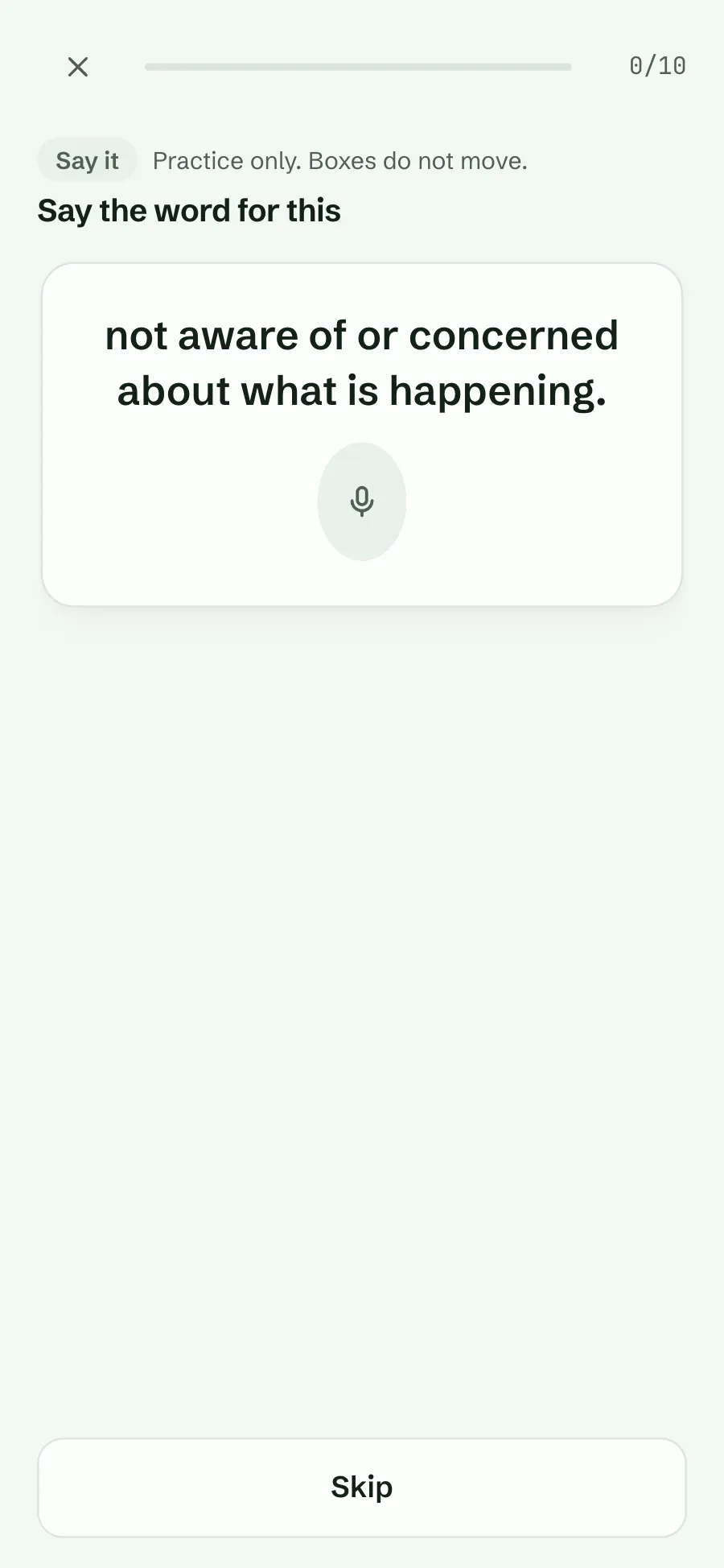
Lexpad shows a meaning; you say the word out loud. It listens in the notebook’s language, shows what it heard, and accepts the word even inside a longer phrase. Good speaking practice, and a quick way to check your pronunciation is understood.

  • Practice only. Boxes do not move.
  • Needs: A device that can listen in the language: the Android app, or a browser with speech recognition such as Chrome, Edge or Safari.
  • Plan: Pro.
Say it: the meaning not aware of or concerned about what is happening, a microphone button and Skip
Say the word for this

Drill · Pro

Use it in a sentence

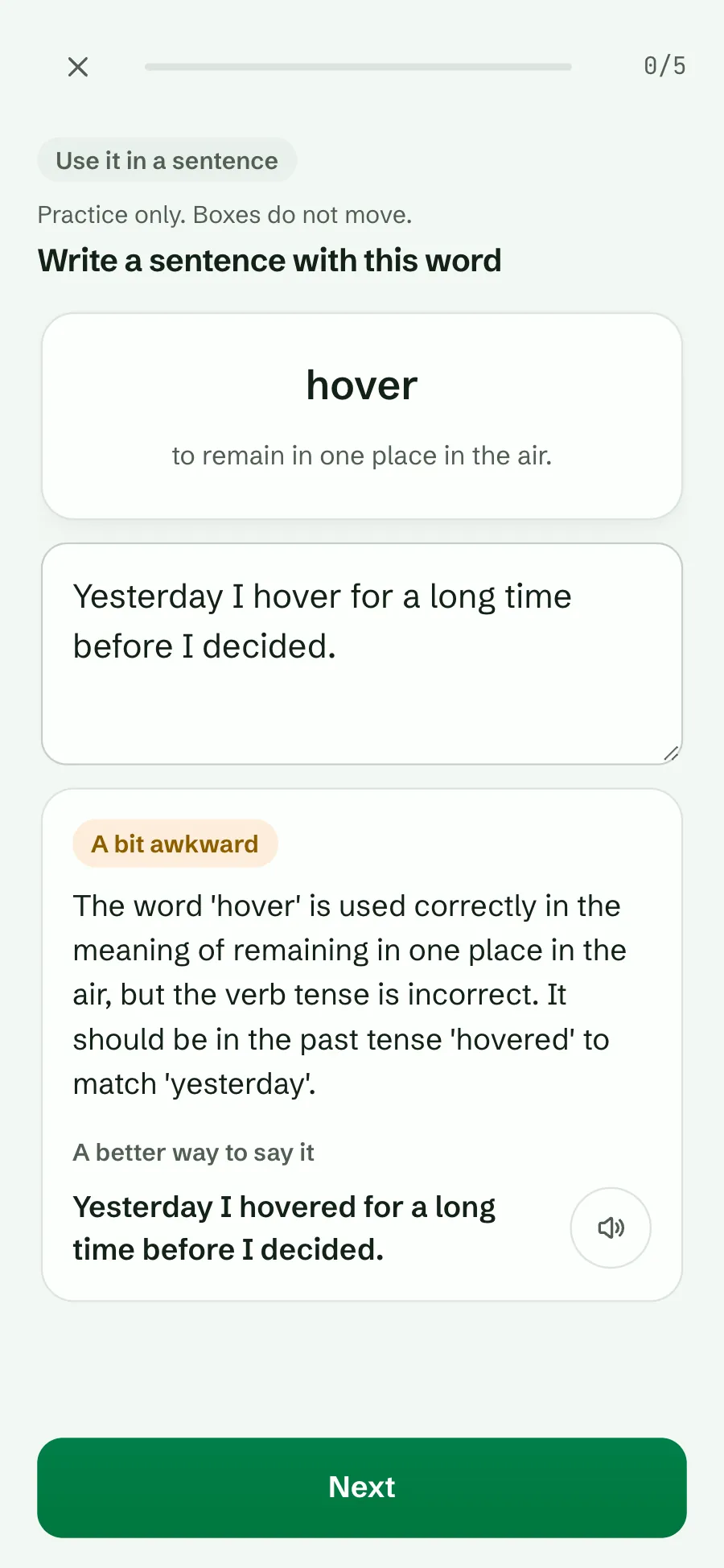
Write your own sentence with the word. AI reads it and says whether it is natural, a bit awkward or uses a different meaning, explains why, and offers a better way to say it that you can hear. Five words a round.

  • Practice only. Boxes do not move.
  • Needs: A connection.
  • Plan: Pro.
Use it in a sentence: Yesterday I hover for a long time before I decided; the verdict A bit awkward explains the past tense, and the better way is Yesterday I hovered for a long time before I decided, with a speaker button
Write a sentence with this word

Free and Pro

Match, Speed round, Dictation, Sentence builder and Collocations are free on every plan. Say it and Use it in a sentence are part of Pro; on the free plan their chips carry a small Pro mark, and opening one says what it does and how to get it. No mode has a price inside it.

See plans.

Games and drills on the free plan: Match, Speed round, Dictation and Sentence builder, then Say it and Use it in a sentence each with a Pro mark
On the free plan

Why play with your words

  • Variety keeps you coming back. A two-minute Match is an easy start on a tired day.
  • More ways in. Listening, spelling, word order, collocations, speaking and writing each make a word easier to use, not just to recognise.
  • Your schedule stays honest. Only the drills that test real recall count like a review; games are practice only.

Who it helps

Short breaks

A Speed round or a Match fits in a minute, with no timer if you prefer.

Listeners and spellers

Dictation trains the ear and the spelling at once.

Speakers and writers

Say it and Use it in a sentence (Pro) turn words you recognise into words you use.

Always your own words

No mode adds words or uses a word list. Every question comes from the notebook you built: its meanings, its examples and its collocations. Use it in a sentence sends your sentence, with the word and its meaning, to be checked by AI.
Plan
Free: Match, Speed round, Dictation, Sentence builder, Collocations. Pro: Say it, Use it in a sentence (see plans).
Where
the web app, the Android app (1.0.51 and later) and Lexpad for Mac and Windows (0.3.0 and later)
Connection
Use it in a sentence needs one; the others work offline
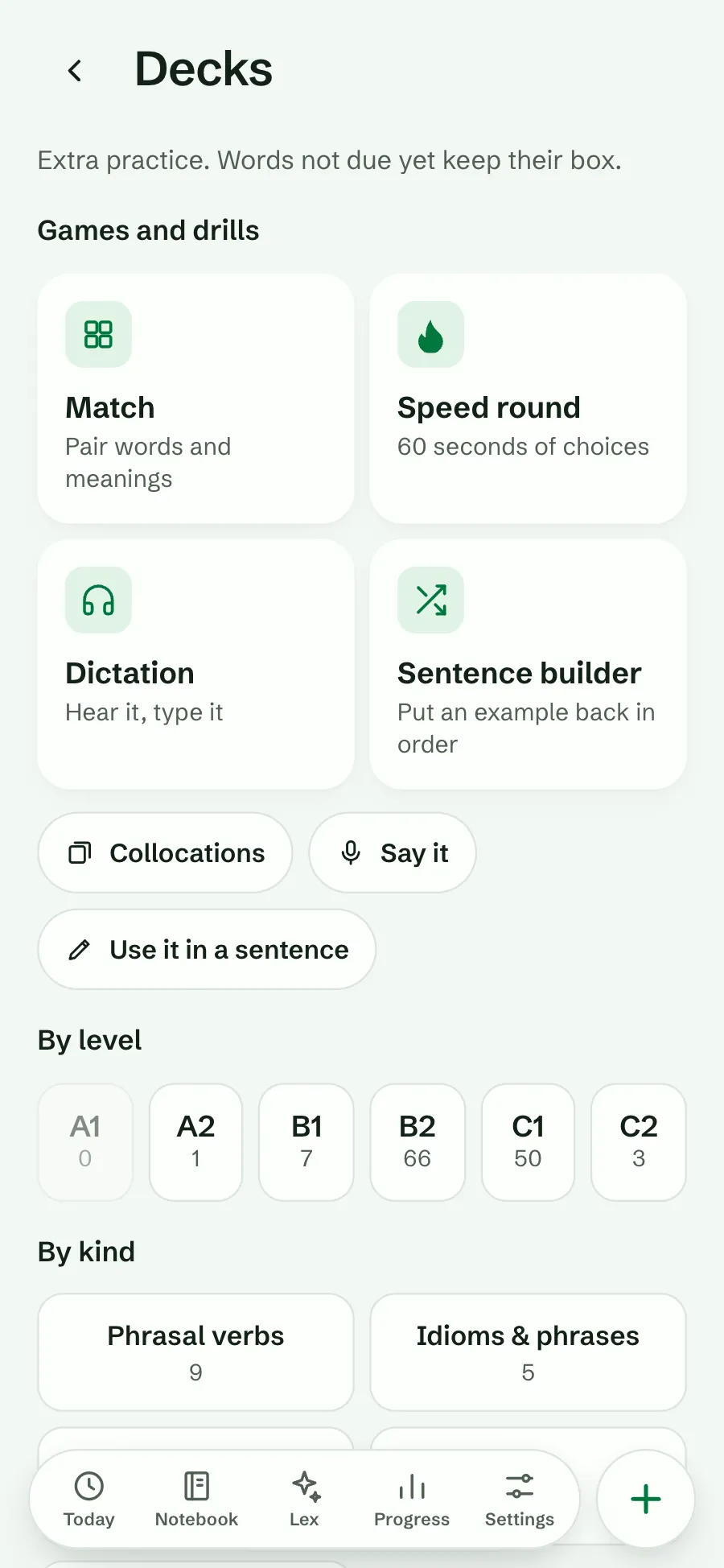
Decks: Games and drills with Match, Speed round, Dictation and Sentence builder, then Collocations, Say it and Use it in a sentence, and decks by level
Games and drills

Good to know

Questions

Do games change my boxes?

Match, Speed round, Say it and Use it in a sentence never do. Dictation, Sentence builder and Collocations count like a review.

Why can’t I see a mode?

The notebook cannot feed it yet (Match needs five words with meanings, Collocations needs saved collocations), or this device has no voice for Dictation or cannot listen for Say it in the notebook’s language.

Is there a time limit?

Match and Speed round have a timer that you can turn off with No timer. The drills are untimed.

Does Use it in a sentence work offline?

No, it needs a connection. Every other mode works offline.

Will a game give me new words to learn?

No. Every mode uses only the words in your notebook.

Lexpad

Play with the words you keep.

Five modes are free. Say it and Use it in a sentence are part of Pro.