A notebook you keep for months
Hundreds of words, many of them easy by now. Smart spaces the easy ones out and spends your minutes on the rest.
 Lexpad
Smart is Lexpad’s FSRS schedule: the open FSRS-6 algorithm, also used in Anki, applied to your own vocabulary. It is free, chosen per notebook, and in Beta. Boxes give every word the same waiting times. Smart works out the right gap for each word from your own answers, and brings it back just before you would forget it. You choose it per notebook, you set how much you want to remember, and you can switch back at any time.
Checked against the app on 8 October 2026. Updated 18 October 2026; Anki facts checked on 14 October 2026.
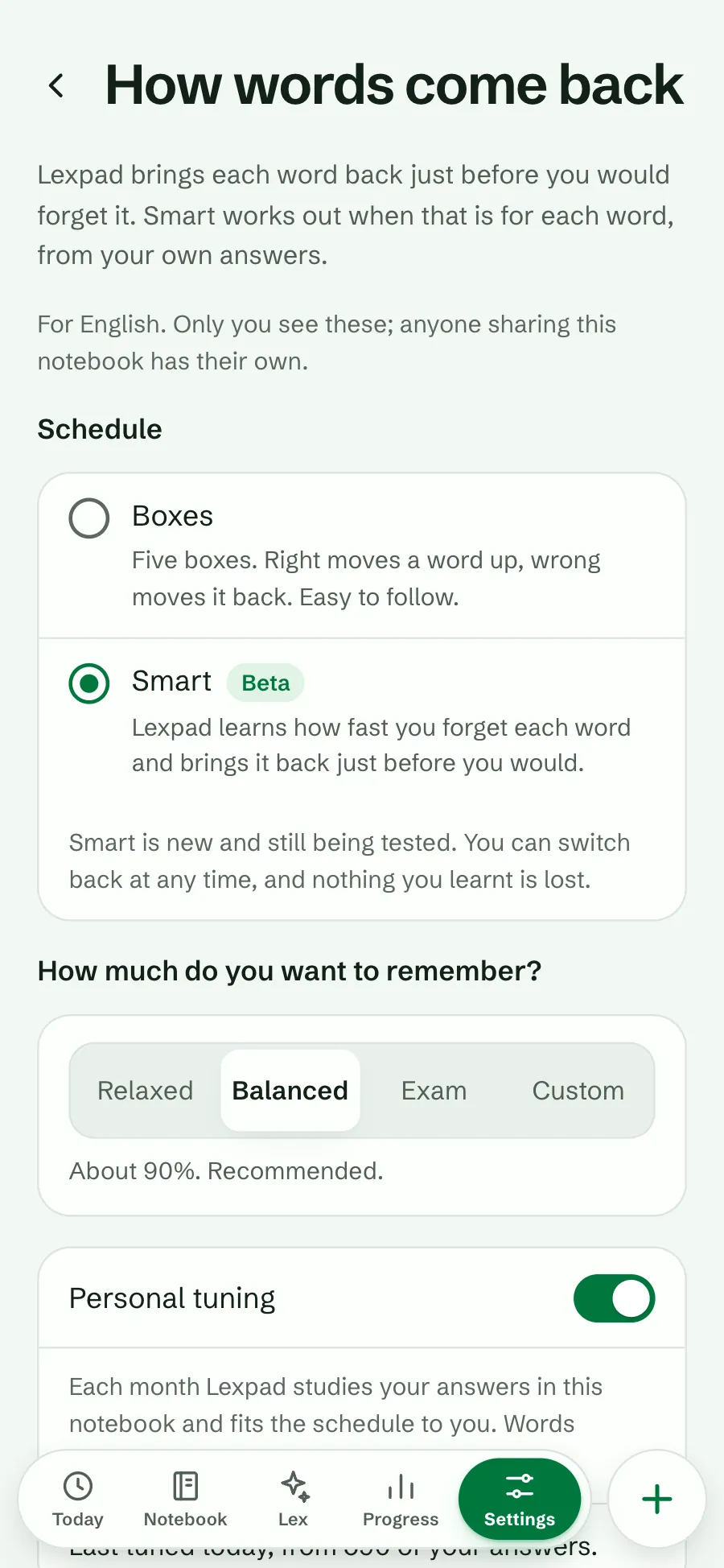
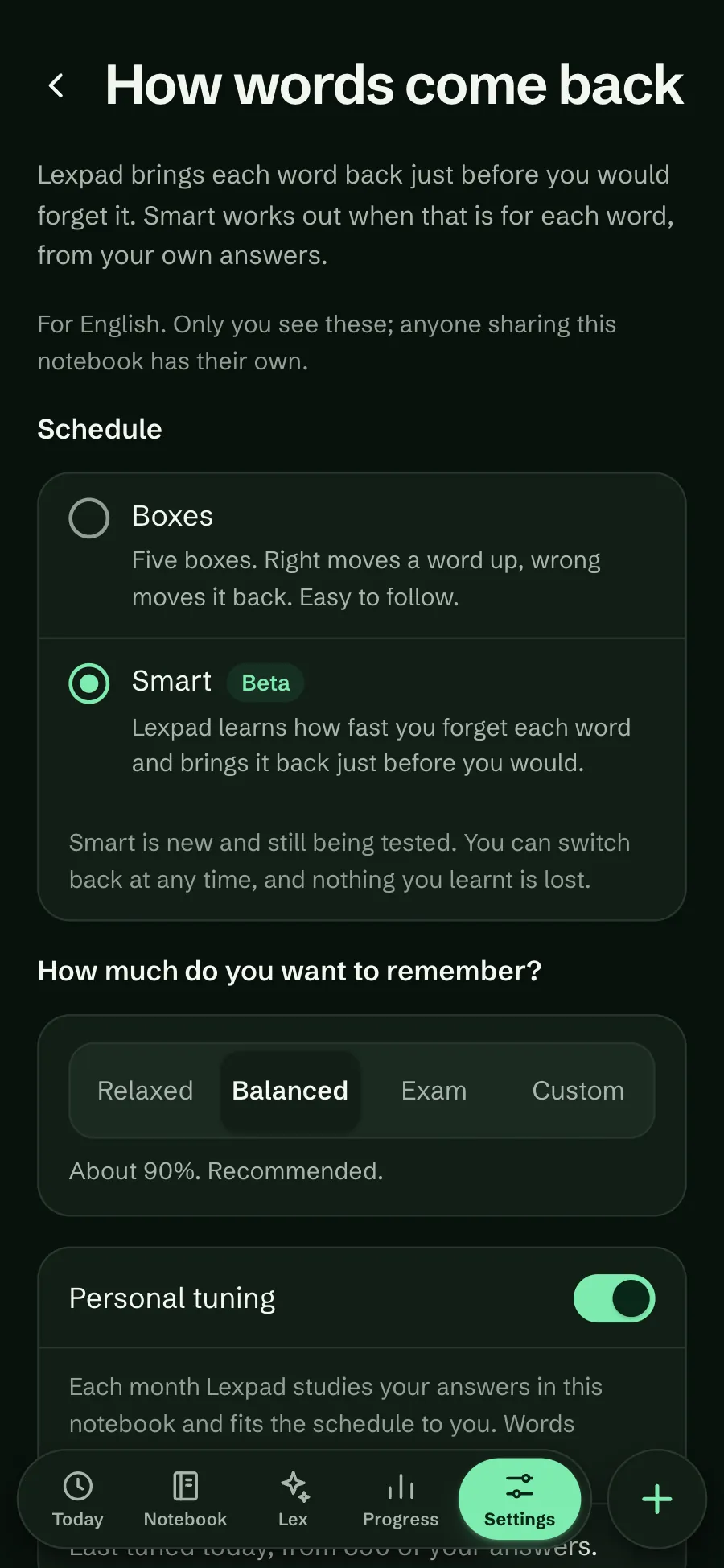
FSRS stands for Free Spaced Repetition Scheduler. It is an open-source algorithm from the Open Spaced Repetition project. For each card it keeps a small model of your memory: how hard the card is for you (difficulty), how stable your memory of it is (stability), and the chance you can recall it today (retrievability). It schedules the next review for the day that chance falls to the target you chose. It grew out of research by Jarrett Ye and colleagues on memory data from the language app MaiMemo (Ye, Su and Cao, KDD 2022). Anki supports it from version 23.10 as an alternative to its older SM-2 scheduler, and uses FSRS-6 since version 25.07 (Anki manual, Anki 25.07 release notes).
FSRS is an algorithm, not an app: you use it through an app that runs it, such as Anki (turned on in the deck options) or Lexpad, where it is called the Smart schedule. Spaced repetition for vocabulary lists which apps use which schedule, and Leitner boxes or FSRS compares it with the simpler box method.
Smart is a second schedule you can choose for a notebook, next to the five Leitner boxes. It keeps a small memory record for each word: how stable the word is in your memory, and how hard it is for you. Every answer updates that record, and the next check is set for the day your chance of remembering the word drops to your target.
Beta. Smart is new and still being tested, so it has a Beta mark in the app and Boxes stay the default. You can switch back at any time, and nothing you learnt is lost.
Spaced repetition works because a word you review just before you forget it stays longer each time. A fixed ladder guesses when that moment is. Smart estimates it for each word.
Smart uses FSRS-6, the open, free algorithm now built into Anki. In the open FSRS benchmark (about 10,000 Anki collections and 520 million reviews), FSRS-6 predicted whether people would remember a card better than simpler models, even with its standard settings. Anki’s own manual calls a 90% target a good balance and warns that the workload rises quickly above it; that is why Balanced is the recommended choice.
FSRS’s authors and other apps report fewer reviews for the same recall. We have not measured that on Lexpad yet, so we do not promise a number. That is what the Beta is for.
Same algorithm, different set-up. If you know FSRS from Anki, this is what changes in Lexpad.
| Fact | Lexpad Smart | Anki FSRS |
|---|---|---|
| Algorithm | FSRS-6 with its standard parameters | FSRS-6 since Anki 25.07 (FSRS since 23.10), as an alternative to the older SM-2 |
| Turning it on | Per notebook, in Settings → Notebooks → How words come back. Five Leitner boxes stay the default. Beta | In the deck options; it can only be turned on for the whole collection |
| Answers | Two: right (counted as Good) or wrong (counted as Again) | Four: Again, Hard, Good, Easy |
| Target | Relaxed about 85%, Balanced about 90% (recommended), Exam about 95%, or Custom 80–97% | Desired retention, 90% by default |
| Fitting it to you | Personal tuning, on by default: about once a month, kept only if it predicts your newest answers better | The FSRS optimizer; the manual says once a month is enough |
| Price | Free on every plan | Free (AnkiMobile for iPhone is paid) |
Anki facts read on 14 October 2026: Anki manual, deck options (FSRS), Anki 25.07 release notes (FSRS-6), AnkiMobile on the US App Store. A full comparison: Lexpad vs Anki.
Hundreds of words, many of them easy by now. Smart spaces the easy ones out and spends your minutes on the rest.
Choose Exam (about 95%) for a few weeks, then go back to Balanced.
Choose Relaxed (about 85%): fewer reviews, and a few more words to look at again.
New to Lexpad? Start with Boxes. They are easy to follow, and Smart has more to work from once you have practised for a while. After two weeks of practice and 50 words started in a notebook, Today offers Smart once (below). See How Lexpad works, and Leitner boxes or FSRS for when each fits.
Smart is opt-in, so Lexpad never switches a notebook for you. It tells you about it once, when it can help:
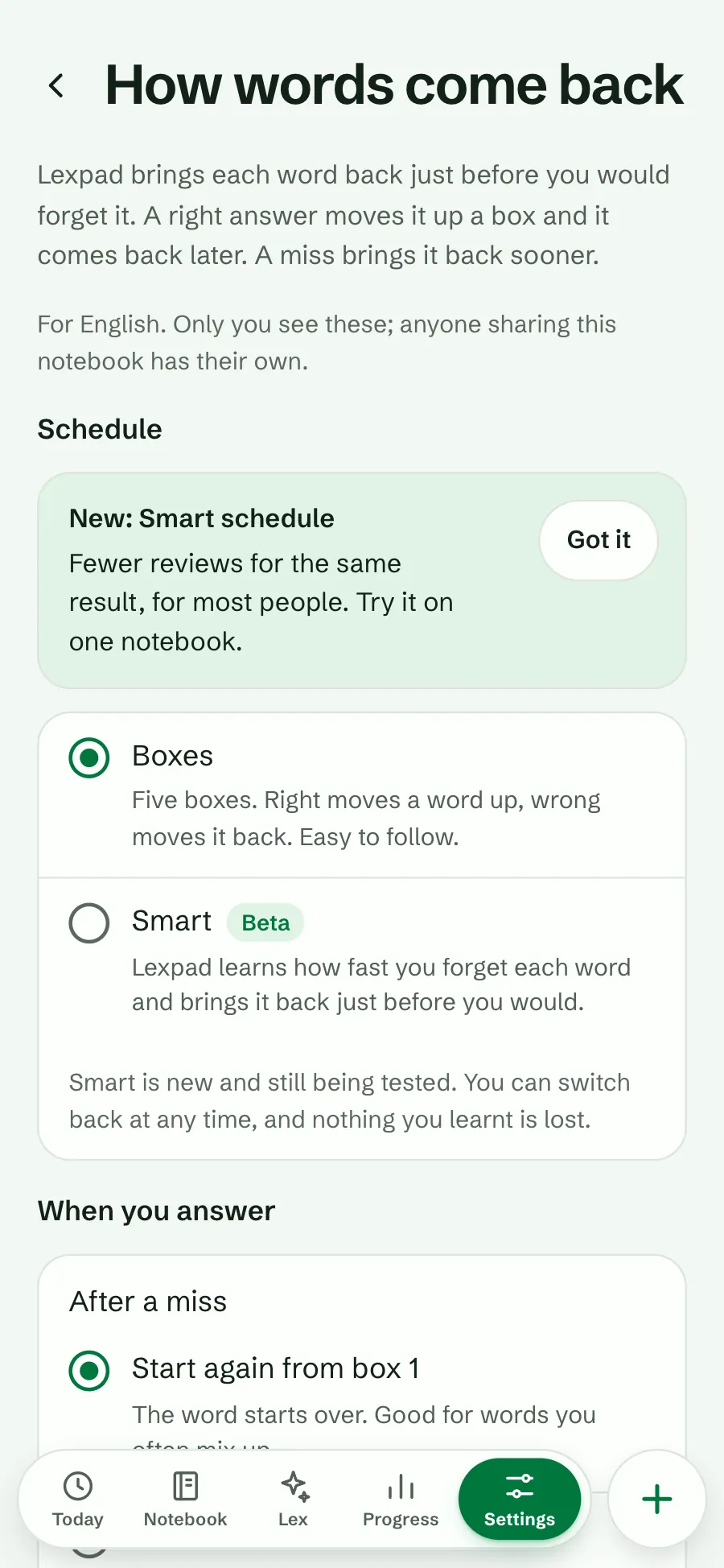
Smart is set per notebook, so you can keep Boxes in one notebook and try Smart in another. Changing it needs a connection.
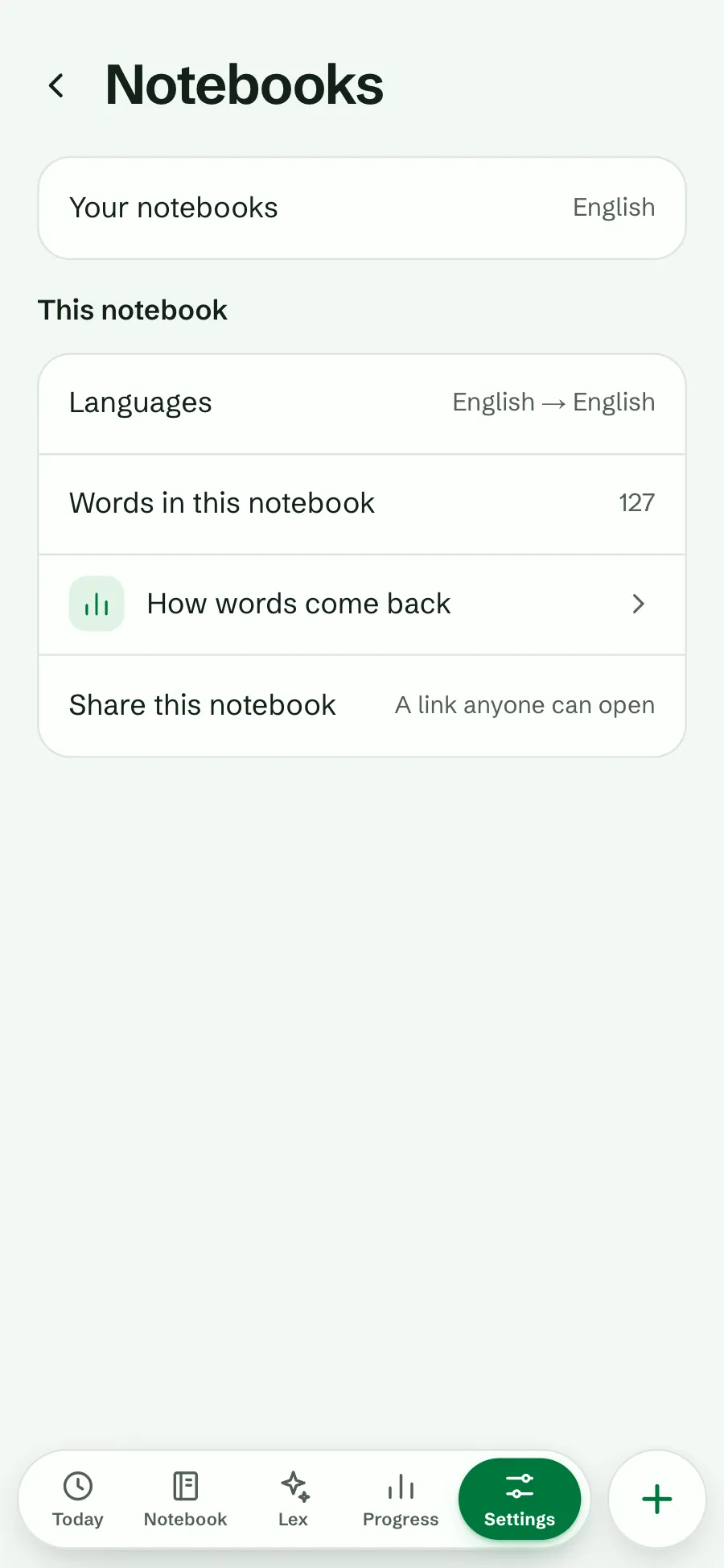
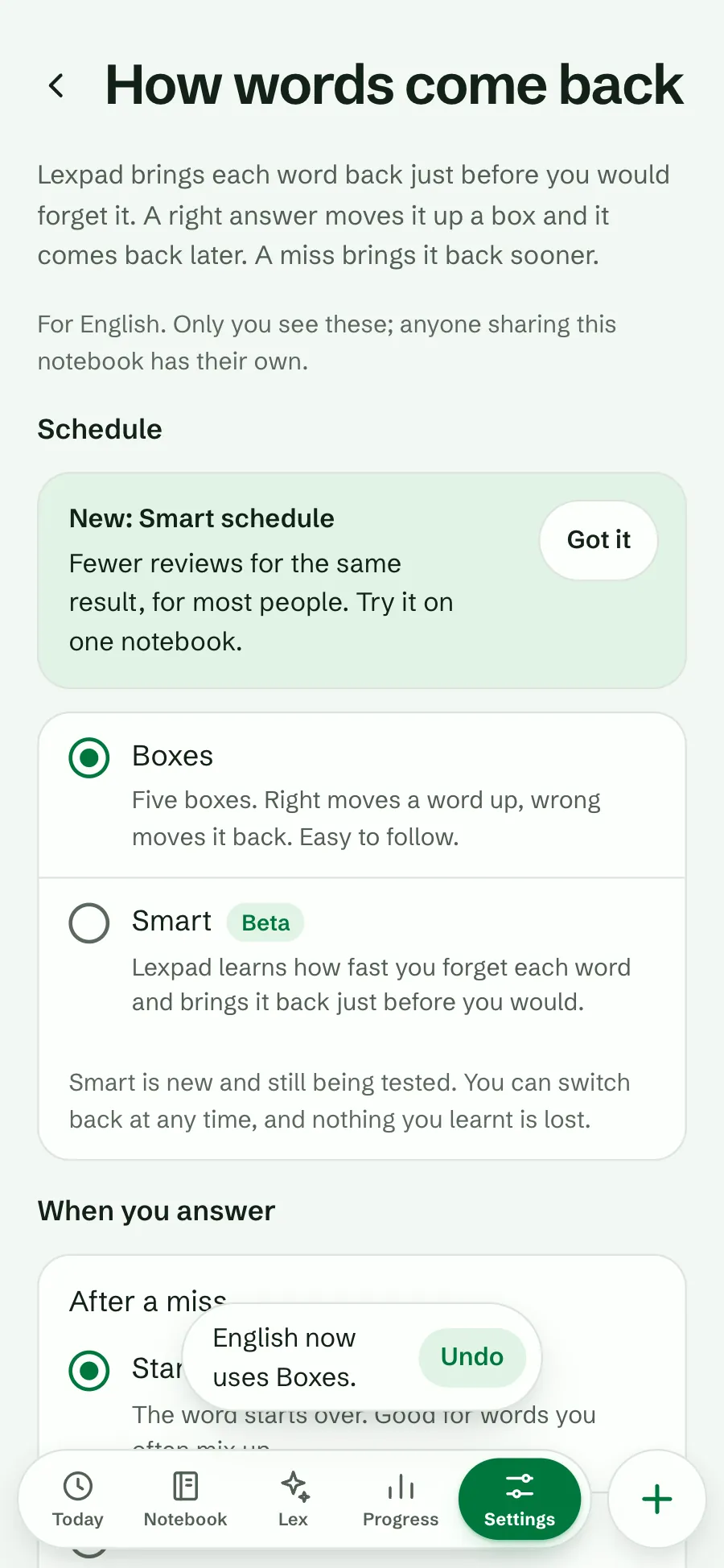
Open Settings, then Notebooks, and choose How words come back.
Under Schedule, choose Smart. A short card may explain it; Got it hides it.
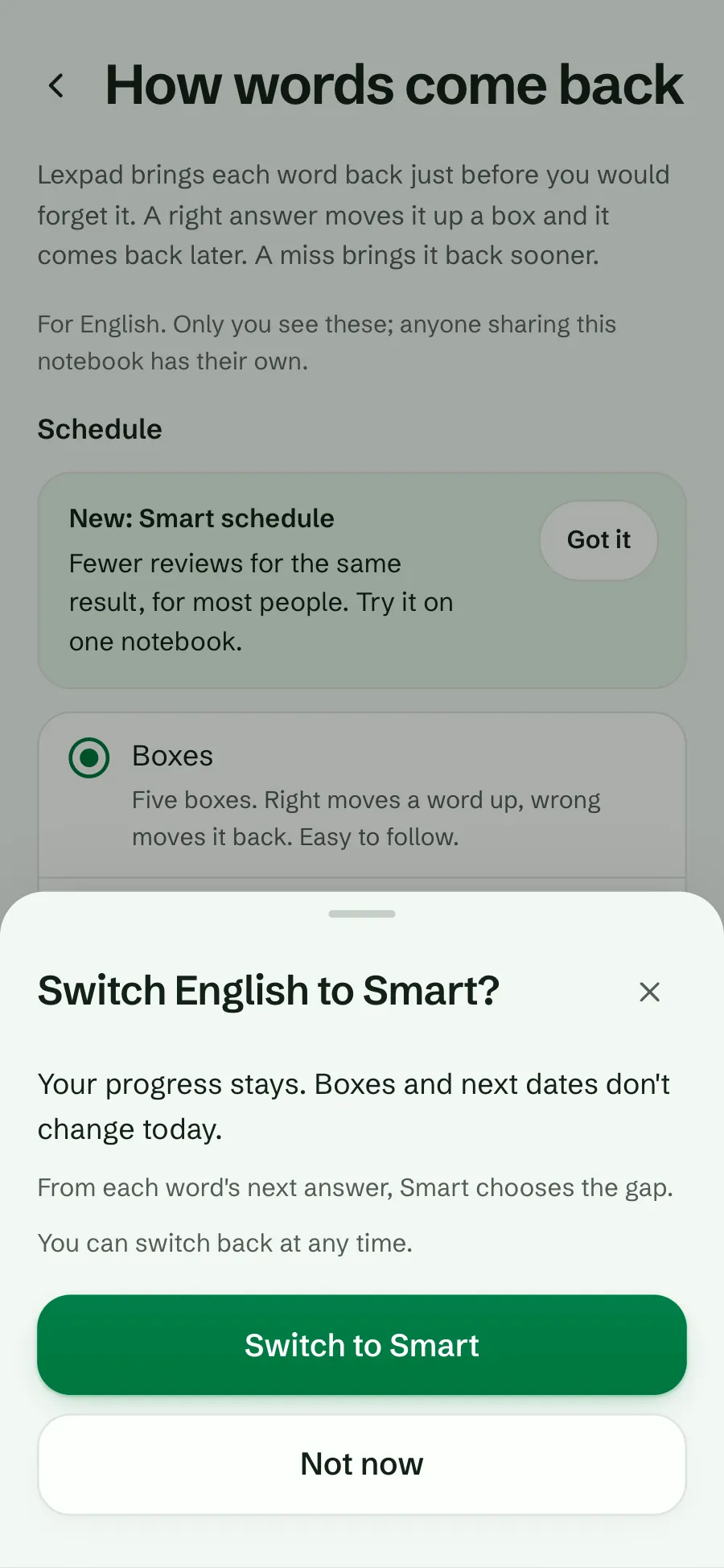
Read the sheet and choose Switch to Smart.
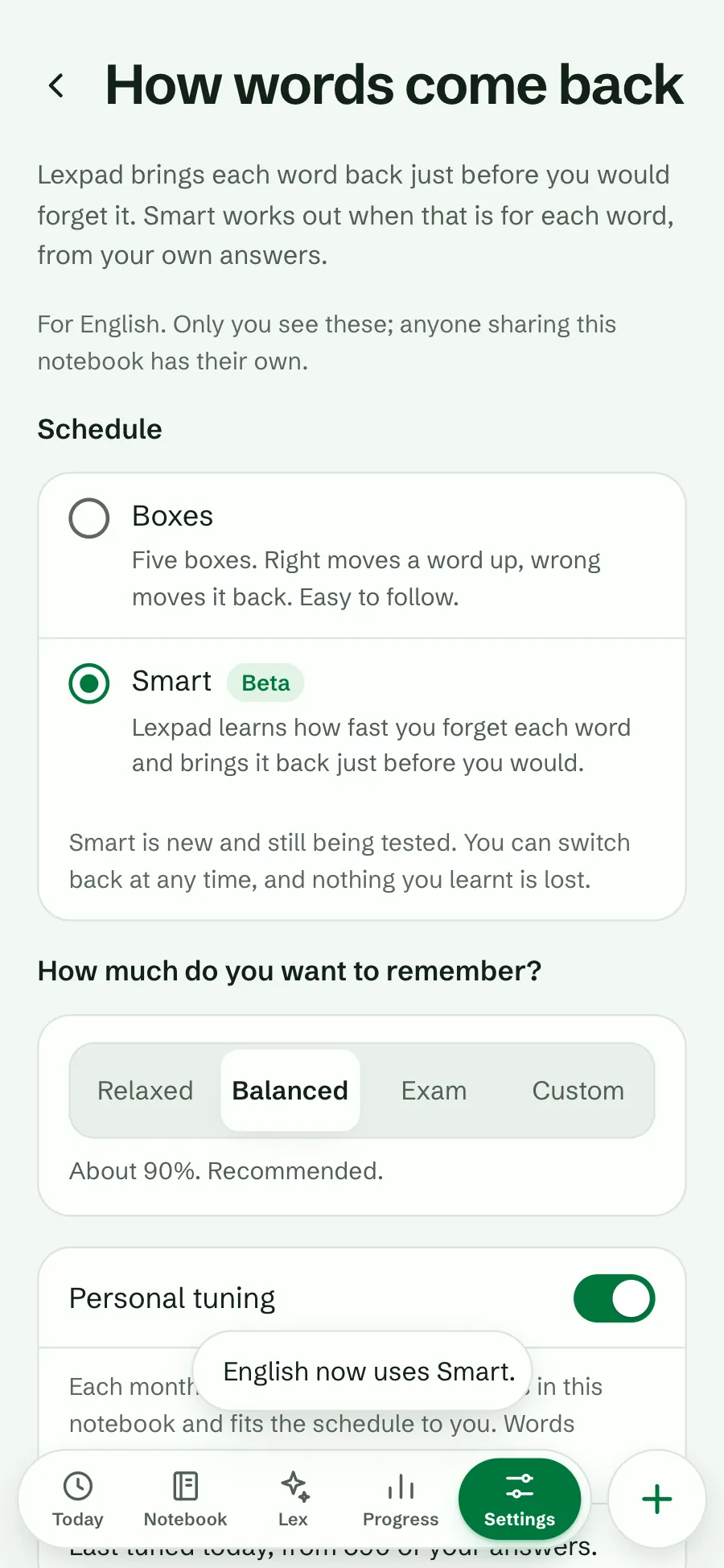
A message confirms it. Choose how much you want to remember below.
In short
You also reach the page from Settings, Practice: “How words come back in” and your notebook’s name, and from any word’s Next check line.
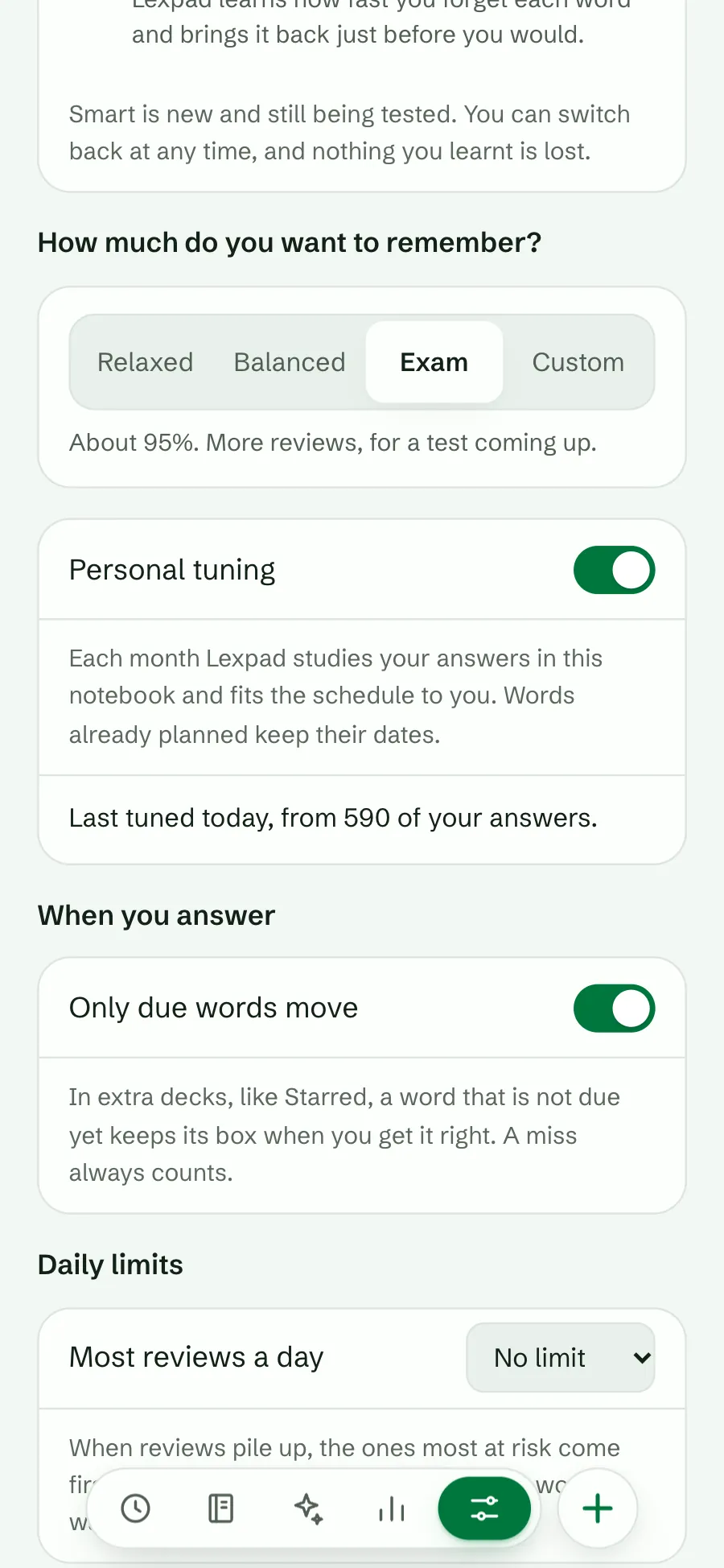
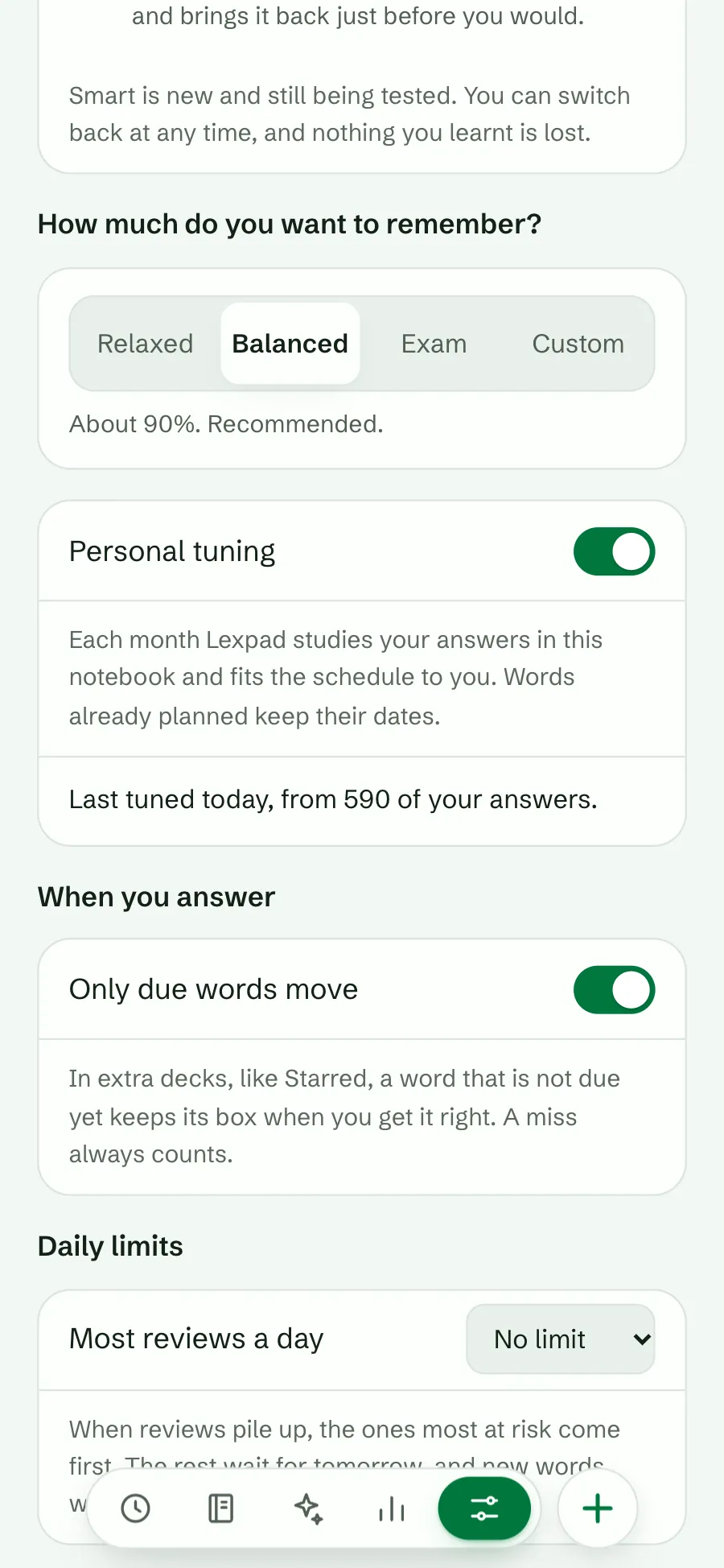
Your target is the chance of remembering a word on the day it comes back. A higher target means shorter gaps and more reviews; a lower one means fewer reviews and a few more misses.
| Choice | Target | Good for |
|---|---|---|
| Relaxed | about 85% | Fewer reviews. A big notebook, or reading for pleasure. |
| Balanced | about 90% | Recommended. Most notebooks. |
| Exam | about 95% | More reviews, for a test coming up. |
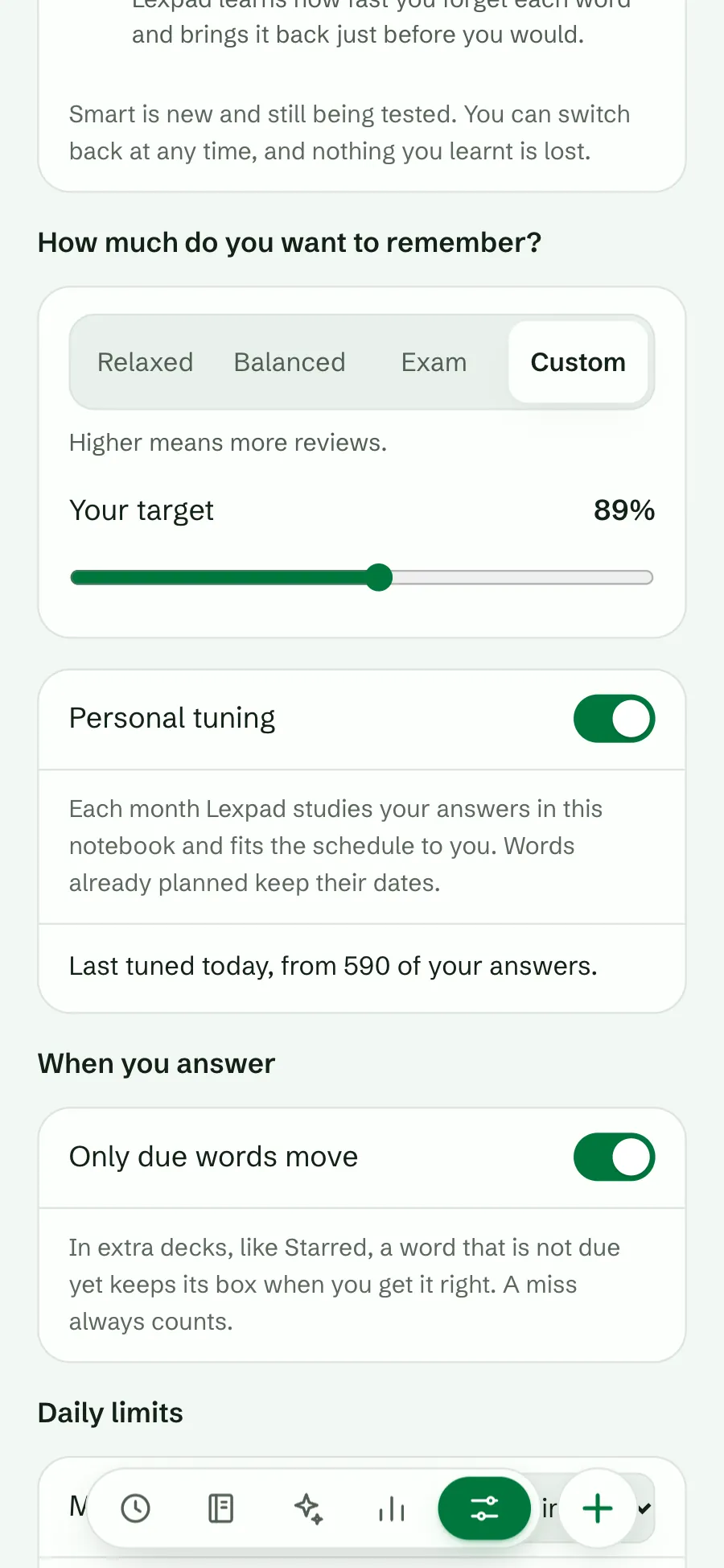
| Custom | 80% to 97% | Your own number, with a slider. Higher means more reviews. |
A new target counts from each word’s next answer. Words already planned keep their dates.
On an older app. The Android app and the desktop app follow the same schedule, because the server works out every answer. Until they are updated they show a change after they sync, and the settings page tells you so.
Smart starts with the standard FSRS-6 settings, which fit most people. With Personal tuning on (it is, unless you turn it off), Lexpad studies the answers in the notebook about once a month and fits the schedule to your own memory. It starts once the notebook has enough answers, and keeps a new fit only if it predicts your most recent answers better than the one in use. Words already planned keep their dates.
The page then says, for example, “Last tuned today, from 590 of your answers.” Turn it off and the notebook uses the standard schedule again; the fit is kept in case you turn it back on. Free.
See Forecast and retention for how to check the result.
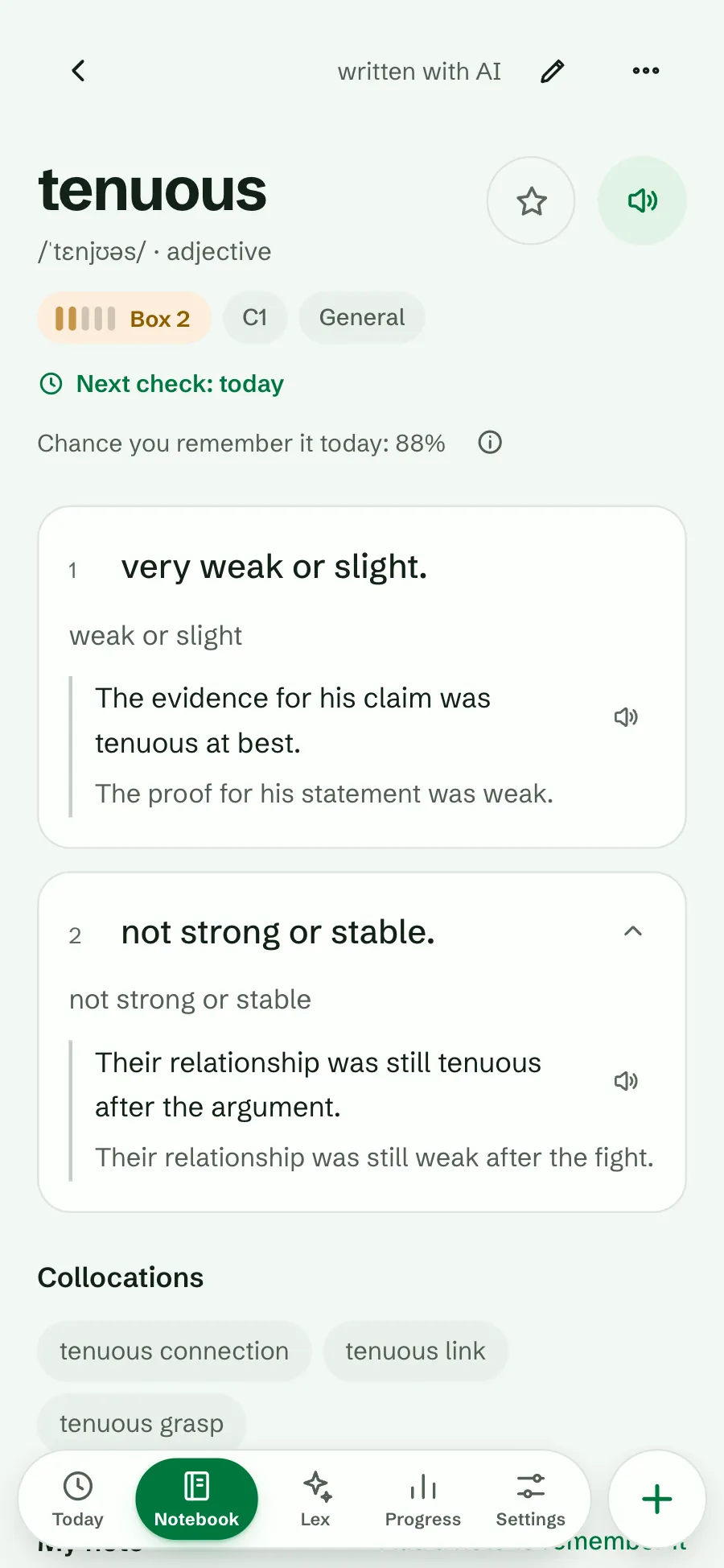
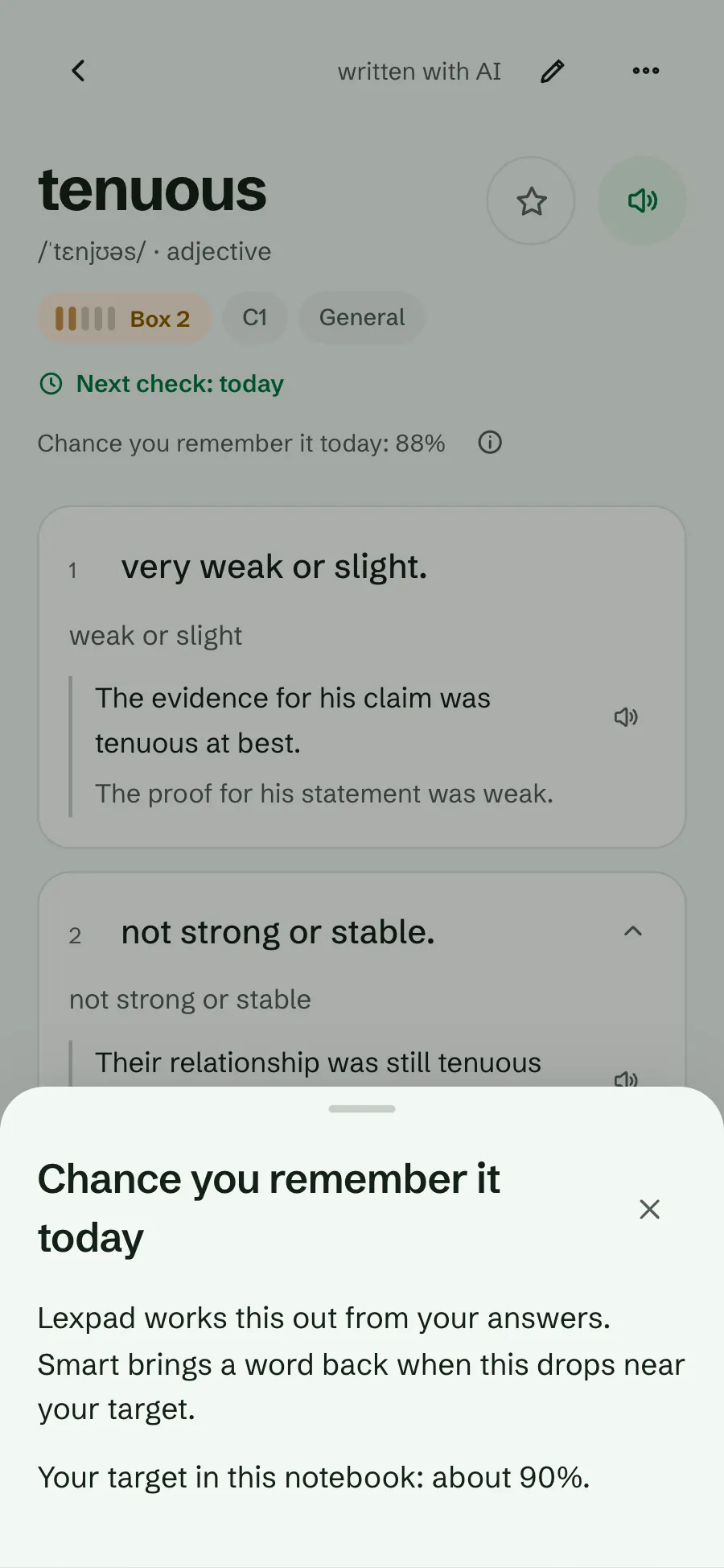
In a Smart notebook, each word’s page shows its next check and the chance you remember it today, worked out from your answers. Smart brings the word back when that chance drops near your target. The ⓘ beside it explains this in the app.
A word that is due today usually shows a chance close to your target. That is the point: it comes back just as it starts to slip.
Smart has been available to every account on the web since 9 October 2026, in the Android app from 1.0.51 and in Lexpad for Mac and Windows from 0.3.0. Boxes remain the default for every notebook. Smart is opt-in while it is in Beta. On a computer the page opens beside Settings.
Good to know
Free Spaced Repetition Scheduler. It is an open-source spaced repetition algorithm that models each card’s difficulty, stability and the chance you remember it today, and schedules the next review for when that chance falls to your target. Anki supports it from version 23.10; Lexpad’s Smart schedule uses FSRS-6.
Yes. The Smart schedule is FSRS-6 with its standard parameters. It is free, in Beta, and chosen per notebook; five Leitner boxes stay the default. It has been available to every account on the web since 9 October 2026.
It uses the same algorithm, FSRS-6 (Anki has used FSRS-6 since version 25.07), with its standard parameters, and two answers (right or wrong) instead of Anki’s four buttons (Again, Hard, Good, Easy). Lexpad’s own code computes it on your device and on the server, and the two must agree to the day.
No. Every word keeps its box and next check on the day you switch. Switching back to Boxes keeps them too.
You can, but there is no need. Boxes are simple and work well while a notebook is small. Smart has more to work from after a few weeks of answers, which is when Today offers it.
So decks, filters, the box meter and “mastered” keep working. In Smart a word’s box follows how stable it is in your memory: box 5 means its memory is stable for three weeks or more.
Balanced (about 90%) suits most notebooks. Pick Exam before a test, and Relaxed for a large notebook you read for pleasure.
No. Both schedules and every target are free.
Yes, with Personal tuning: about once a month Lexpad fits the schedule to the answers in the notebook, and keeps the fit only if it predicts your answers better. It is free and on by default; you can turn it off on the same page.
It is new in Lexpad. We are still checking it against real practice before it could become a default. Boxes stay the default meanwhile.
Lexpad
Free on every plan. Switch back at any time.