 Lexpad
Kindle Vocabulary Builder to flashcardsEvery word you looked up,
back in front of you.
Your Kindle remembers every word you looked up, in a file called vocab.db, and every highlight, in My Clippings.txt. Import either file into Lexpad and those words become flashcards that come back on a spaced-repetition schedule. It takes about two minutes.
Checked against the app on 3 October 2026.
- Files
vocab.dbandMy Clippings.txt- Time
- About two minutes
- Plan
- Import is free
- Then
- AI fills meanings; practice on a schedule
Where the Kindle keeps your words
vocab.db: every word you looked up in the dictionary while reading (Kindle calls this Vocabulary Builder). On the Kindle it is in thesystem/vocabularyfolder.My Clippings.txt: your highlights and notes, in thedocumentsfolder.- Connect the Kindle to a computer with its USB cable; it opens like a USB drive. Copy the file you want to your computer.
A vocab.db copied off a device is often renamed. Lexpad recognises the file by its contents, not its name.
Import it into Lexpad
In Lexpad
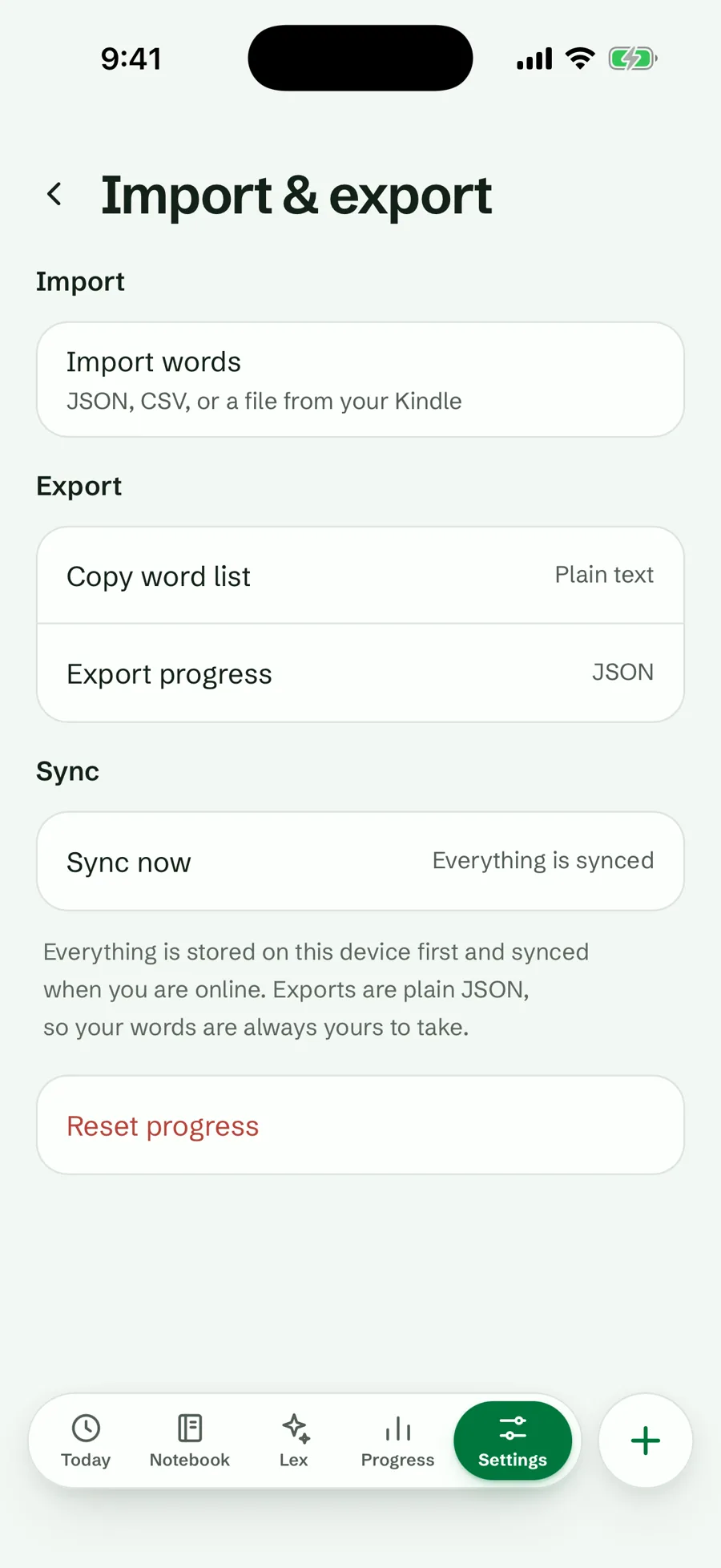
- Open Settings, then Import & export.
- Tap Import words and choose the file.
- Lexpad adds the words to your notebook. Words already in the notebook are skipped.
- From
My Clippings.txt, highlights of up to four words come in; longer highlights are passages, not vocabulary. - From
vocab.db, every looked-up word comes in. This file is read on Lexpad’s server, so it needs a connection. - The book’s title becomes each word’s topic, so you can practise one book at a time.
Give each word a meaning
Kindle words arrive as the bare word: Lexpad keeps neither the dictionary entry nor the sentence. Open a word and choose Improve with AI, which fills in only what is missing (meanings, examples, pronunciation, level) and never changes anything you wrote. Or add the meaning yourself.
Improve with AI is on every plan, within a daily allowance on Free and a much larger one on Pro.
Practise them on a schedule
Each imported word starts in box 1 of five Leitner boxes. Know it and it waits longer: 1, 3, 7, then 21 days. Miss it and it comes back today. To practise one book, filter the notebook by its topic and choose Practise these.
See the Leitner system explained for how the boxes work.
If you use Anki instead
The Anki route is to export the Kindle words with another tool, look up the meanings, and build a CSV to import. It works and many people use it. Lexpad does the same in one import, writes the meanings for you, and keeps the book as the topic. If your vocabulary already lives in Anki, Lexpad vs Anki compares the two honestly.
Good to know
Questions
Does Lexpad keep the sentence I read the word in?
Not from a Kindle file. The words arrive without the sentence or the dictionary entry; Improve with AI writes a meaning and examples, or you add your own.
Can I import Kindle highlights that are whole passages?
No. Only highlights of up to four words are treated as vocabulary.
Does importing work offline?
My Clippings.txt is read on your device. vocab.db is read on Lexpad’s server, so it needs a connection.
Lexpad
Your next word is worth keeping.
Lexpad is free to start, on the web and on Android. Bring the words you meet.