Notebooks and data

Your notebooks,
on every device.

Lexpad keeps your notebooks on your device first and syncs them to your account, so you can practise anywhere and take your words with you.

Checked against the app on 3 October 2026.

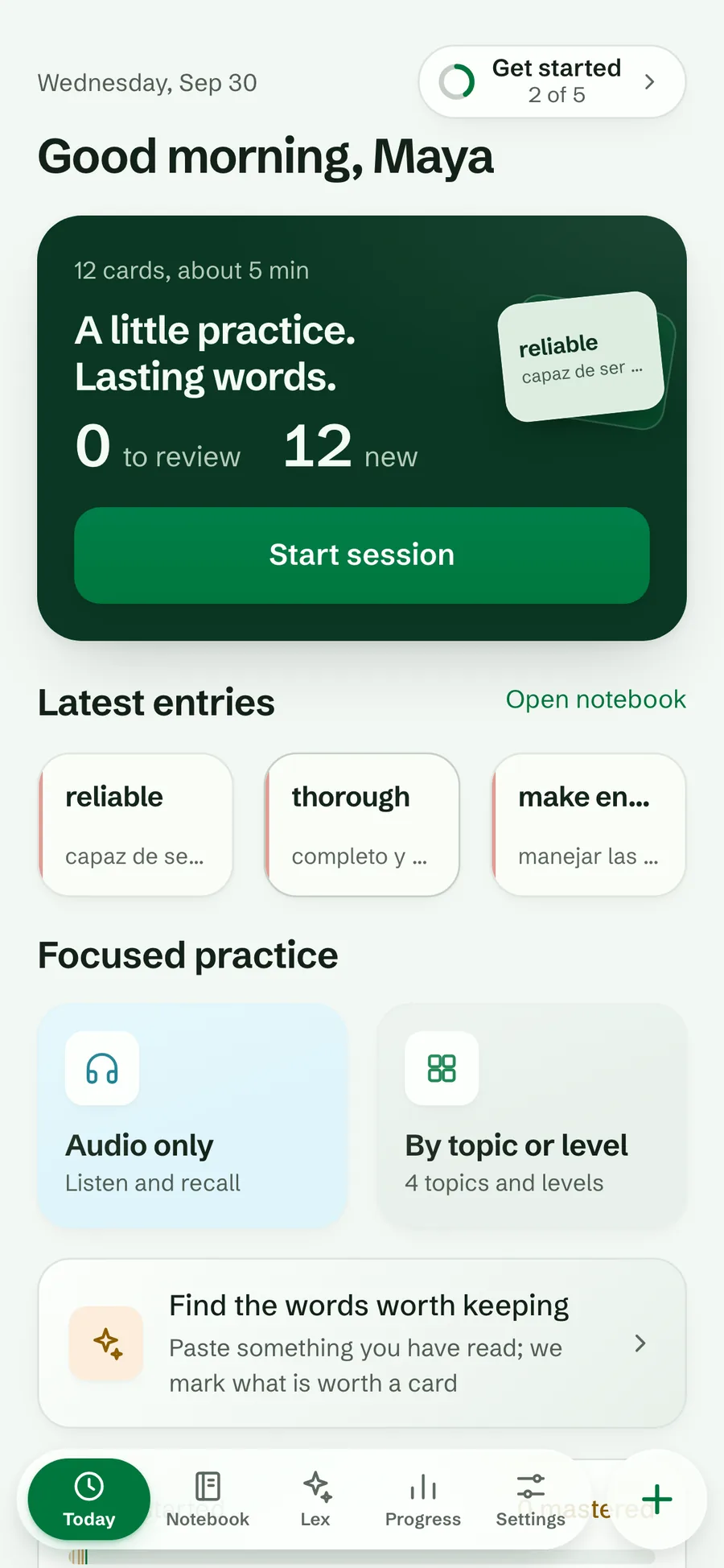
Today in the light Forest theme with the next session, the latest entries and focused practice
Free
One notebook, unlimited words
Pro
As many notebooks as you like
Persian
Persian notebooks free, unlimited
Offline
Read, practise and edit

Several notebooks

  • The first notebook is free; more are part of Pro. Notebooks with Persian on either side are free, as many as you like.
  • Switch notebooks from Today, the notebook or Settings, or choose “All notebooks” to see and practise everything in one place.
  • One notebook is your default: new words go there when you are looking at all of them.
  • Rename or remove a notebook; removing asks first and says how many words it holds.
  • Merge two notebooks: the words move with their boxes, days and order, words already there stay as they are, and the emptied notebook is removed. Lexpad shows the exact counts before you confirm.
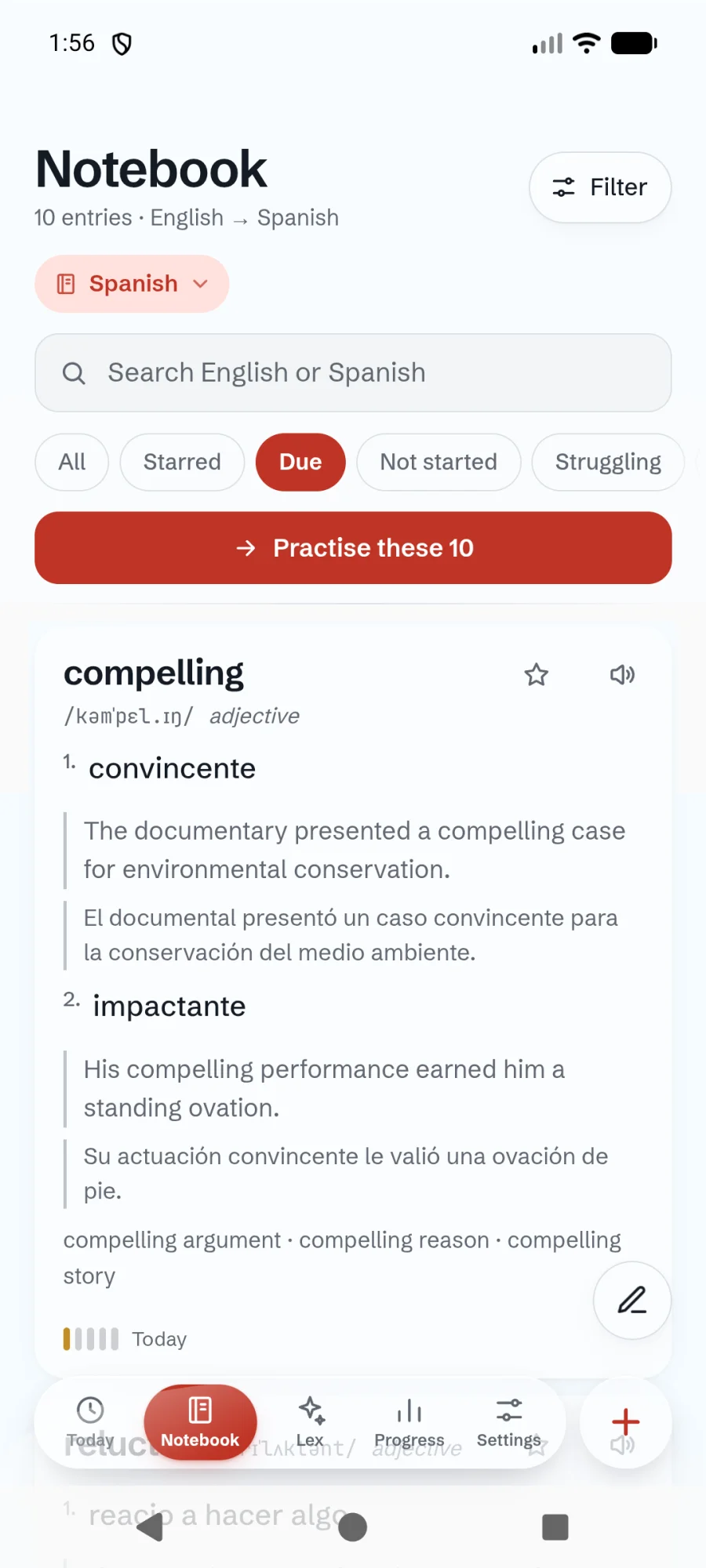
The notebook in the Android app: English words with Spanish meanings, the Due filter on and a Practise these 10 button
The Android app

Share a notebook

  • Anyone with the link can read the words and take a copy, without an account.
  • They never see your name, your progress, your stars or your private notes.
  • You see how many times it was opened, and “Stop sharing” ends the link for everyone.
  • A copy is a copy: later changes on either side do not carry over.

Try it in Lexpad

  1. Open Settings and choose Share this notebook⁠.
  2. Copy the link and send it.
  3. To end it, return there and choose Stop sharing⁠.

Offline first

Every screen reads from your device, and every change is saved there first and sent when you are online: every minute, when you come back to the app, or when you press Sync now. A change the server refuses is kept aside to retry, never thrown away.

Offline

Works offline

Your notebooks, practice sessions, progress, editing, search and filters.

Online

Needs a connection

AI, Lex, payments, creating a notebook, sharing, Kindle vocab.db imports, promotion codes, the list of your devices and account changes.

Take your words with you

Your words are yours, in a form you can take anywhere.

JSON

Export progress

A Lexpad JSON file with every word and its learning; importing it later restores everything.

Text

Copy word list

A plain-text list, one word and its meaning per line.

Reset progress

Starts the boxes and the streak again, keeping your words and notes.

Your account

  • Sign in with e-mail and password, or with Google on the web and in the Android app.
  • Signed-in devices lists every device and the browser extension, with a sign-out for each.
  • Changing your password signs your other devices out; a Google account can add a password too.
  • A weekly summary e-mail on Monday mornings, only after a week you practised; turn it off in Settings or from the e-mail.
  • Product news by e-mail only if you ask for it.
  • Delete your account from Settings. It closes at once and your data is erased after 30 days.

How it is protected

Security built in, not bolted on.

Hashed passwords

Passwords are stored as argon2id hashes, never in readable form.

Rotating sign-ins

Short-lived signed tokens; the longer-lived token is stored only as a hash, replaced every time it is used, and reusing an old one ends the session.

In the EU

The service runs in Frankfurt, with weekly backups kept in the European Union.

No ad trackers

No advertising and no advertising trackers. See the privacy policy.

Install it

Add the web app to your home screen for offline practice, or install the Android app, which opens with no connection at all.

Good to know

Questions

Can I export to CSV?

No. Export is a Lexpad JSON file with your progress, or a copied plain-text word list. Import accepts CSV and TSV.

What does someone see when I share a notebook?

Your words, with their meanings and examples. Never your name, progress, stars or private notes.

Lexpad

Your next word is worth keeping.

Lexpad is free to start, on the web and on Android. Bring the words you meet.