Exam takers
See the reviews planned before the exam day, and check your share remembered is near your target.
 Lexpad
Two numbers on Progress tell you how your practice is going: how many reviews are already planned for the next 30 days, and how many words you remembered on the day they came back.
Updated . Checked against the app on 8 October 2026.
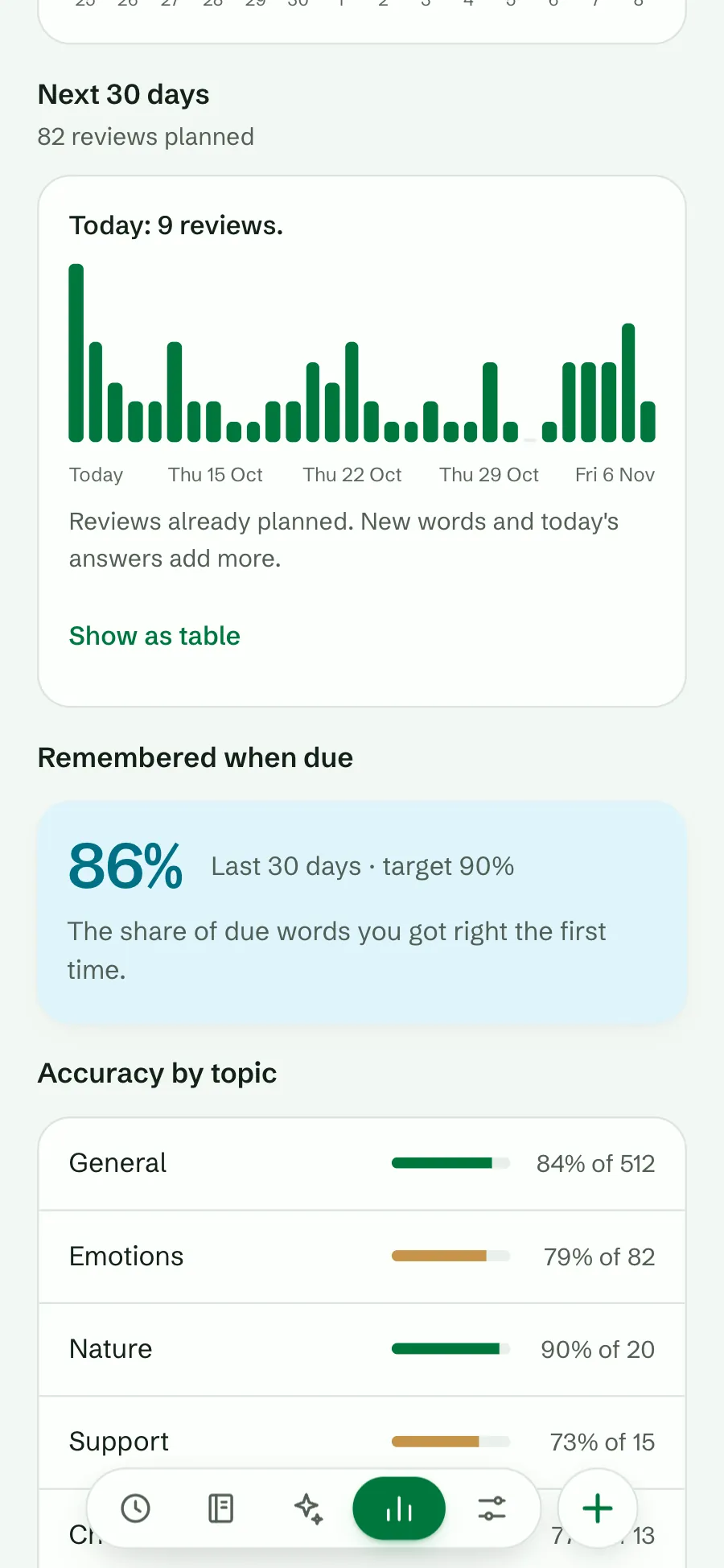
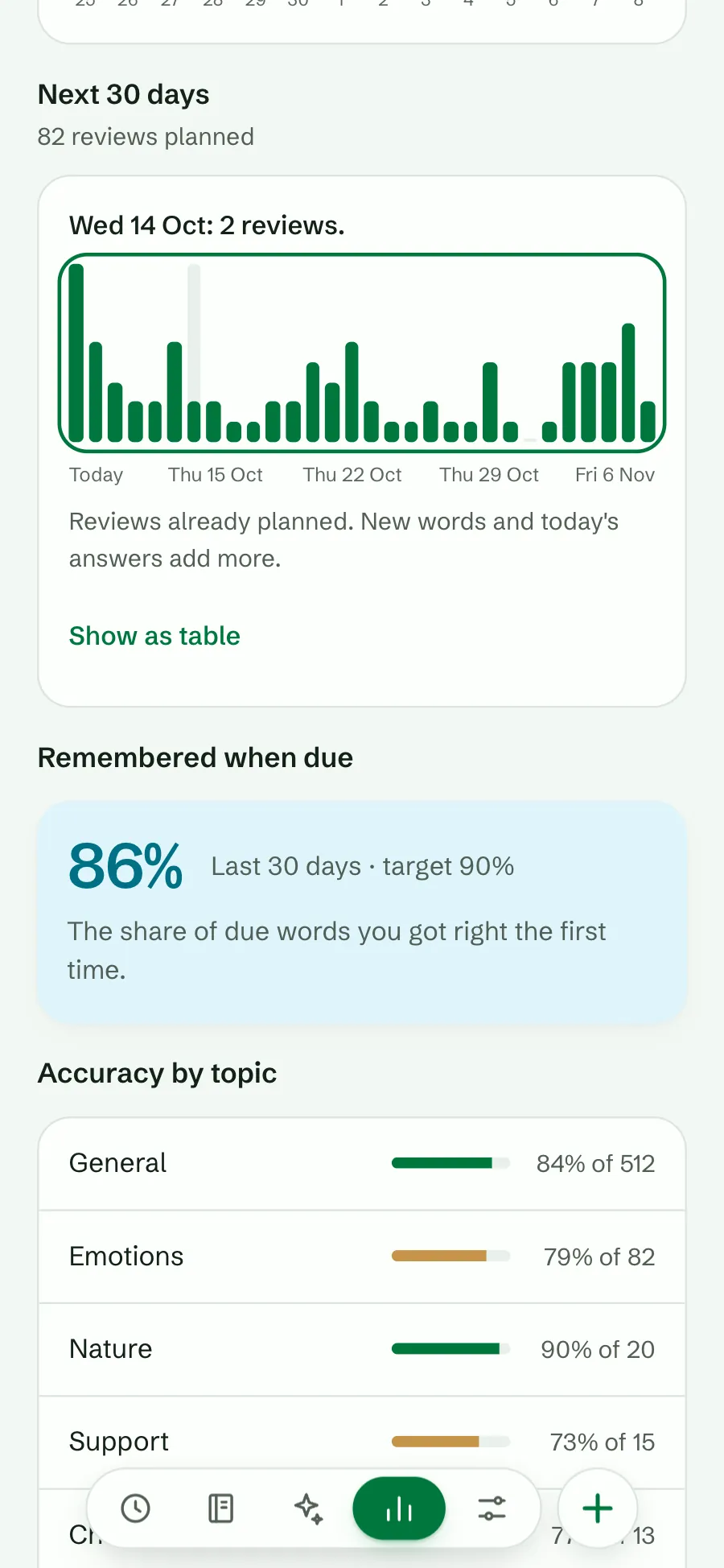
A bar for each of the next 30 days shows the reviews already planned. Today’s bar also holds the words you are late with. Tap a bar, or use the arrow keys, to read a day: “Wed 14 Oct: 2 reviews.” Show as table gives the same numbers as a list, for screen readers too.
It counts only what is planned now. New words, and the answers you give today, add more. Use it to see a busy week coming, or to check that a daily limit is working. To choose a pace, see how many new words a day.
Plan before you start: the free spaced repetition calculator runs the same schedule forward for words you have not added yet, so you can see what 10 or 20 new words a day will cost in a month or a year.
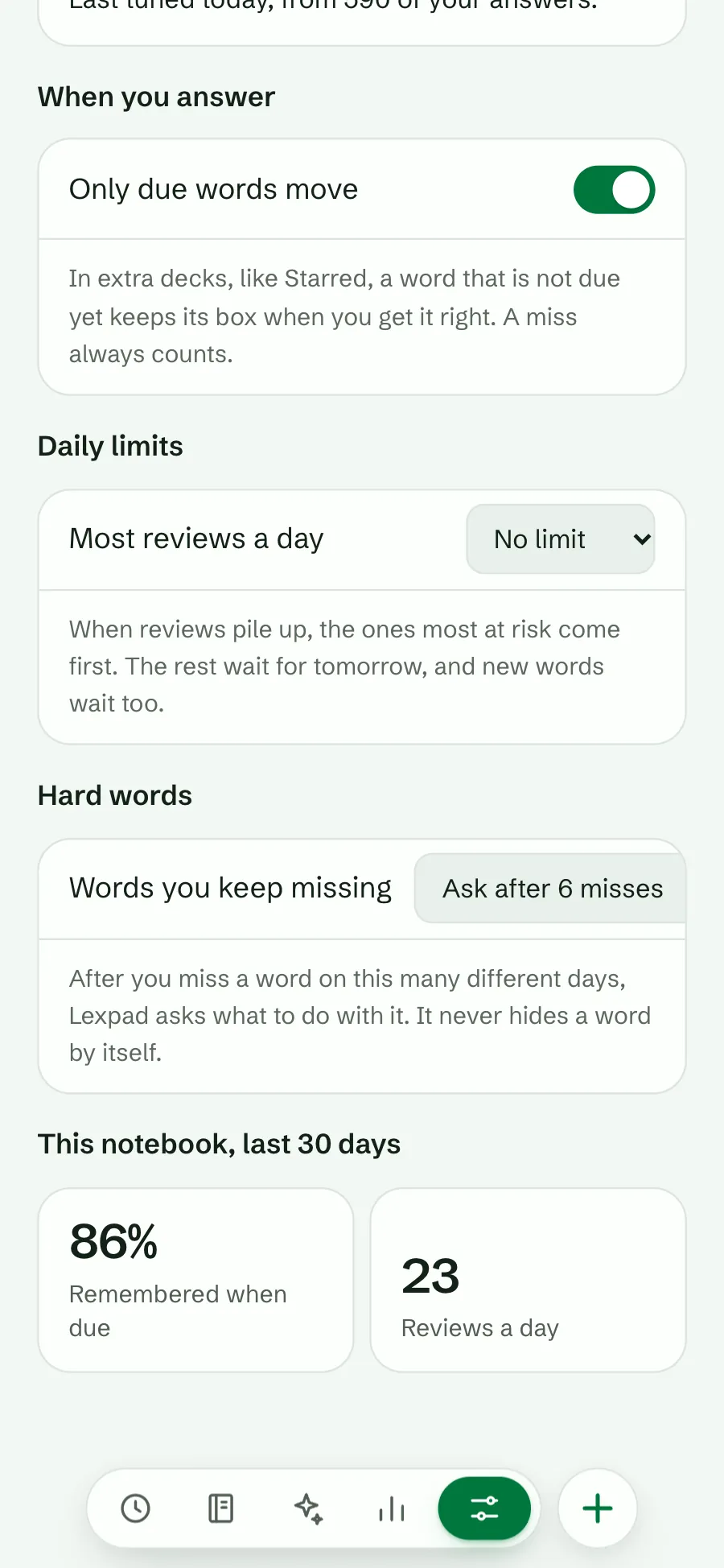
This is the share of due words you got right the first time you saw them, over the last 30 days. Extra practice, games and second tries do not count, so it measures what the schedule is for: remembering a word on the day it comes back. It counts answers from all your devices, so it needs a connection to update; offline it shows the last number with its date.
In a Smart notebook it sits next to your target, so you can see whether the target is being met. A number a little below the target is normal. With fewer than 20 due answers it says “Not enough answers yet.”
Settings, Notebooks, How words come back shows the same number for one notebook, with your reviews a day.
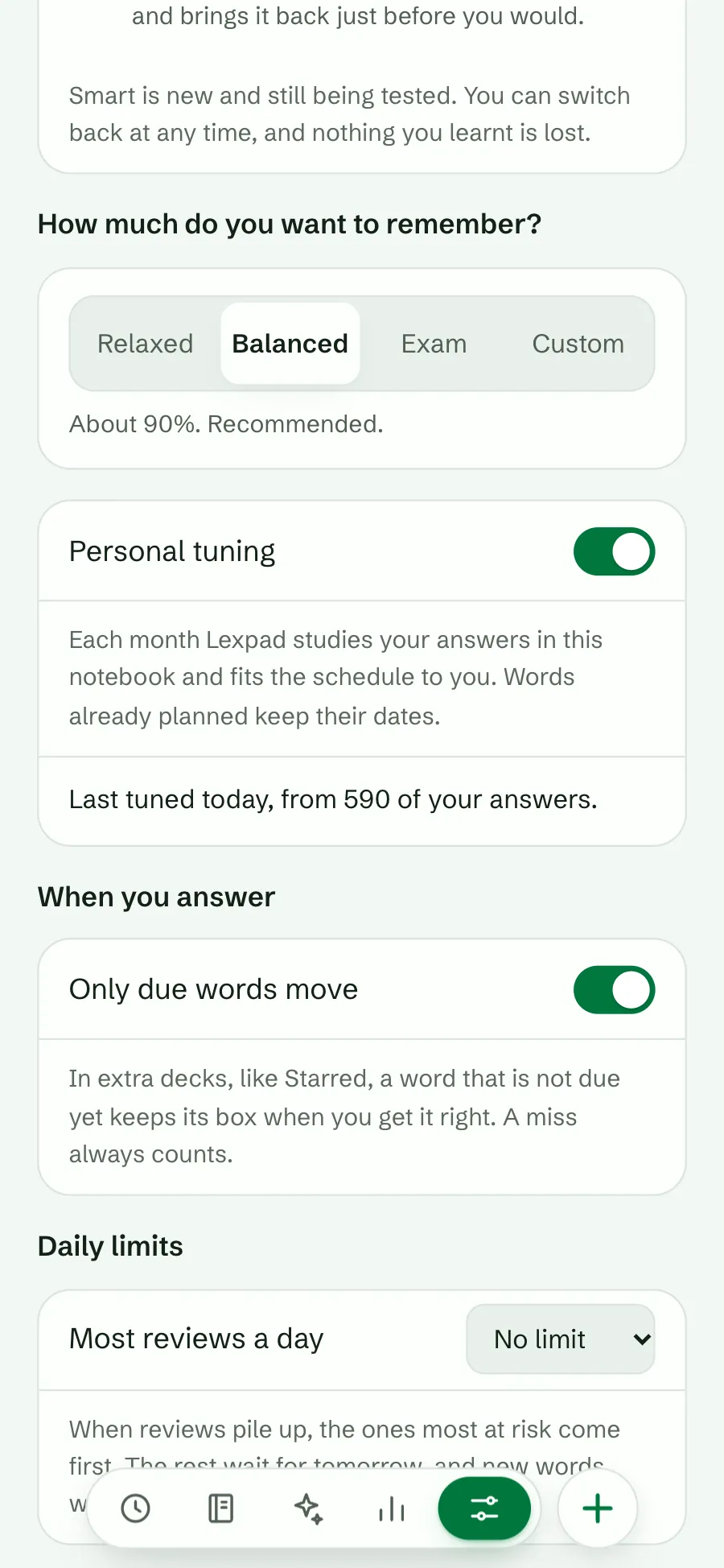
In a Smart notebook, Lexpad can fit the schedule to your own memory. About once a month, once the notebook has enough answers, it studies them and keeps a new fit only if it predicts your most recent answers better than the one in use. Words already planned keep their dates. The schedule page says when it last did so, for example “Last tuned today, from 590 of your answers.”
The method is the one FSRS’s own optimizer uses, rewritten for Lexpad and checked against it.
See the reviews planned before the exam day, and check your share remembered is near your target.
Spot a busy week before it arrives.
Check that the target you chose is the one you get.
Good to know
The target is what Smart aims for on the day a word comes back. Real days vary, and new words are harder, so a few points below is normal. If it stays much lower, try a higher target.
It needs at least 20 answers to due words in the last 30 days before a share means anything. Keep practising; it appears by itself.
No. It shows reviews already planned. New words and today’s answers add more.
No. It adjusts the settings Smart uses for one notebook. Turn it off and Smart uses its standard settings again.
Lexpad
Lexpad is free to start, on the web and on Android. Bring the words you meet.