Make it yours

Your colours,
your pace.

Lexpad is something you open every day, so it should look the way you like and fit the way you use your phone or computer.

Checked against the app on 3 October 2026.

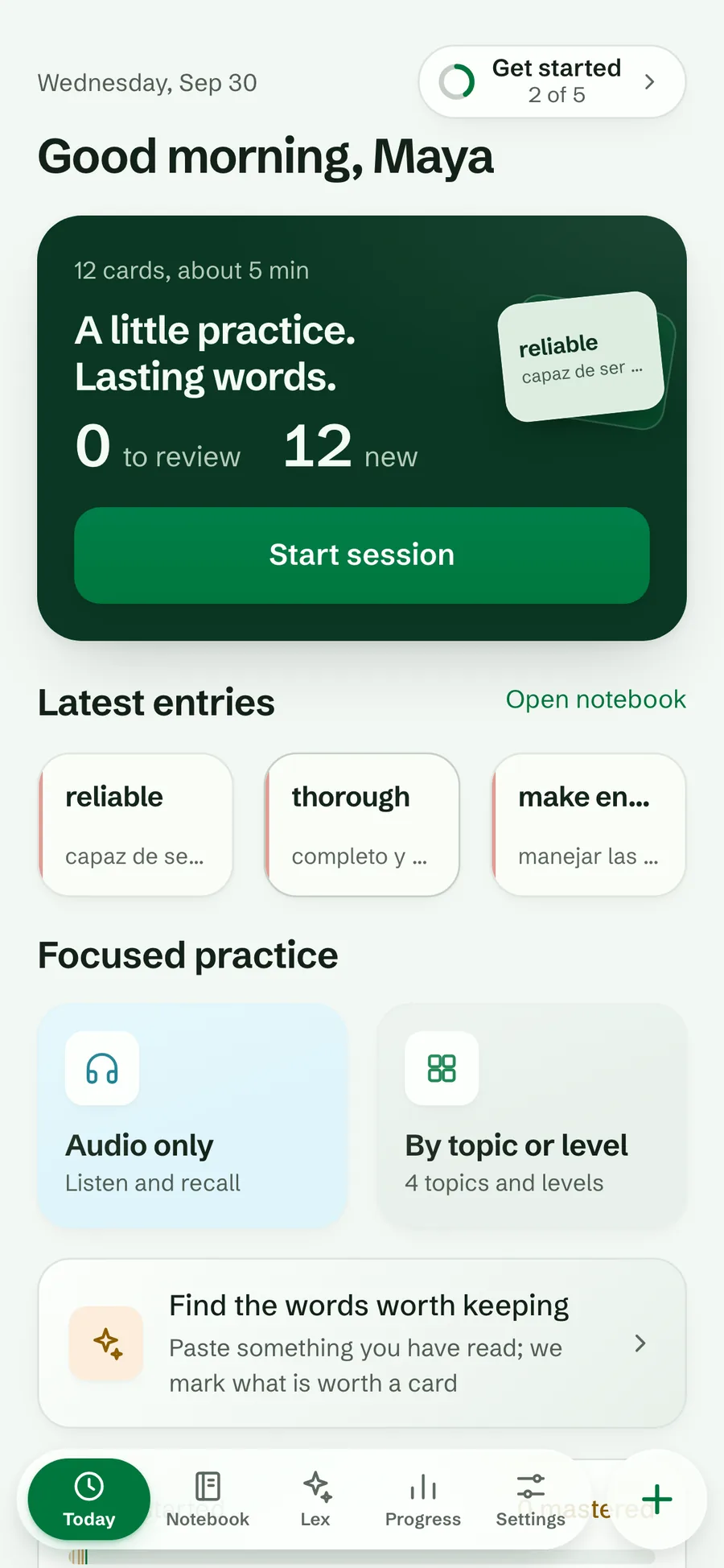
Today in the light Forest theme
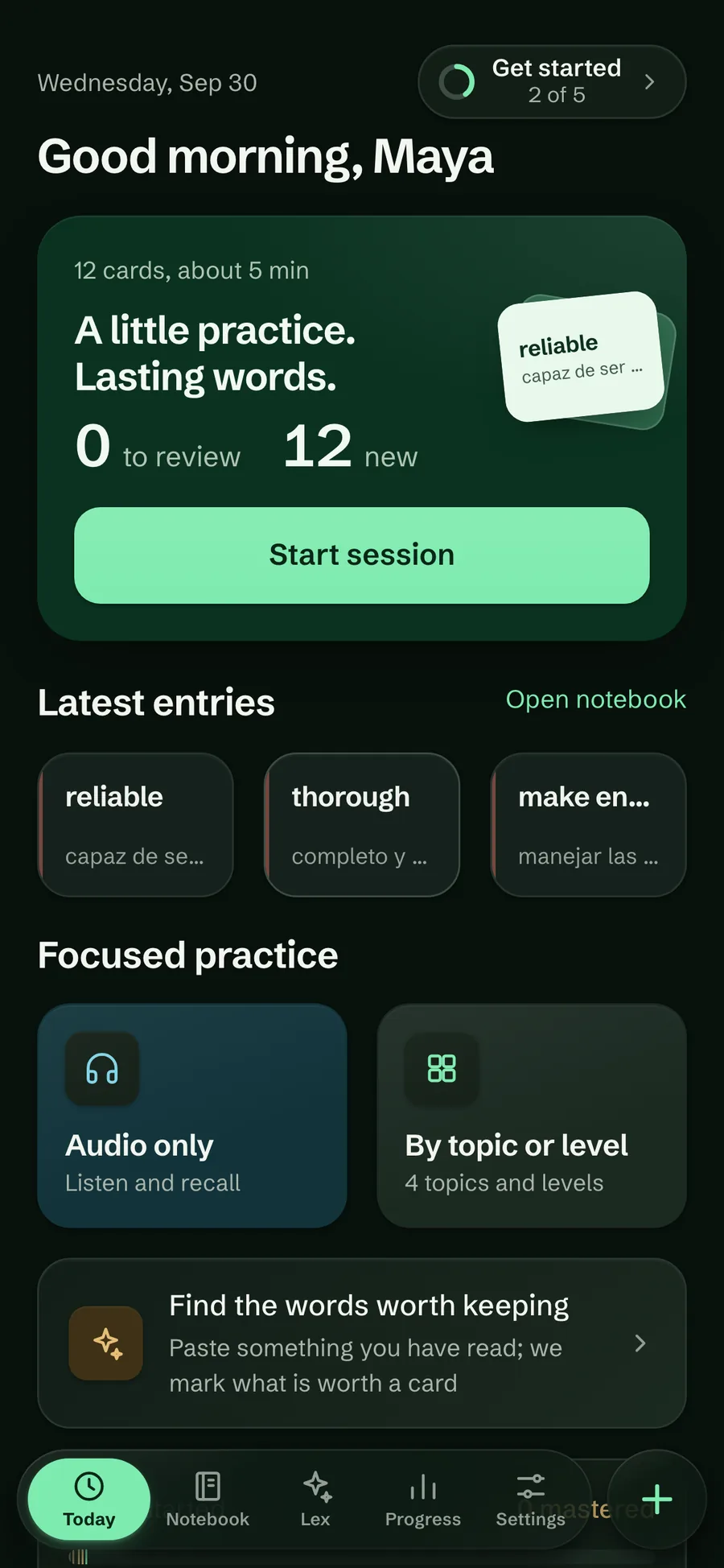
Today in the dark Forest theme
Palettes
Forest and Coral
Themes
Light, dark or system
Reminders
Daily, in the Android app
Contrast
WCAG AA in every colour set

Palettes and themes

Two palettes: Forest, a deep green that turns mint in the dark, and Coral, a warm coral over cool neutrals. Each comes in light and dark, or follows your system. You choose during setup with a live preview, and can change it in Settings at any time.

Try it in Lexpad

  1. Open Settings⁠.
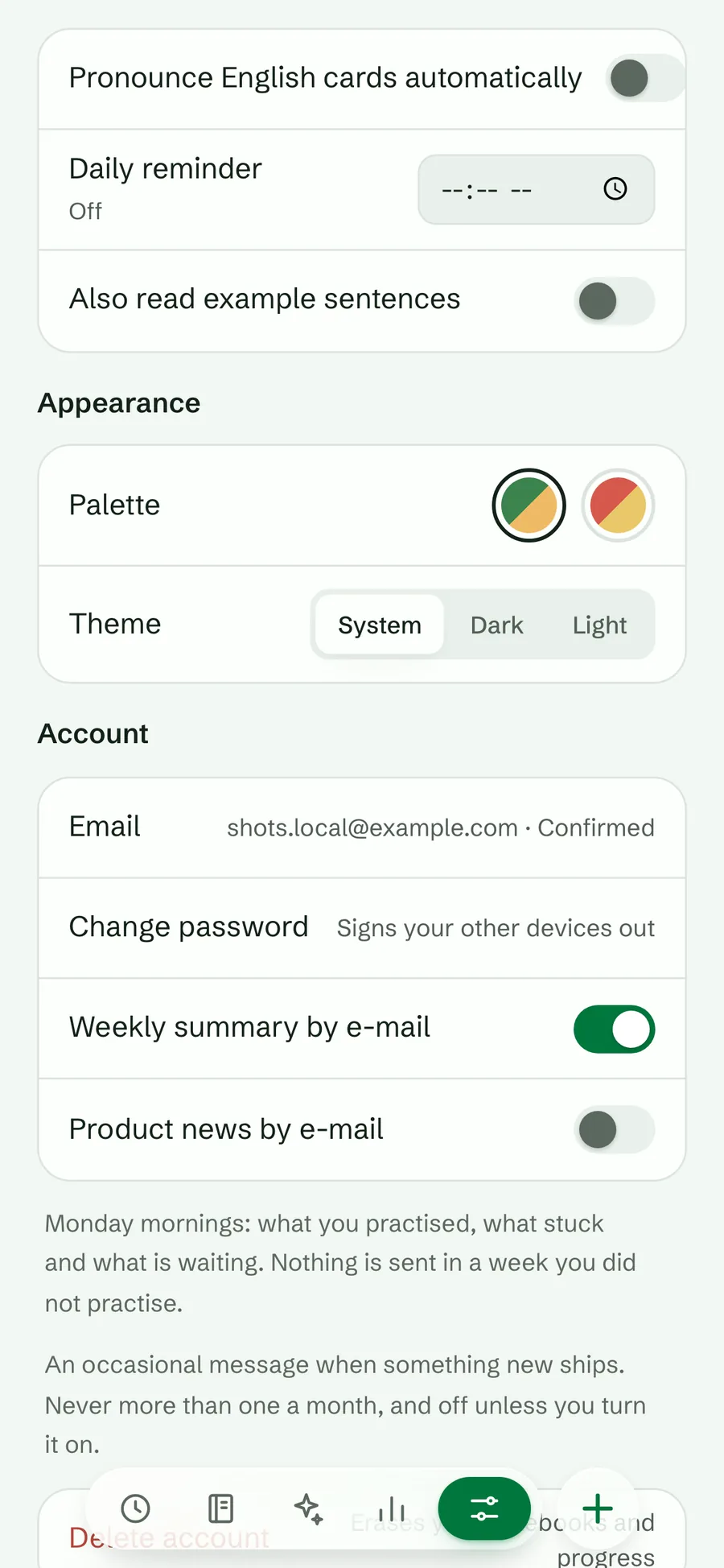
  2. Under Appearance, tap a Palette swatch: Forest or Coral.
  3. Under Theme⁠, choose System⁠, Dark or Light⁠.
The Appearance settings with the Forest and Coral palette swatches and the System, Dark and Light theme choices
Palette and theme
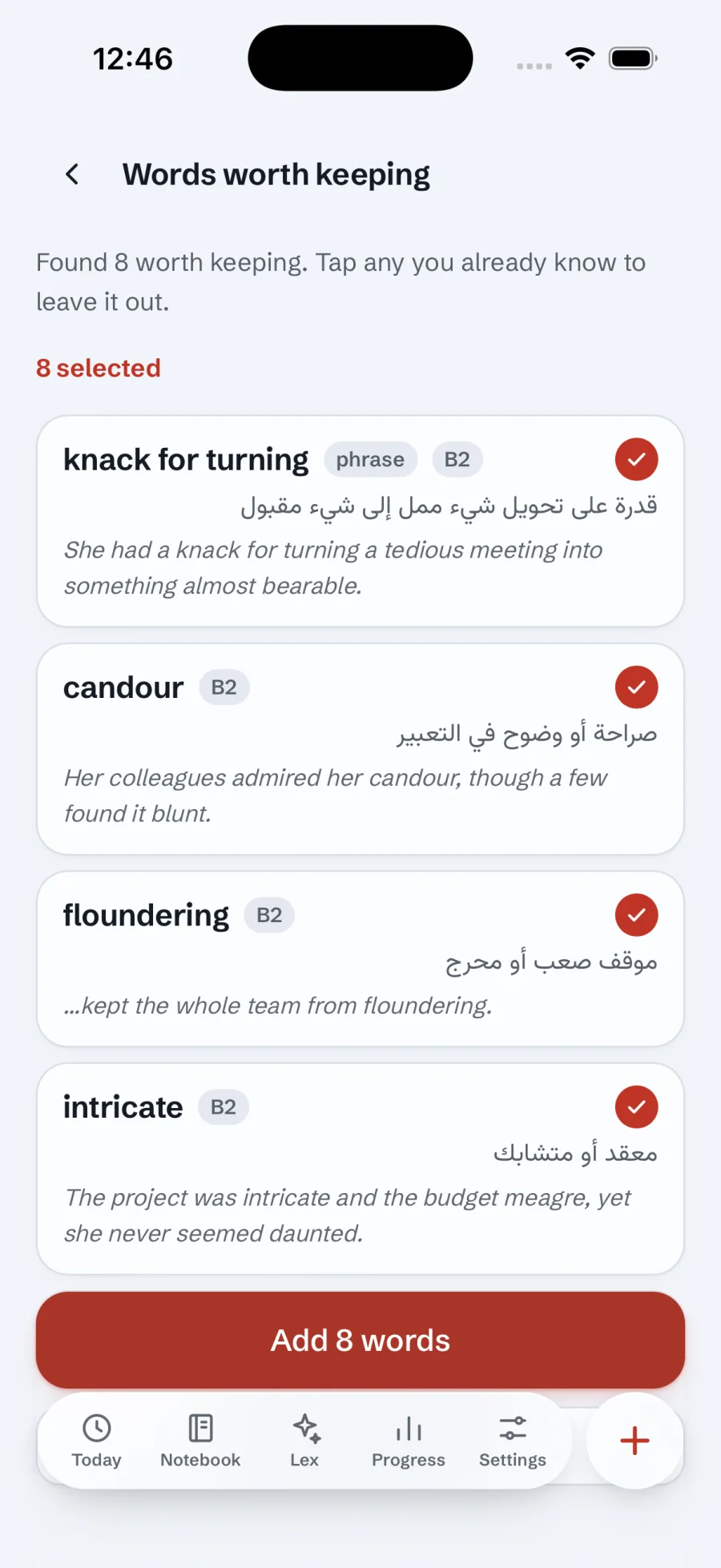
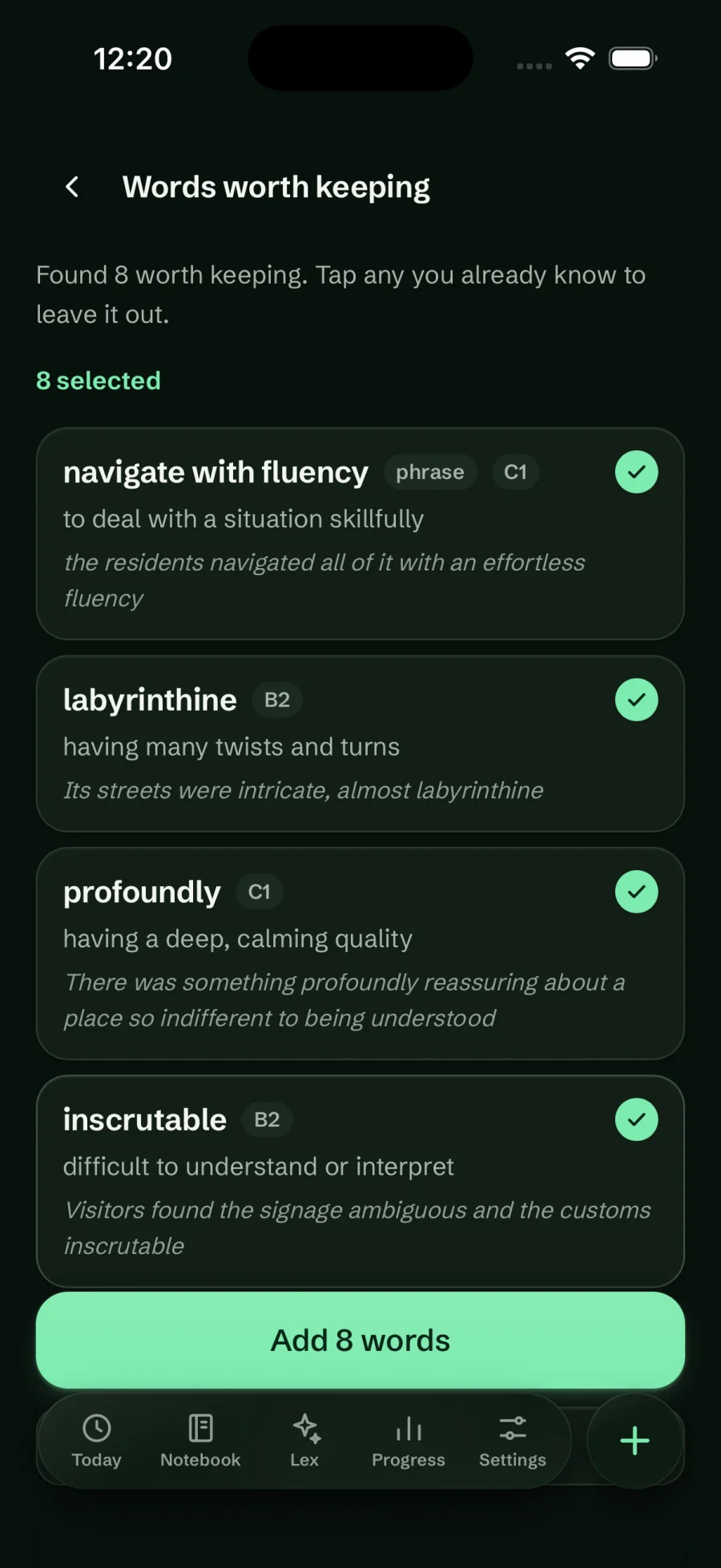
Words worth keeping in the Coral light theme
Coral, light
Words worth keeping in the Forest dark theme
Forest, dark

Reminders and messages

A gentle daily nudge on Android, and every message from Lexpad kept in one place on every device.

Android

A daily reminder

In the Android app, pick a time and Lexpad sends one notification a day. It says how many words are due that day, or a short line that changes from day to day when none are, and tapping it opens Today. It keeps working after a restart. Browsers cannot deliver it, so the web app does not offer it.
Android 1.0.43

Smarter reminders

On by default at 20:00 when you set up the app. If you stop opening it, the reminder says so on the 3rd, 7th, 14th and 30th day, then goes quiet. With a streak of two days or more and no practice yet today, an evening nudge at 21:30 reminds you before it ends; a reminder already set for the evening carries that message itself. Since 2 October 2026, Android 1.0.43.

Android 1.0.44

Notifications from Lexpad

What is new, offers, and gifts such as extra AI cards or days of Pro. Turn news off with Product news as notifications; a gift to your account always arrives. Where the phone can be reached this way, notes after time away come from the server; where it cannot (for example where Google services are blocked), the phone sends them itself. The daily reminder is always set by the phone. Since 3 October 2026, Android 1.0.44.

Web and Android 1.0.45

The bell

Everything Lexpad sends you is kept under the bell in the top-right corner of Today, on the web and in the apps, with a dot when something is new; tap a message to open it. In a browser on a computer, Notifications in this browser in Settings shows them as pop-ups even with the tab closed (on an iPhone, add Lexpad to the Home Screen first). Since 3 October 2026, Android 1.0.45.

Getting started

A new account gets a short list on Today. Do the steps in any order; afterwards the same spot shows your streak and whether today is done.

  1. Add a word

    Tap the round + and write one down.

  2. Let AI fill a card

    Tap Fill with AI on a word.

  3. Run a session

    Tap Start session on Today.

  4. Add the browser extension

    Save words from any page.

  5. Pick a reminder time

    One nudge a day, in the app.

Accessibility

  • Text follows the size you set on your device or browser.
  • Every text meets WCAG AA contrast in all four colour sets, checked by automated scans.
  • Reduced motion and reduced transparency are honoured.
  • Everything works from the keyboard, with visible focus, and practice has its own shortcuts.
  • Buttons carry labels for screen readers, answers are announced, and touch targets are at least 44 points.
  • Each piece of text carries its own direction and font, so mixed-language cards read correctly.
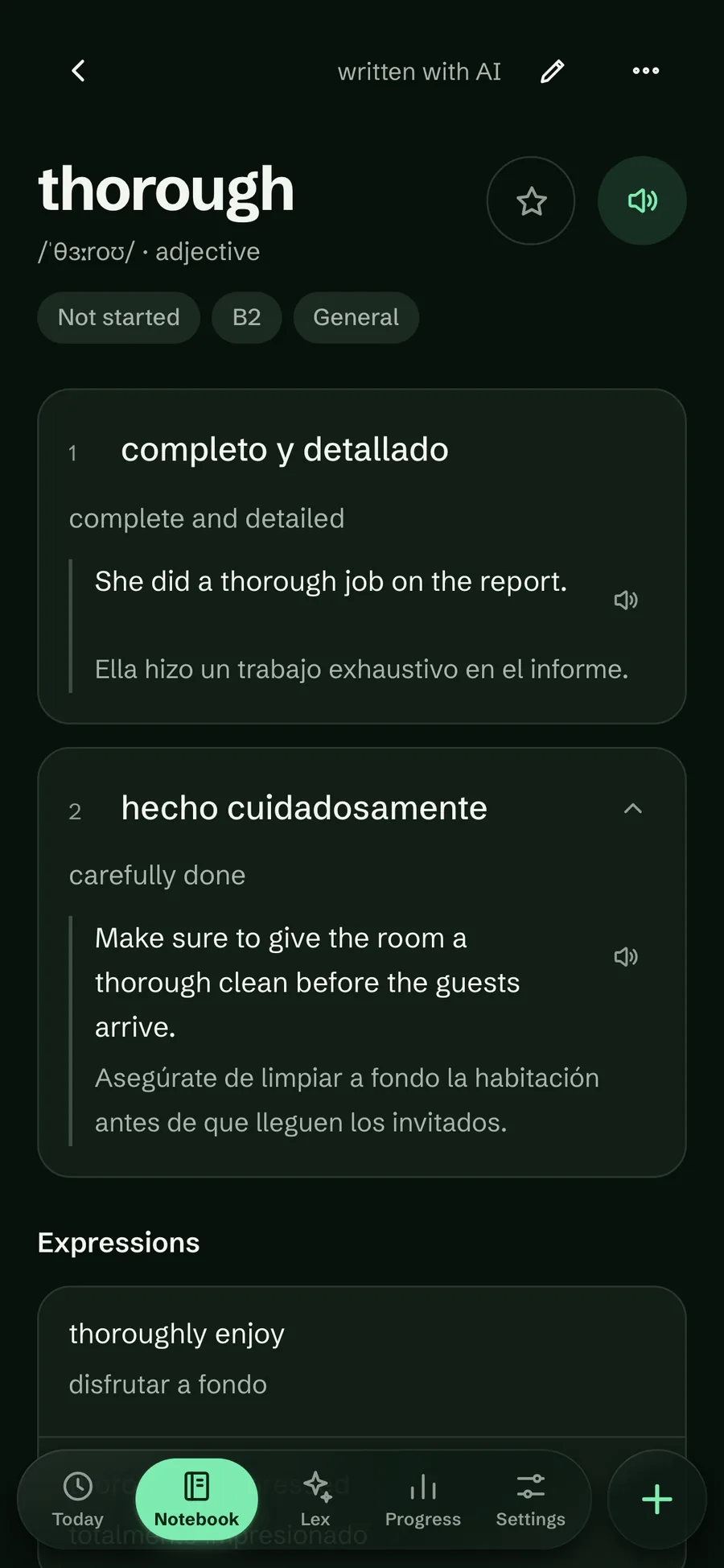
A word page in the dark Forest theme, with large clear type
Dark Forest

Good to know

Questions

Can the web app remind me every day?

The daily reminder is an Android app feature. In a browser, Notifications in this browser shows messages from Lexpad, and the bell on Today keeps them all.

Can I turn off news notifications?

Yes, with Product news as notifications in Settings. Gifts to your account always arrive.

Lexpad

Your next word is worth keeping.

Lexpad is free to start, on the web and on Android. Bring the words you meet.