 Lexpad
Free tool · Anki deck converter
Anki deck to CSV,
Quizlet or PDF
Choose an Anki .apkg or .colpkg file below and tick the fields you want. Then download a CSV for Excel or Google Sheets, copy the cards into Quizlet, or print them and save a PDF. Free, with no sign-up. The deck never leaves your browser.
Made by Reza Pirighadim, who makes Lexpad. Tested on 25 October 2026 with decks made in Anki 26.9, in the engines of Chrome, Safari and Firefox.
- Reads
.apkgand.colpkg, old and new formats- Gives
- CSV, TSV, Quizlet text, a printable page
- Your deck
- Stays on this device
- Price
- Free, no account
Open your Anki deck
Your deck stays on this device. This page reads it in your browser: nothing is uploaded, nothing is stored, and you do not need an account. Once you choose a file, the page loads two small readers from lexpad.app, one for Anki’s database and one for decks saved by current Anki.
Or drop the file here. In Anki on a computer: File, Export, Anki Deck Package.
Choose the fields
Ticked fields become columns. The field marked Term comes first: it is the front of a Quizlet card and the left column of the printed page.
Download
Excel, Google Sheets or Numbers
A UTF-8 file with one row per note and a column per field.
Quizlet
The term, a tab, then the other fields; one card per line. In Quizlet, create a set, choose Import and paste.
Print or save as PDF
A clean page of your cards. Your browser’s print window can save it as a PDF.
Or bring the whole deck into Lexpad
Lexpad is a vocabulary notebook that brings each word back on a schedule until it stays. Its importer reads the same .apkg file and finds the word, meaning, example and pronunciation by the names of your fields; AI can fill in what the deck lacks. Free, on the web in any browser, phones included.
Importing is free. Every new account gets Pro free for 7 days, no card needed.
What you download
| Download | What is in it | Open it in |
|---|---|---|
Spreadsheet (.csv or .tsv) | A heading row (Term, then each ticked field by its name, then Deck and Tags if you ask), then one row per note. UTF-8 with a byte-order mark, so accents and other scripts show as they are. In a CSV, a line break inside a field stays inside its cell; in a TSV it becomes “; ”. | Excel, Google Sheets, Numbers, LibreOffice |
Quizlet text (-quizlet.txt, or copied) | One card per line: the term, a tab, then the other ticked fields joined with “ · ”. Line breaks become “; ”, so every card stays on one line. | Quizlet: Create, then Import |
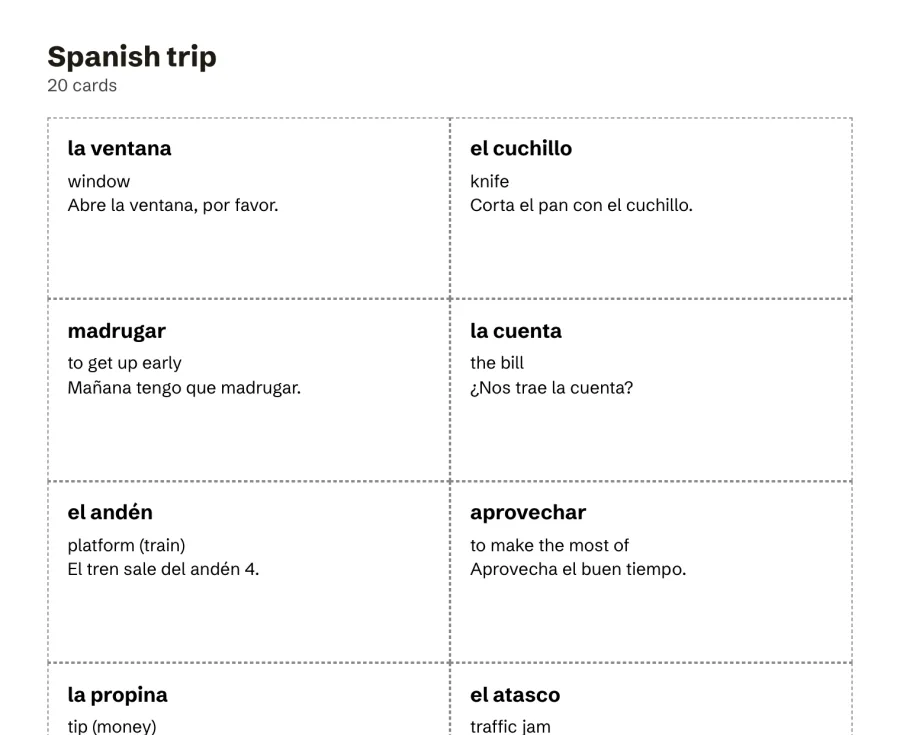
| Printable page | Your cards as a list (term on the left, the rest on the right) or as cards to cut out, two to a row, with the deck’s name at the top. | Your browser’s print window: a printer, or Save as PDF |
Pictures and sounds stay in Anki: the page counts them and tells you how many, and each row keeps the text around them. Review history and scheduling stay in Anki too.
Turn it into a Quizlet set
- Open the deck above. Under Choose the fields, mark the field that should be the term (the front of the card) and tick the ones that belong on the back.
- Choose Copy for Quizlet. The text is now on your clipboard.
- On Quizlet, create a new set and choose Import. Paste the text into the box.
- Keep Tab between term and definition and New line between cards, check the preview, and create the set.
Quizlet’s Import box reads a tab, a comma or a dash between term and definition, and a new line or a semicolon between cards (Quizlet Help Center). This page writes a tab and a new line because a comma or a semicolon can appear inside a meaning. A deck with clozes reads better in Quizlet with Cloze notes: show each gap as ___ ticked: the sentence with its gap becomes the term, and the answer comes first on the back.
Print your cards or save them as PDF
- Open the deck and pick the fields, as above.
- Under Print or save as PDF, choose List for a sheet to read down, or Cards to cut out for boxes with dashed edges, two to a row.
- Choose Print or save as PDF. Your browser’s print window opens with only your cards on the page.
- Pick a printer, or choose Save as PDF as the destination (in Safari, the PDF menu, then Save as PDF).
Your browser makes the PDF; this page only lays the cards out. Long decks print on as many pages as they need, and no card is split across two pages.
Open it in Excel or Google Sheets
- Excel: open the downloaded
.csv. If every row lands in one column, your Excel expects semicolons (common where a comma is the decimal sign, as in German, French or Spanish settings): download again with Semicolon, or use Data, From Text/CSV and choose the separator there. - Google Sheets: File, Import, Upload, and choose the file. Sheets finds the separator itself.
- Numbers and LibreOffice: open the file; both read UTF-8 CSV and TSV.
- Each note is one row. The first column is the term you chose; note types that share a field name, such as Basic and Basic (and reversed card), share that column.
Going the other way, from a spreadsheet back into Anki? Save it as CSV and use the free Quizlet to Anki converter, which writes a file Anki imports.
Bring the deck into Lexpad
If the deck is vocabulary, you can skip the spreadsheet: Lexpad, the notebook we make, imports the .apkg itself.
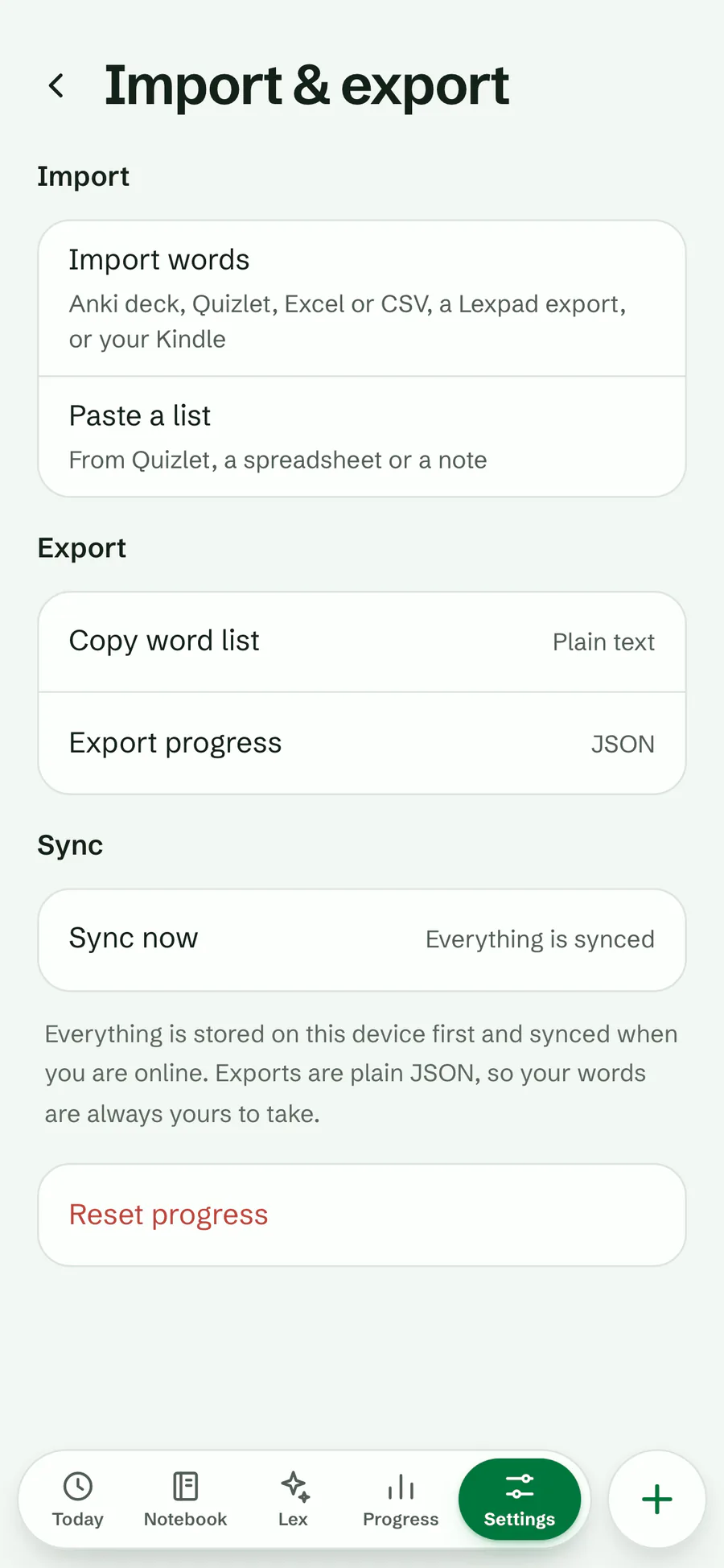
- Open Lexpad (app.lexpad.app) in any browser, on a phone too, and go to Settings, Import & export, Import words. Choose the deck file.
- Lexpad picks the word, meaning, example and pronunciation by the names of the note’s fields. A cloze note comes in as the word in its gap.
- Words with no meaning or example? Fill with AI writes them for every empty word in one tap. Each word then comes back on a schedule until it stays.
Review history, pictures and sounds stay in Anki, and every word starts in box 1. The deck is read on Lexpad’s server, so this import needs a connection. More: move your Anki or Quizlet words and Anki on iPhone for free.
How this page reads your deck
- An
.apkg(one deck) or.colpkg(a whole collection) is a zip file holding Anki’s SQLite database, plus your pictures and sounds. The page opens the zip in your browser and reads only the database. - Anki 2.1.50 and later can save that database in a smaller, compressed form (
collection.anki21b, zstd); current Anki does so unless “Support older Anki versions” is ticked when you export (Anki 2.1.50 changes, Anki manual, exporting). The page reads it, the oldercollection.anki21and the Anki 2.0collection.anki2. - From the database it takes the notes, the names of their fields and their decks. A note sits in the deck of its first card; a card moved to a filtered deck counts in its home deck. Choosing a deck includes its subdecks.
- Fields are made plain text: HTML tags go, a line break stays a line break,
&and other entities become their characters,[sound:…]and pictures go, and a reading in a ruby (furigana) is left out. A cloze shows its answer, or a gap if you ask. - Which field starts ticked follows Lexpad’s importer: fields named for audio, pictures or video start unticked, and so does any field that is empty in every note. You can change every choice.
- The readers are sql.js 1.14.2 and fzstd 0.1.1 (both MIT licence), served from lexpad.app and fetched only after you choose a file. The zip is unpacked by your browser itself.
- Nothing is sent or saved: no upload, no cookies, no storage in the browser. Close the tab and the page forgets the deck.
Tested on 25 October 2026 with decks we made in Anki’s own code (version 26.9.3): .apkg and .colpkg in the current and the older formats, an Anki 2.0 package, cloze notes, a note type with its own fields, subdecks, tags, pictures and sounds, Arabic and Japanese. Each deck’s rows were checked against Anki’s own plain-text export of the same deck, and the page was run in the engines of Chrome, Safari and Firefox, watching that no request carried the deck.
Good to know
Questions
Is my deck uploaded?
No. The page reads the file in your browser and keeps nothing. The only things it downloads are its two readers, from lexpad.app, after you choose a file.
Can I convert an Anki deck to PDF?
Yes. Open the deck, choose the fields, then Print or save as PDF, and pick Save as PDF in your browser’s print window. Choose List for a sheet or Cards to cut out for flashcards on paper.
How do I move an Anki deck to Quizlet?
Open the deck here, mark the term field, choose Copy for Quizlet, then in a new Quizlet set choose Import and paste. Each note becomes one card.
What happens to pictures and sounds?
They stay in Anki. The page tells you how many the deck holds, and each row keeps the text of its fields. A field that held only a sound or a picture is empty, so it starts unticked.
Does it work with decks from current Anki?
Yes. Decks saved by Anki 2.1.50 or later in the newer compressed format open here, and so do decks saved with “Support older Anki versions” and old Anki 2.0 packages.
Can I use a shared deck I downloaded from AnkiWeb?
Yes, it is an ordinary .apkg file. Shared decks are other people’s work, so keep their terms in mind before you publish what you make from one.
Is it free?
Yes. There is no account, no limit and nothing to install. It works in a current Chrome, Edge, Firefox or Safari, on a computer or a phone.
Lexpad
Keep the words from your deck.
Lexpad imports your Anki deck and brings each word back on a schedule until it stays. Free to start, on the web, Android, Mac and Windows.
Every new account gets Pro free for 7 days, no card needed.
Free account, no card. Apps: Mac · Windows · Android · iPhone
Free account, no card. macOS 11 or later · All downloads

Free account, no card. Or the direct installer

Free account, no card. Or the APK file
Free account, no card. Lexpad works in Safari on iPhone and iPad.
Free account, no card. Lexpad works in Safari on iPhone and iPad.
 Add to Chrome
Free account, no card. Apps: Mac · Windows · Android · iPhone
 Add to Edge
Free account, no card. Apps: Mac · Windows · Android · iPhone
 Add to Firefox
Free account, no card. Apps: Mac · Windows · Android · iPhone