Smart schedule
An optional schedule per notebook that learns how fast you forget each word, built on FSRS. Beta, free.
 Lexpad
Vocabulary notebook features
Lexpad is a vocabulary notebook for the words you meet yourself, with spaced repetition built in. These pages describe every feature as it works today, with what is free and what is part of Pro. To see them in use first, watch the 1:13 film.
Updated . Checked against the app on 3 October 2026.
Feature pages
Adding words
Type it, say it, paste a text, or bring it from a web page, a Kindle or a file. You choose every word.
Explore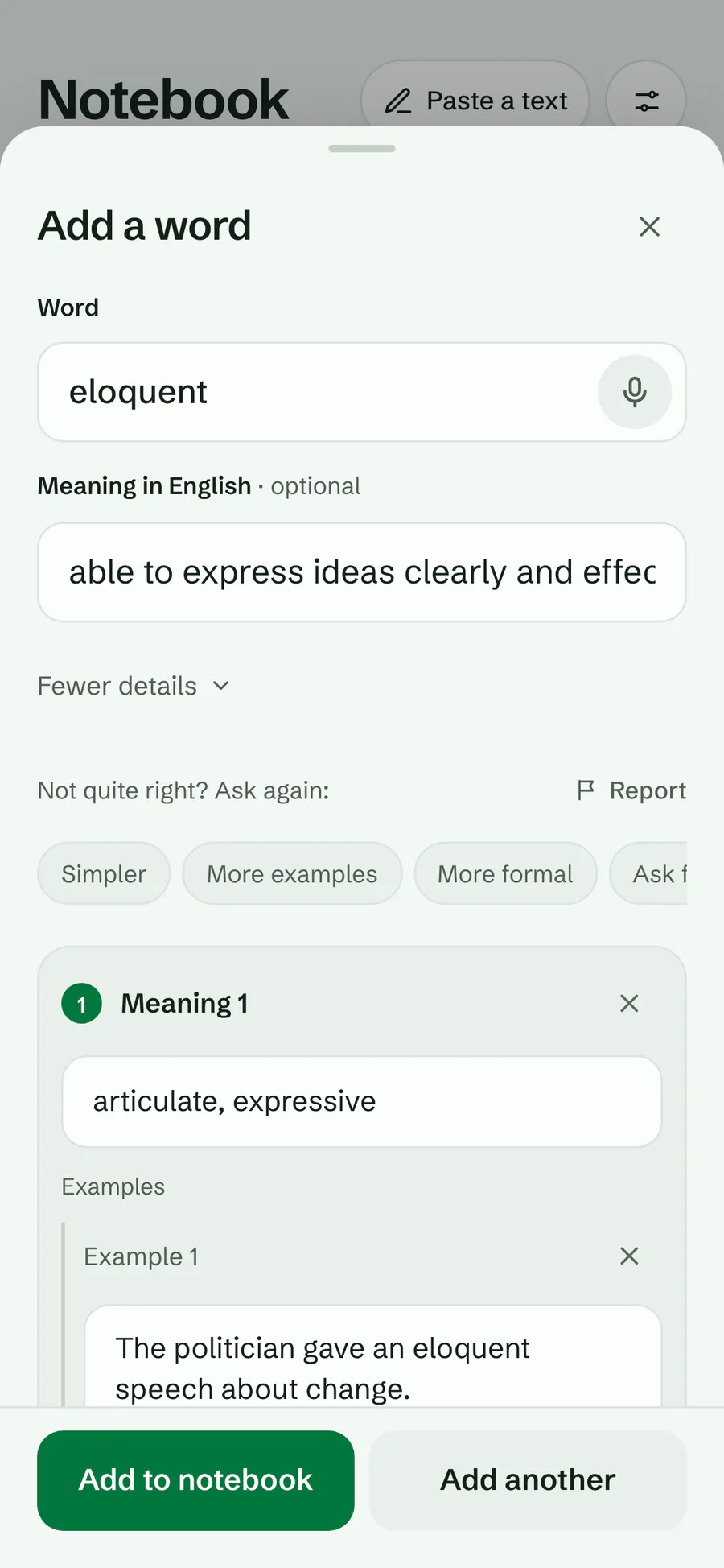
Cards and meanings
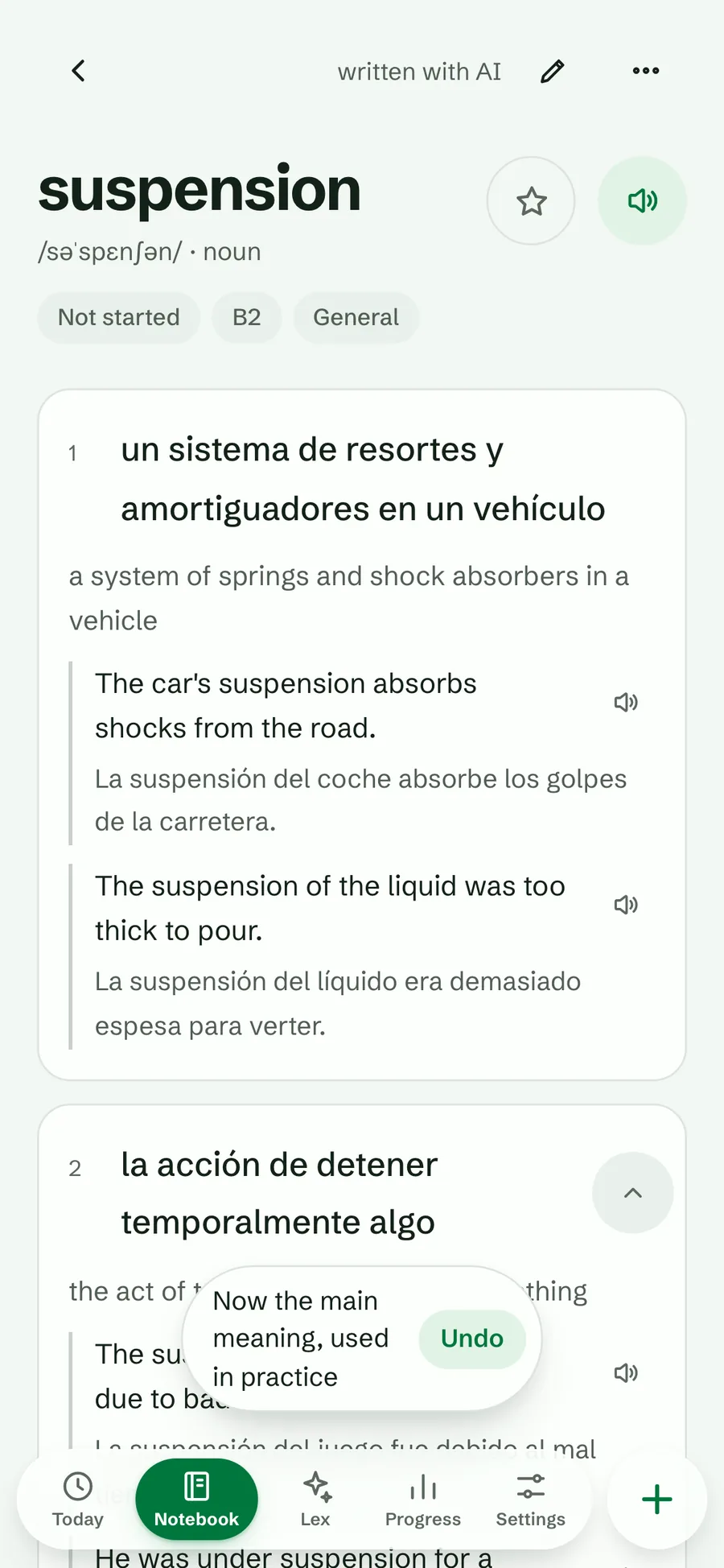
Several meanings, examples, pronunciation, level and word partners (collocations). You choose the meaning practice asks about.
ExplorePractice and spaced repetition
Five Leitner boxes, or the Smart schedule, bring each word back just before you would forget it. Every card type, deck and schedule is free.
Explore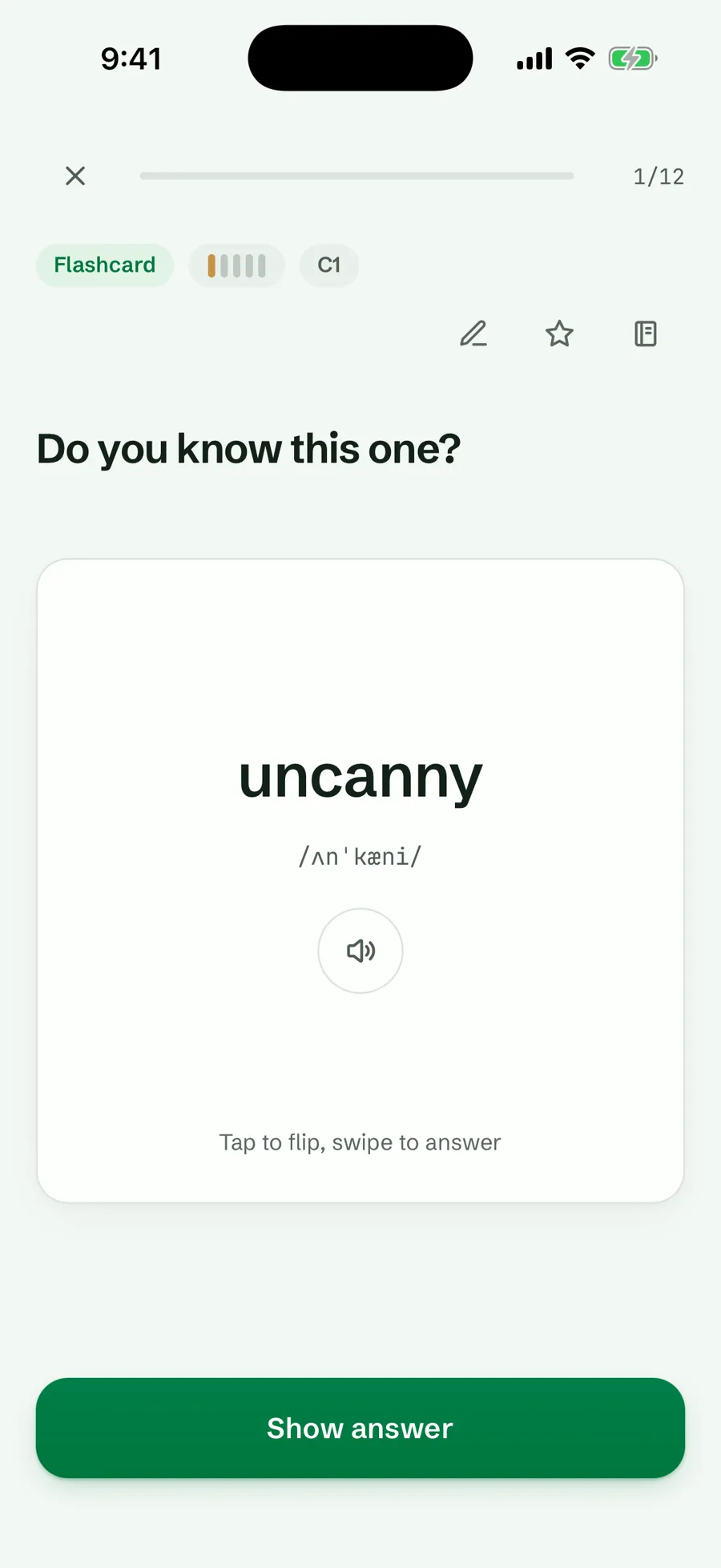
Lex, the AI tutor
Ask Lex to quiz you, untangle two similar words, or use your newest words in a story.
Explore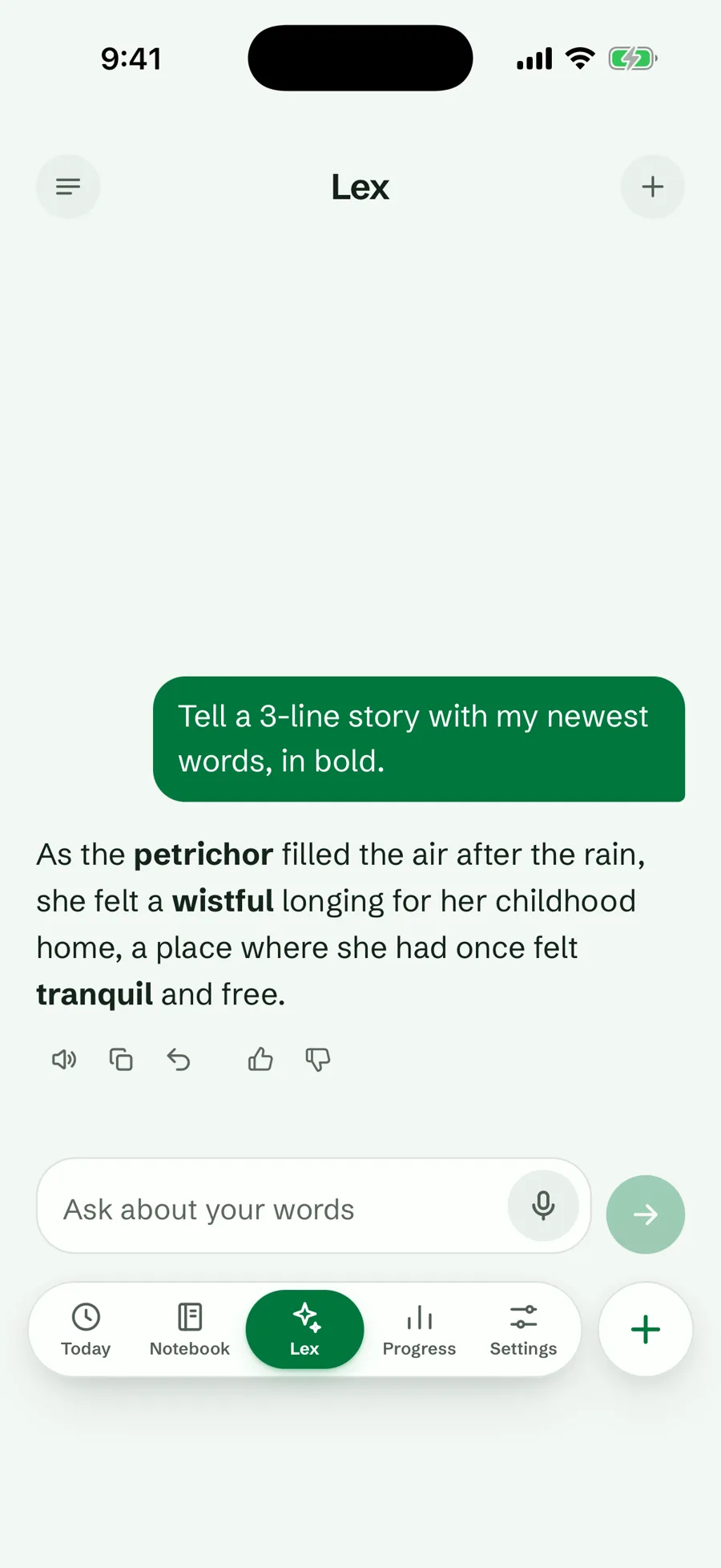
Browser extension
Select a word on any page, or click one in video subtitles or Google Meet captions, in Chrome, Edge or Firefox, and save it with its sentence.
Explore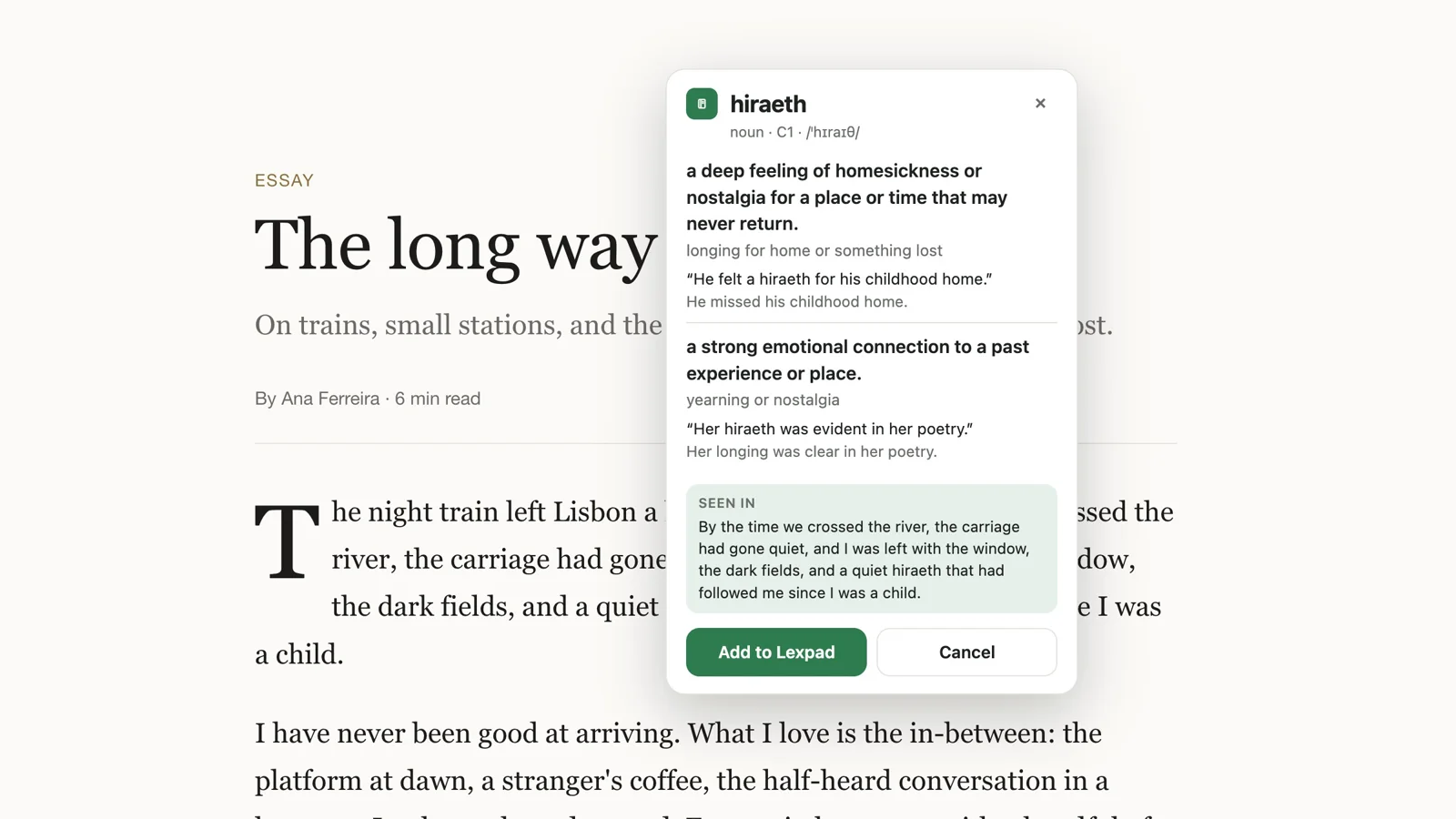
Desktop app
Select a word in Word, a PDF or a chat, press ⌘⇧L or Ctrl+Shift+L, and add it. The whole app in its own window, too. For Mac and Windows.
Explore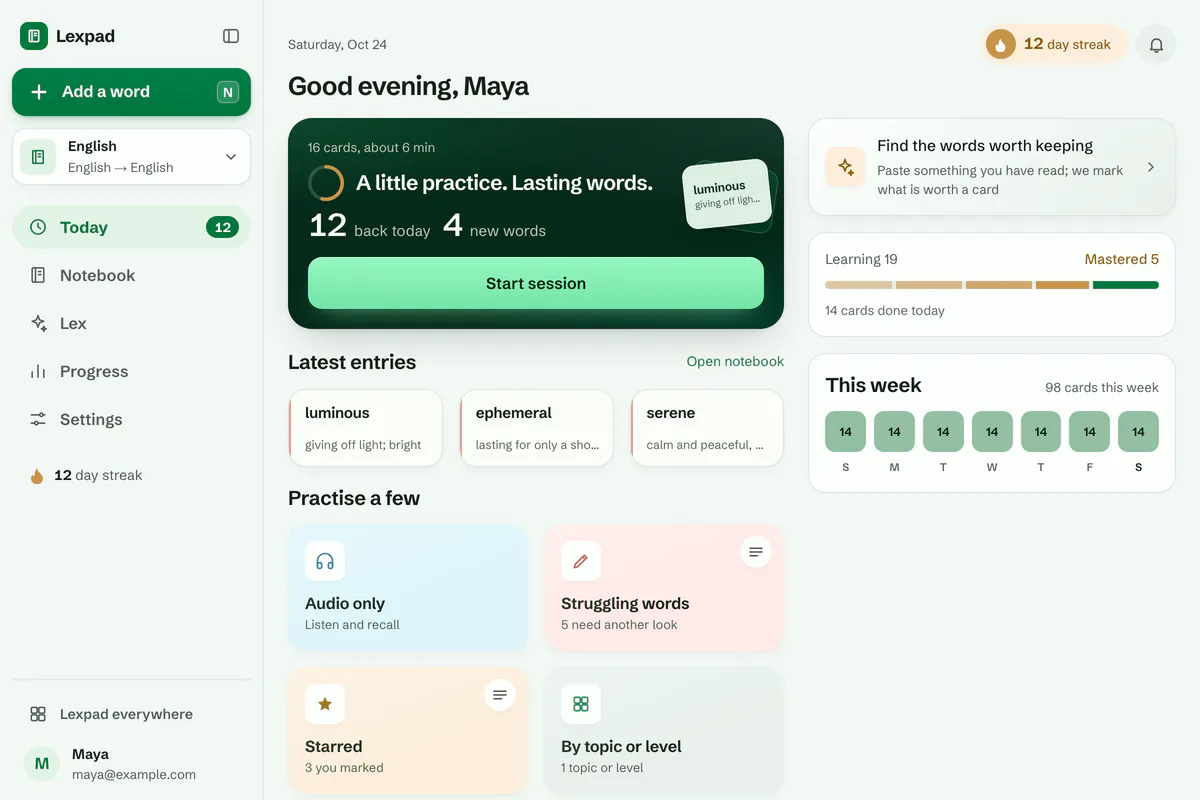
ChatGPT and Claude
Save words, see what is due, practise, and ask about Lexpad from ChatGPT or Claude. Free to connect.
Explore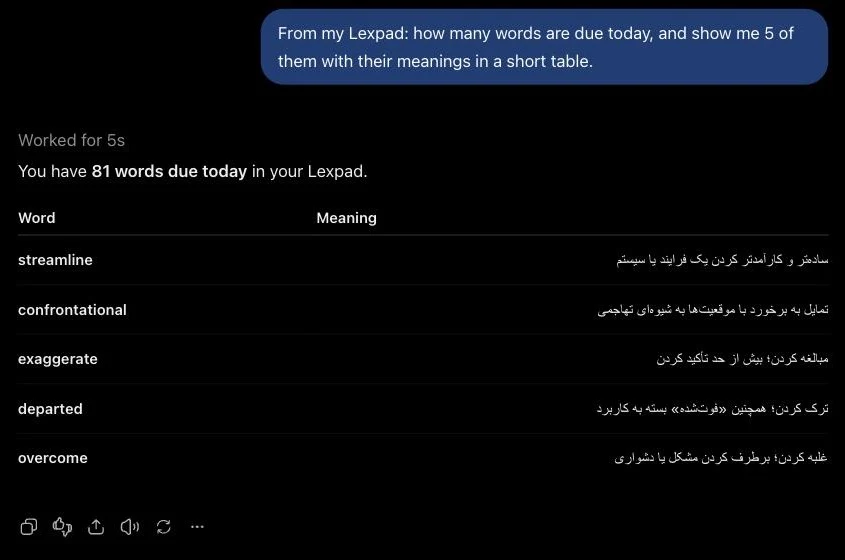
Languages and scripts
Right to left where it should be, and a proper font for every script.
ExploreNotebooks, sync and your data
Offline first, synced everywhere, shareable by link, and yours to export.
Explore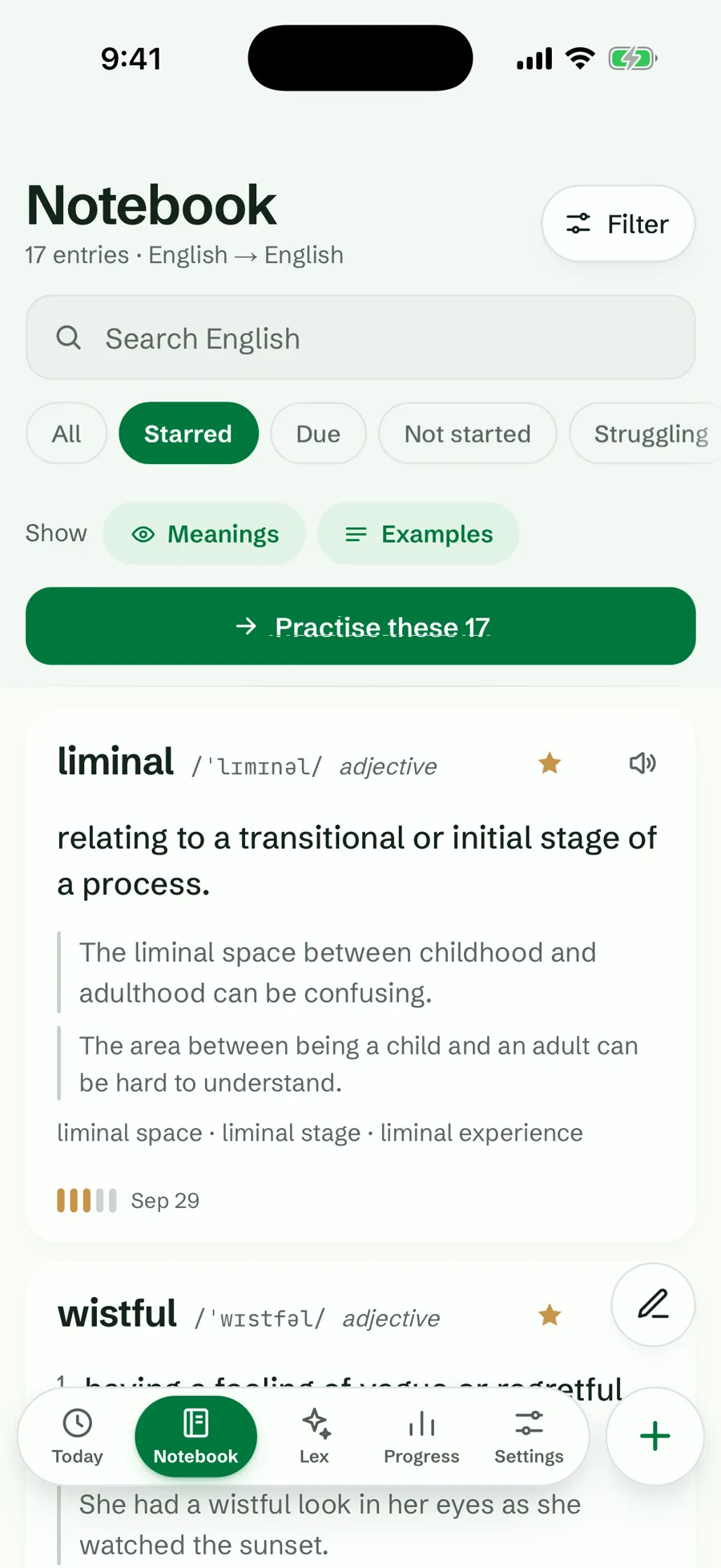
Themes, reminders and accessibility
Forest or Coral, light or dark, a daily reminder, and an interface that follows your settings.
Explore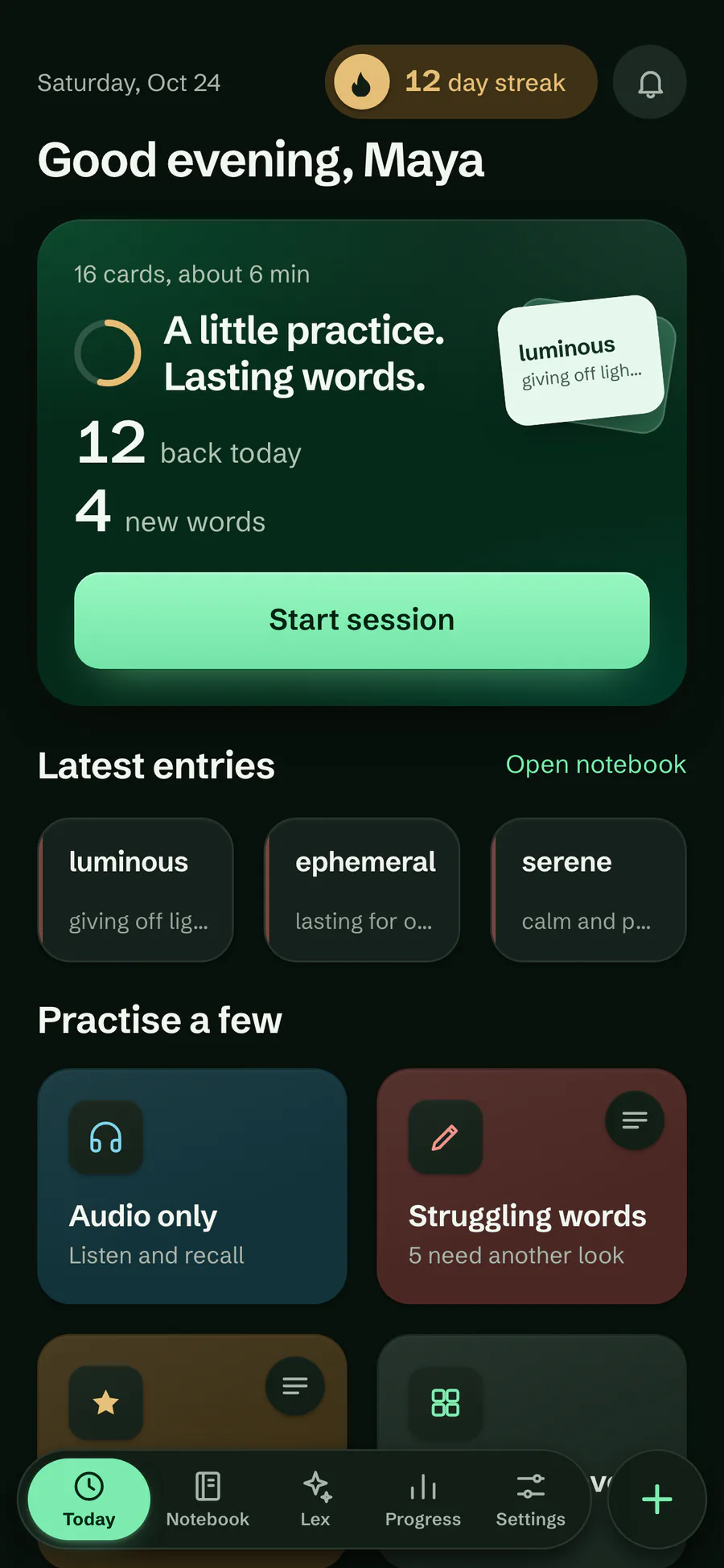
Practice, in depth
The schedule and the extra ways to practise, each with its own page. All free, except two of the seven games and drills: Say it and Use it in a sentence are part of Pro. New to Lexpad? Start with How Lexpad works.
An optional schedule per notebook that learns how fast you forget each word, built on FSRS. Beta, free.
Your own rules for a notebook: extra practice, what a miss does, a daily review limit and words you keep missing.
The day each word comes back, on its page and as a notebook order.
Match, Speed round, Dictation, Sentence builder, Word partners, Say it and Use it in a sentence, on your own words.
Your next 30 days of reviews, how much you remember when words come back, and Personal tuning.
Earn a freeze every seven days in a row. It covers a day you miss. Free, never bought.
Share Lexpad
Share your personal link from Settings → Invite friends. When a friend signs up with it and starts learning, they get 14 days of Pro and you get Pro days too: 14 for your first friend and more for the next. How invitations work.
On your home screen
Four widgets put your notebook on your Android home screen: Today, a Word card to flip and answer, Quick add and Progress. Free, in the Android app from 1.0.69. How the widgets work.
While you watch
With the browser extension, rest the pointer on a subtitle and the video waits; click a word, or drag across a few, and its meaning opens on the video. The line is saved as its example, with a note of the moment. In a Google Meet call, the captions hold still under the pointer so you can click the word you just heard. Free, in Chrome, Edge and Firefox.
Video files on your computer play in Lexpad Player, the video player for language learning in the desktop app for Mac and Windows, with up to three subtitles at once and keys for shadowing.
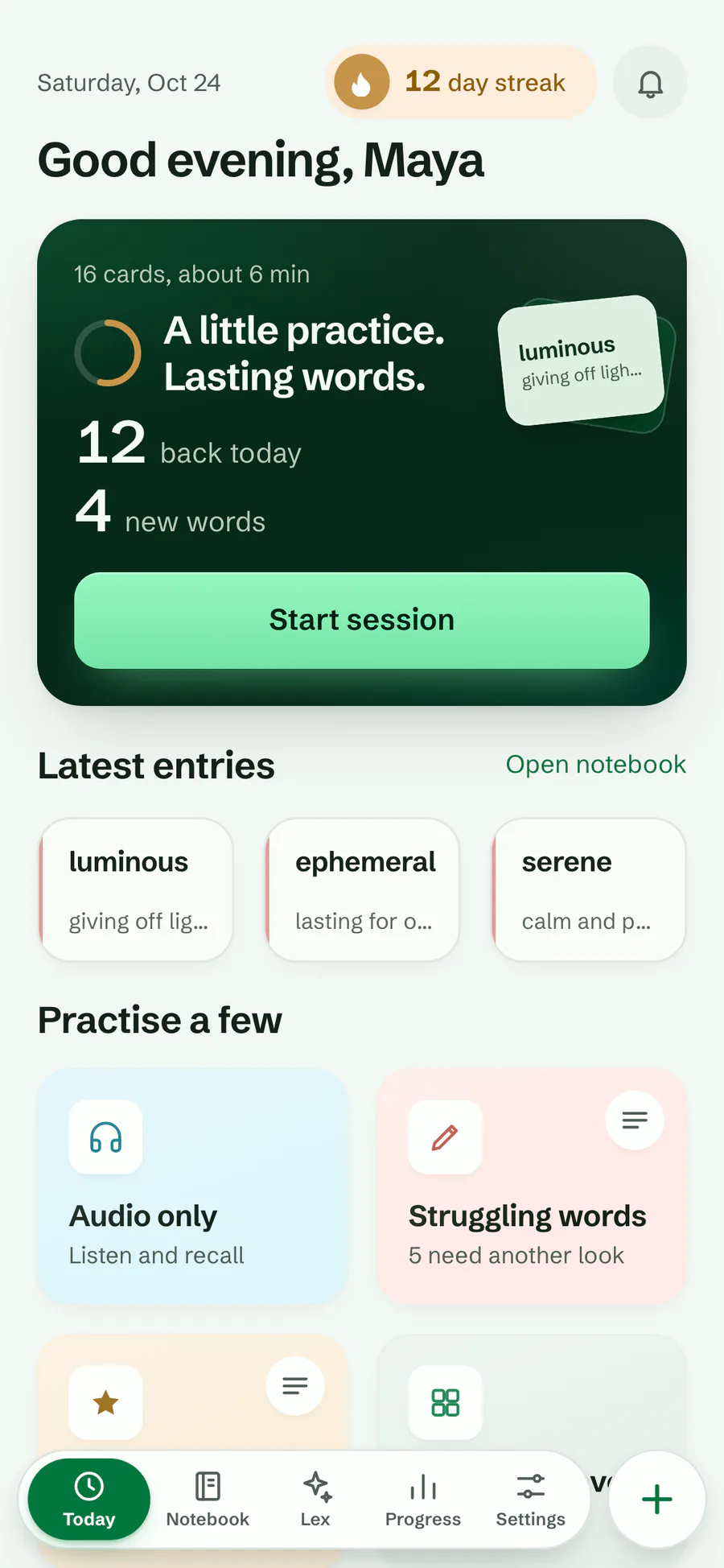
You write down a word or phrase in any of 81 languages. Lexpad can complete it into a full card with AI, and short daily sessions bring it back on a Leitner schedule, or the optional Smart schedule built on FSRS, until you know it. It runs in the browser, as an installed web app and on Android, with extensions for Chrome, Edge and Firefox and a desktop app for Mac and Windows. The notebook, all six card types, both schedules and five of the seven games and drills are free, and so are import, export, sync across devices, offline practice, the browser extension, the desktop app and the ChatGPT and Claude connector. Free writes 5 AI cards a day (200 a month) in the app and 10 a day from ChatGPT or Claude; Pro adds Lex, the AI tutor, unlimited AI cards (up to 1,000 a day) instead of 5 a day and the two other drills.
Type a word, say it, paste a text, select it on a web page, click it in YouTube subtitles, subtitles on Netflix, TED and other sites or Google Meet captions, or import it from a Kindle, an Anki deck, a Quizlet export or an Excel workbook.
“Write the card with AI” writes meanings, examples, pronunciation and level. Edit anything; it is your card.
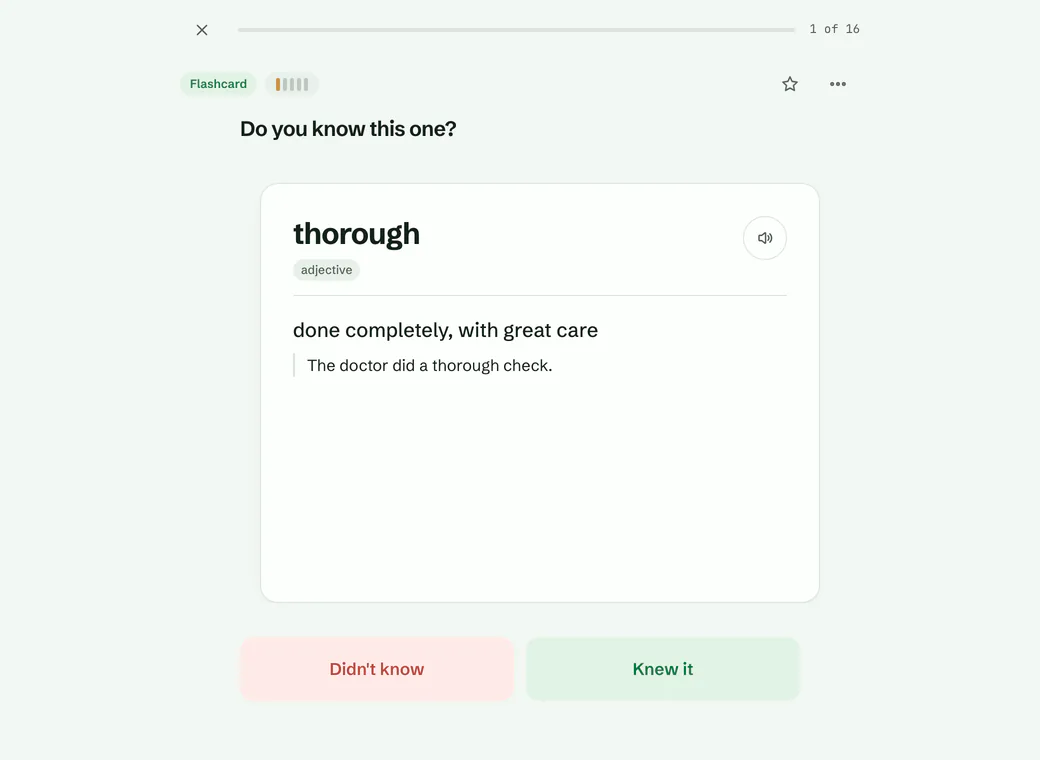
Open Today and tap “Start session”. Right answers move a word up a step; misses bring it back today.
Step 5 is mastered. The word still comes back, after 21 days and then longer each time you know it, up to a year.
.apkg), a Quizlet export or an Excel workbook (.xlsx), then let AI fill any word that arrived without a meaning. The free Anki deck converter turns a deck into a CSV, Quizlet text or a printable page. Still choosing? Free Anki alternatives and free Quizlet alternatives compare the other apps, A to Z.In any modern browser, installable to the home screen. On a computer or a tablet it has a sidebar and shows two panes side by side. Open the web app.
On Google Play, or as a direct download. Android 7.0 and newer.
For macOS and Windows: select a word in any app and press a shortcut, and use the whole app in its own window. Free; the Mac app is signed and notarized by Apple, and the Windows app is in the Microsoft Store.
The app on the App Store, or the web app in Safari; a tablet layout on iPad. Lexpad on iPhone.
Learn more
Guides explain the method behind Lexpad, such as spaced repetition, active recall and comprehensible input, and how to learn the words of one language, from Spanish and French to Italian. The free tools work in your browser without an account: text to flashcards, the Anki deck converter, the Kindle exporter and the spaced repetition calculator.
The changelog lists every change learners can see, with its date, newest first. Who makes Lexpad, where it runs and how to reach us: About Lexpad.
Lexpad
Lexpad is free to start, on the web and on Android. Bring the words you meet.