The curious
See the schedule working: a word you know well says “in 37 days”, a new one says “tomorrow”.
 Lexpad
Spaced repetition works quietly in the background. Next check makes it visible: each word says when it is coming back, and the notebook can list words in that order.
Updated . Checked against the app on 8 October 2026.
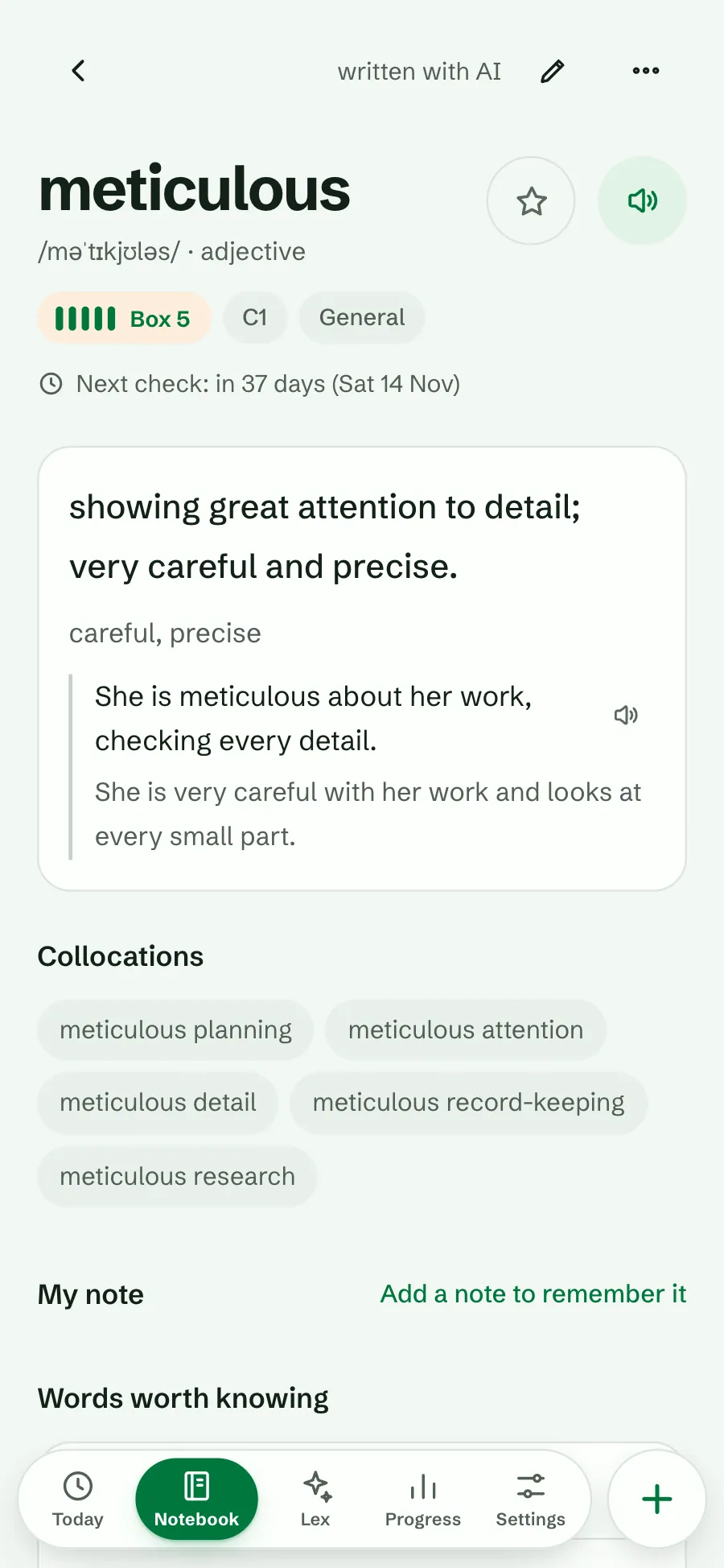
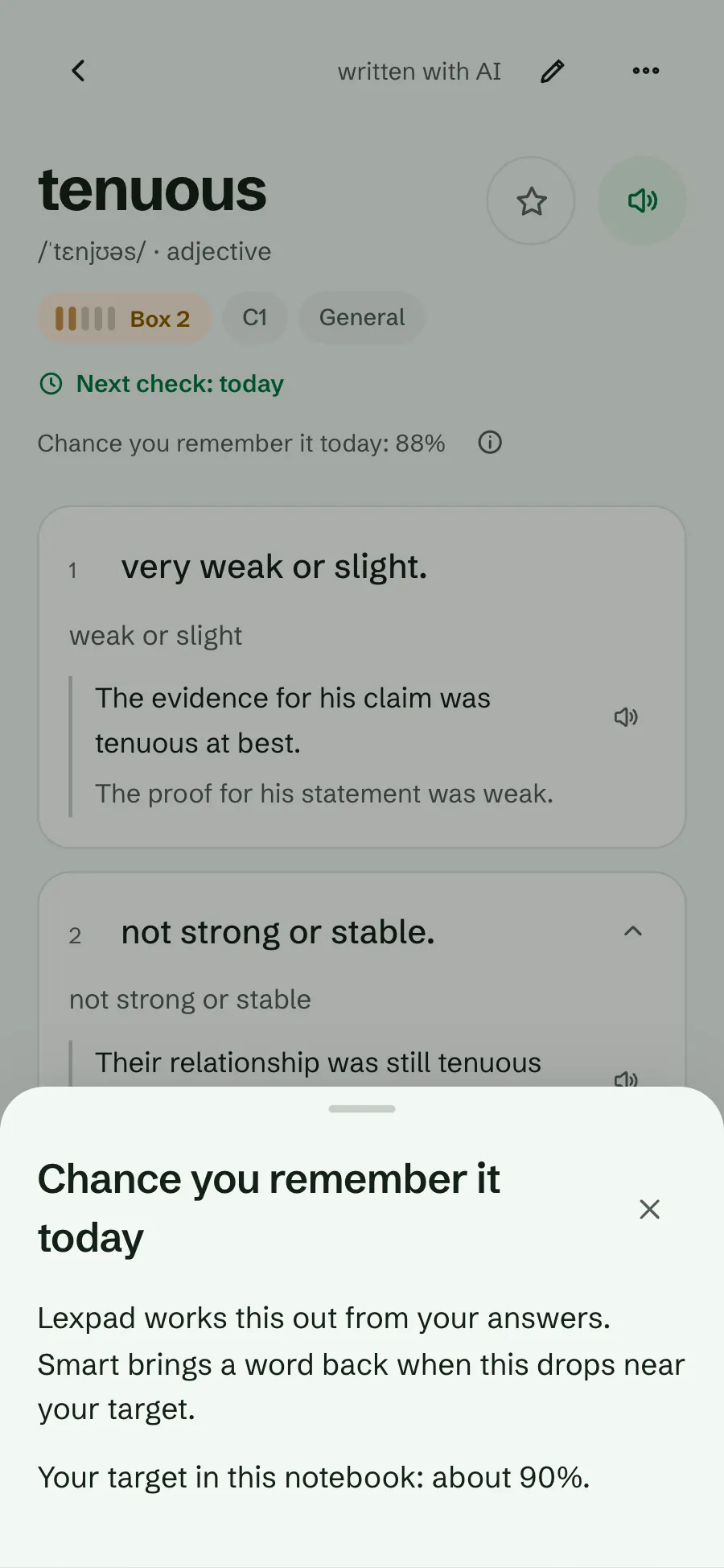
A word’s page shows its box and its next check, in plain words:
The line is a link: tap it to open How words come back for the notebook. In a Smart notebook the page also shows the chance you remember the word today.
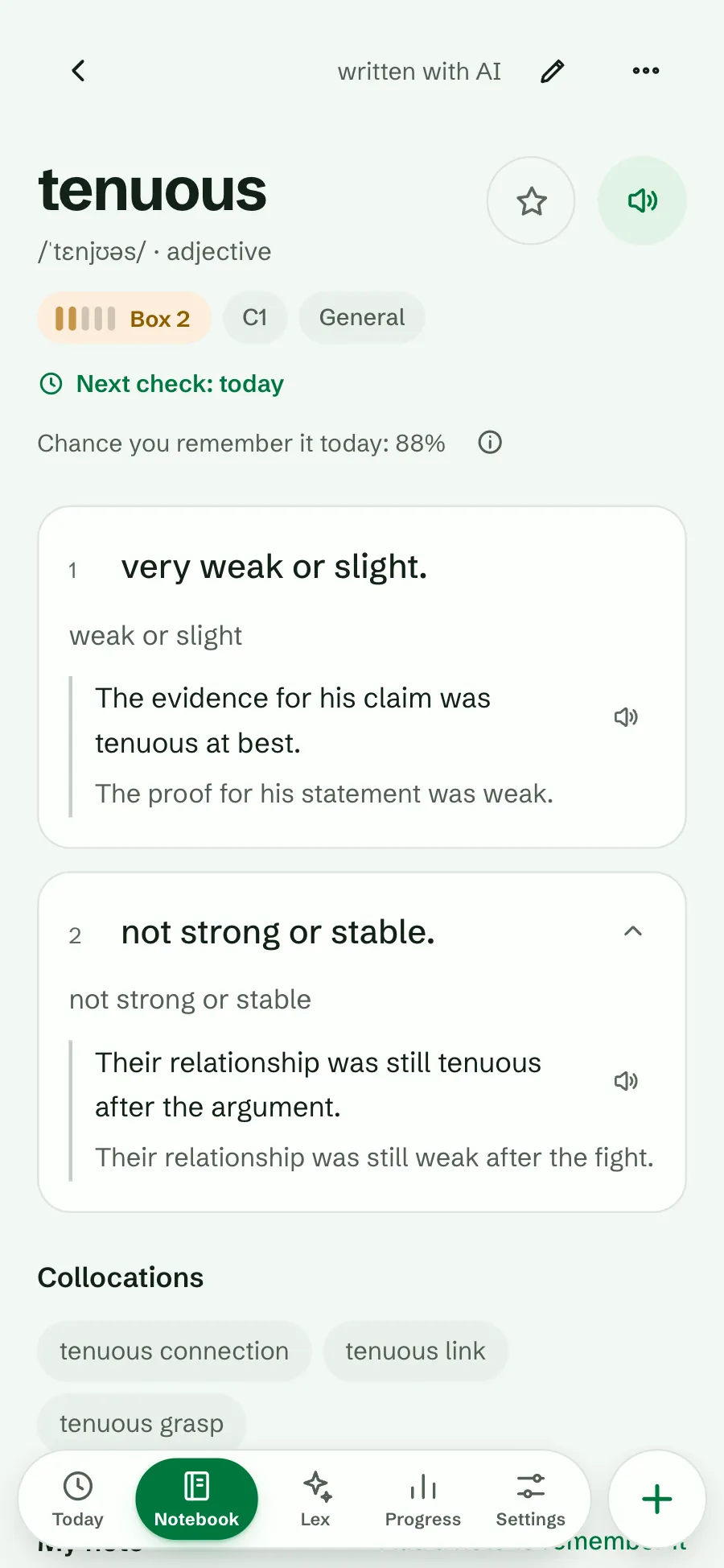
In the notebook, open Filter and choose the order Next check. Words due soonest come first, and each row shows its next check under the box meter; “today” is in green. The Due chip shows the same line on every row, so you see why each word is there.
Use it to see what the next days hold, to find a word you expected sooner, or before a trip, to practise what is coming up.
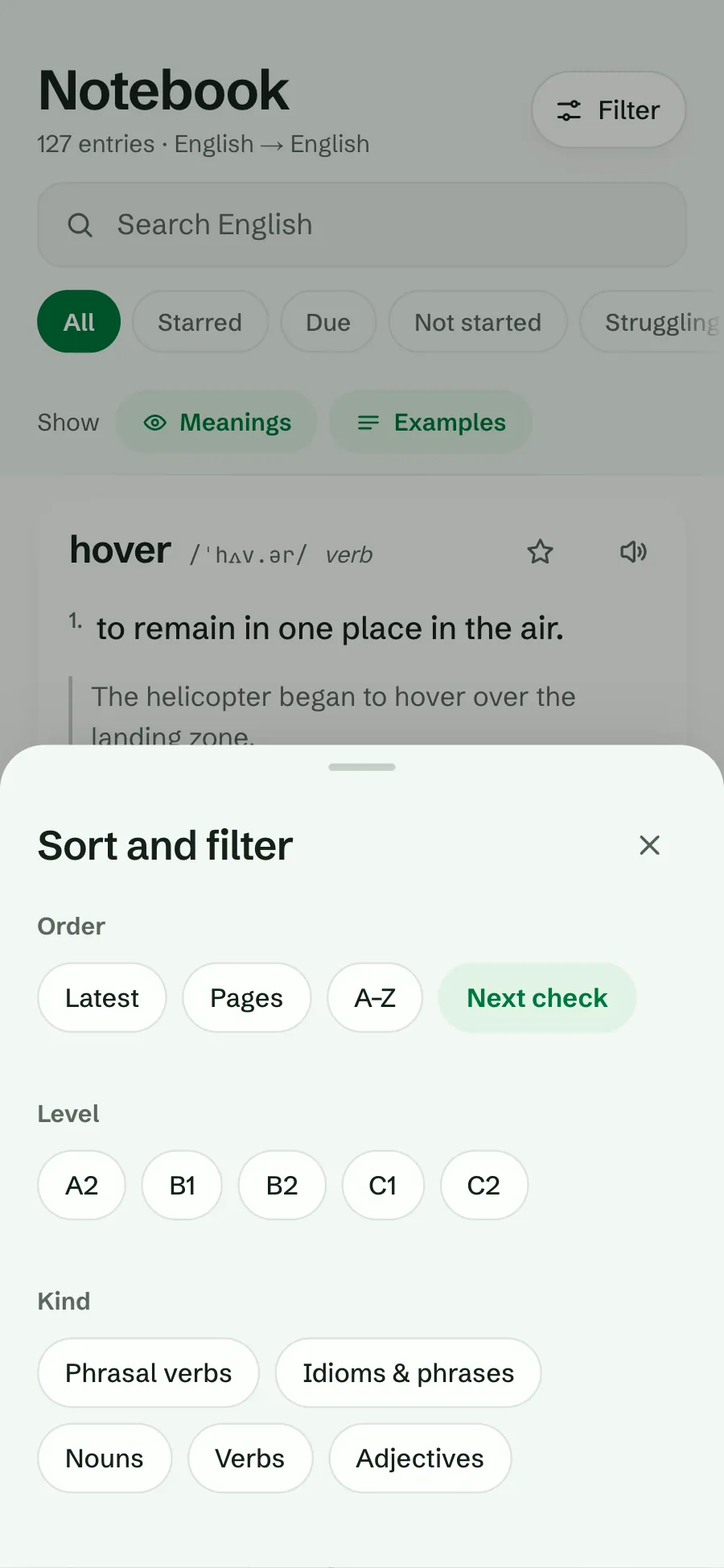
Open Filter and choose Next check.
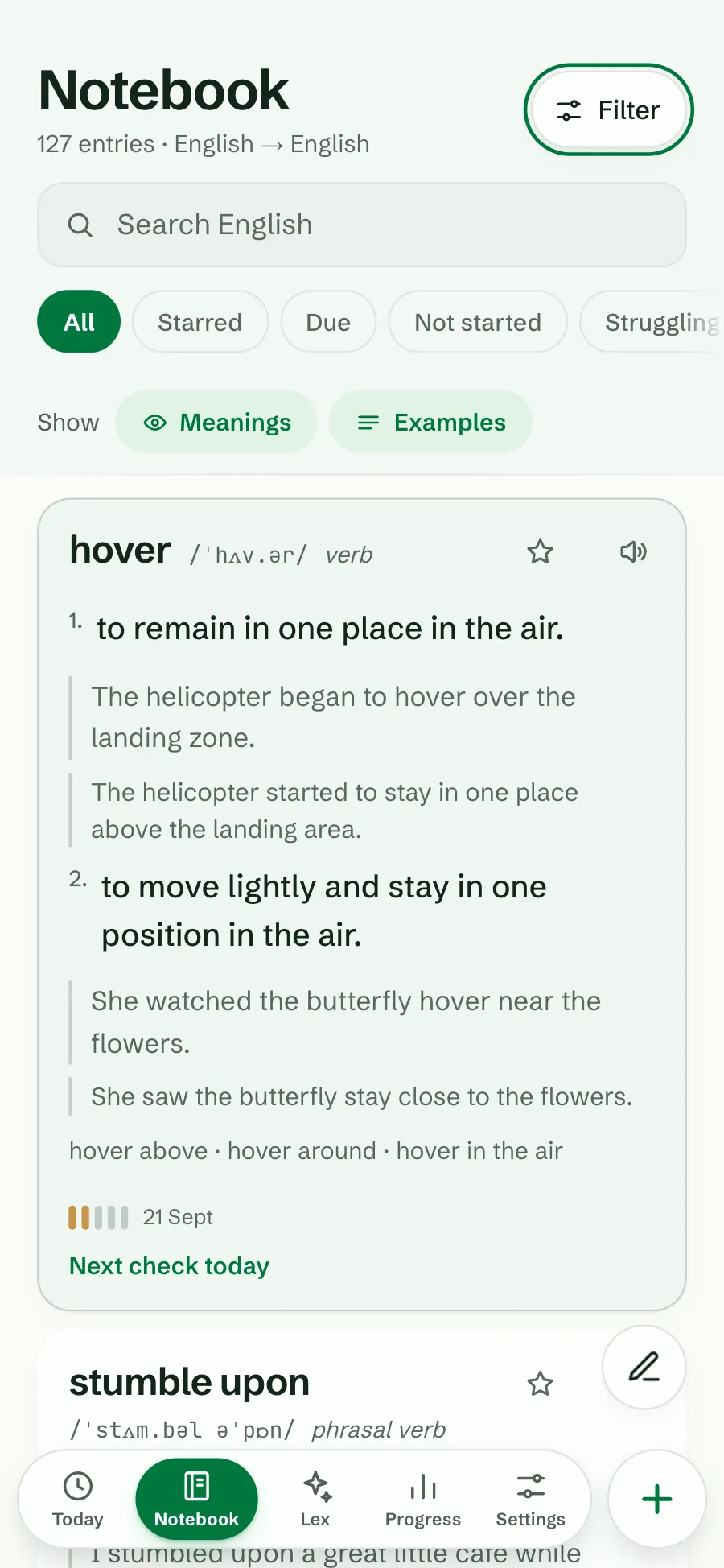
Rows show their next check. Other orders look as before.
See the schedule working: a word you know well says “in 37 days”, a new one says “tomorrow”.
Before a trip or a busy week, order by Next check and practise what is coming up.
The date explains why a word is back today, and the link shows the rules behind it.
Good to know
You missed it, so it comes back today, or you answered it in extra practice before it was due and it kept its date.
Yes, any time, from its page or any deck. With Only due words move on, a right answer then keeps its date; a miss brings it to today.
Yes. A connected assistant reads the same date. See ChatGPT and Claude.
Lexpad
Lexpad is free to start, on the web and on Android. Bring the words you meet.