 Lexpad
Android widgetsYour words,
on your home screen.
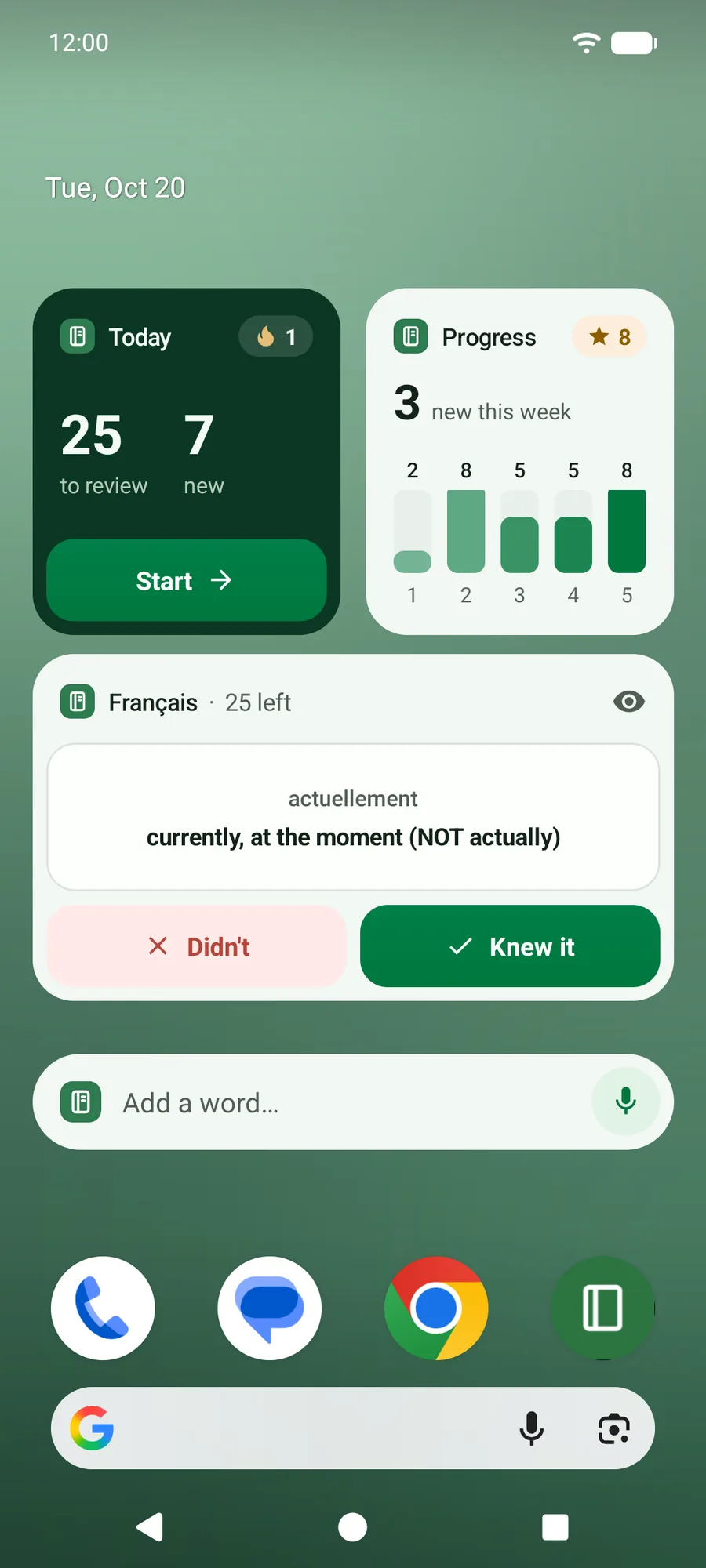
Four home-screen widgets bring your notebook to your Android phone’s home screen: what is due today, one of your own words to flip, a quick way to add a word, and your progress. Free, in Lexpad 1.0.69 for Android.
Checked against the app on 20 October 2026.
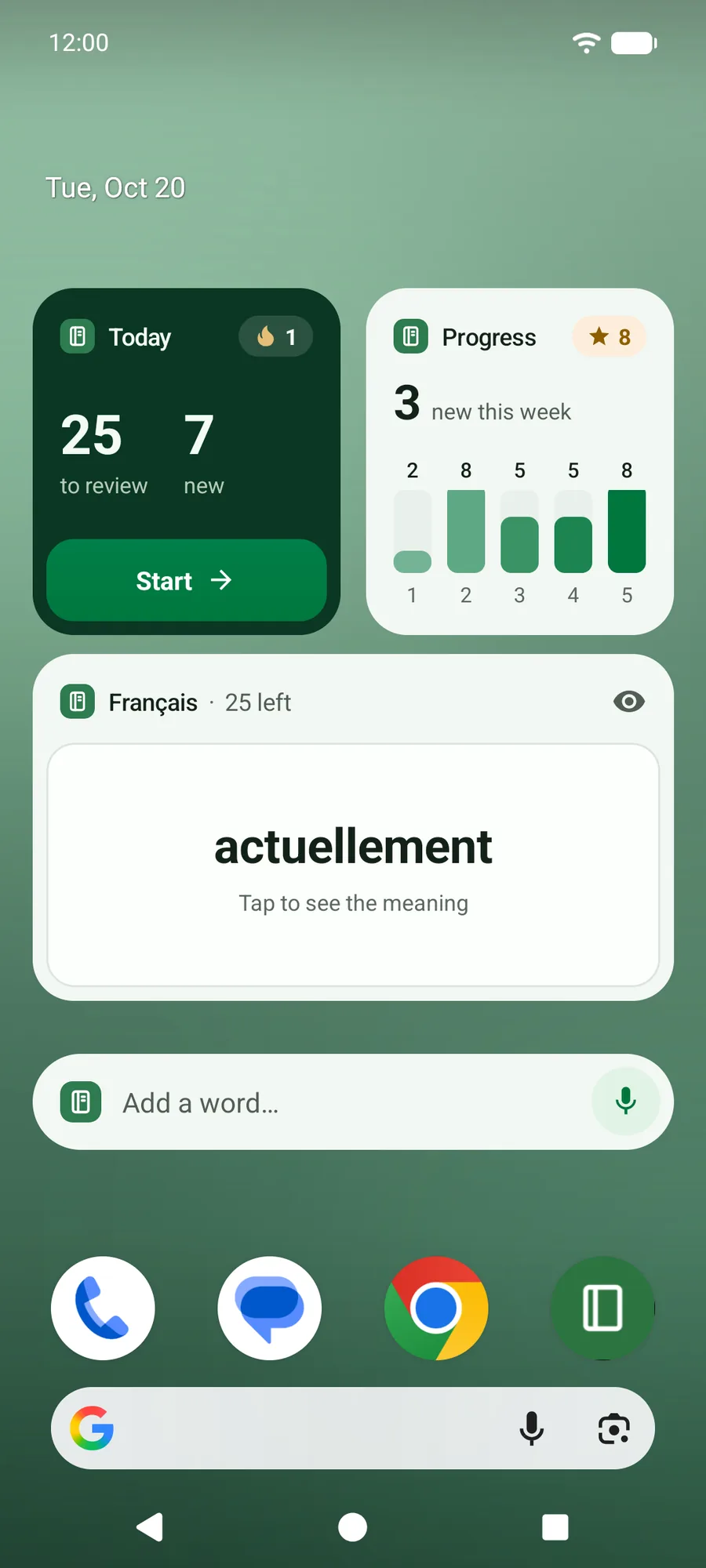
- Widgets
- Today, Word card, Quick add, Progress
- Plan
- Free; saying a word in Quick add is Pro
- Needs
- Lexpad 1.0.69 or newer, Android 7.0 or later
- Also
- App shortcuts and a Quick Settings tile
The four widgets
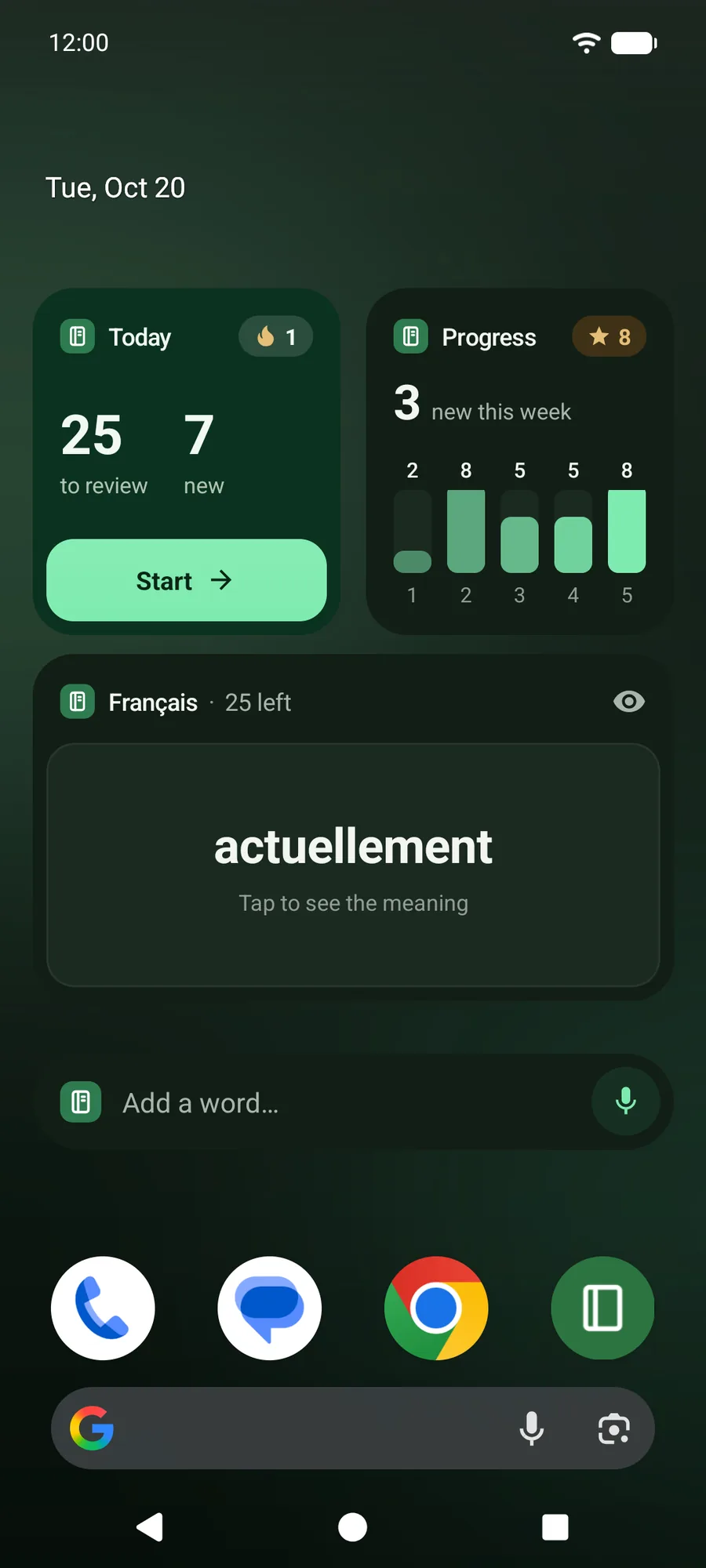
Each one is resizable, comes in light and dark, and uses Lexpad’s own colours. Everything on them comes from your notebook: Lexpad never puts words there for you.
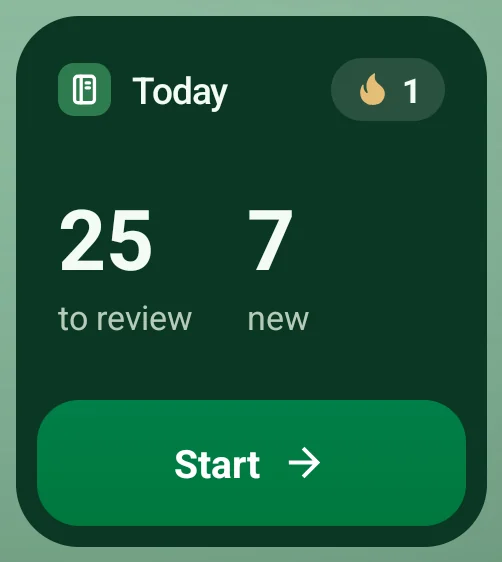
Today
The words to review and the new words for today, your streak, and a Start button that opens practice.
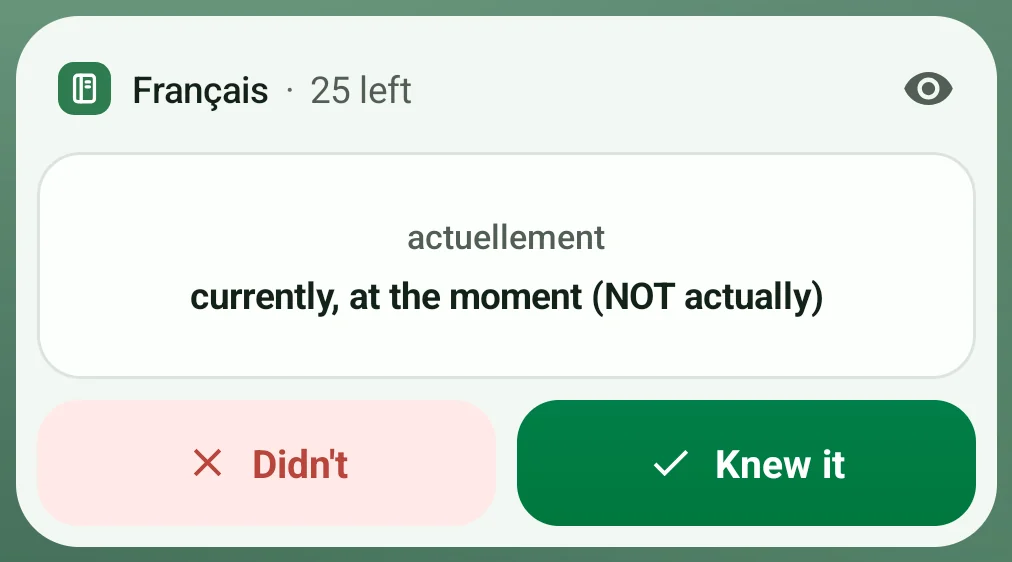
Word card
One of your own due words. Tap it to see the meaning, then Knew it or Didn’t. The eye hides meanings on the home screen.

Quick add
Type a new word straight into Lexpad, or tap the microphone to say it (Pro).
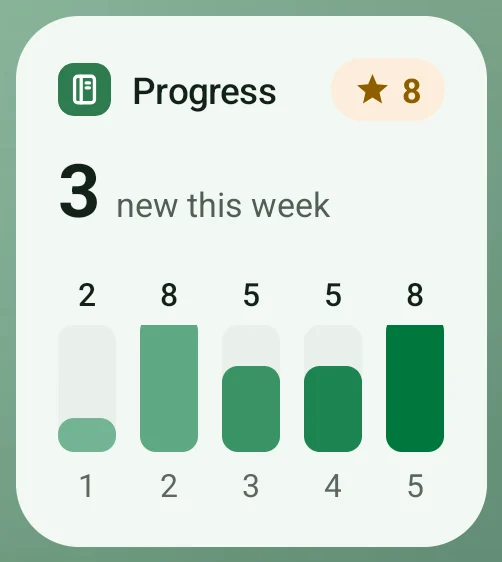
Progress
New words this week, your five boxes with a count on each, and the words you have mastered.


Practise without opening the app
The Word card shows one of the words that are due today. Tap it to see the meaning, then tap Knew it or Didn’t, and the next due word comes up.
Your answers count as practice the next time Lexpad opens: the phone keeps them, and the app moves each word up a box or back to box one, exactly as in a session.
Add a widget
- Touch and hold an empty spot on your home screen.
- Tap Widgets and find Lexpad.
- Drag Today, Word card, Quick add or Progress to your home screen, then resize it if you like.
Shortcuts and a Quick Settings tile
- Touch and hold the Lexpad icon for Add word and Start practice.
- Add the Add word tile to Quick Settings, and add a word from anywhere, even from another app.
- Add word opens the add sheet with the keyboard up. On Quick add, the microphone lets you say the word instead (Pro); on Free it shows what Pro adds. Every way to add words.
What the widgets show
- What the app knew when you last used it: the widgets update whenever Lexpad changes something, and again at midnight.
- They work offline and make no request of their own. A word you add on another device appears once the Android app has synced.
- Right-to-left words are set properly, and every widget has labels for TalkBack.
Good to know
Questions
Are the widgets free?
Yes, on every plan. Only the microphone on Quick add is Pro.
Is there an iPhone widget?
Not yet. iPhone widgets are in testing (Lexpad for iPhone); today the widgets are part of the Android app. On an iPhone, use the web app in Safari.
Does an answer on the Word card count?
Yes. Lexpad applies it the next time the app opens, and the word moves up a box or back to box one as in a session.
Do the widgets need the internet?
No. They show what the app last knew. Words added on another device appear after the Android app syncs.
Which Android versions?
Android 7.0 and later, with Lexpad 1.0.69 or newer, from Google Play or the APK download on this site.
Will the widget show words I did not add?
No. Every word comes from your own notebook.
Lexpad
Your words, one glance away.
Add a Lexpad widget to your home screen. Free on Google Play, Android 7.0 and later.