The word and its meanings
Part of speech, level, pronunciation and up to three meanings with examples, written by AI with your sentence as context. You can edit them later.
 Lexpad
Install the free Lexpad desktop app, select a word in the PDF or e-book app you are reading, and press ⌘⇧L on a Mac or Ctrl+Shift+L on Windows. A card shows the word’s meanings; press Enter and it goes into your notebook with a note of the app it came from, and with its sentence when the app lets Lexpad read the text around your selection.
By Reza Pirighadim, who makes Lexpad. Checked against the app on 13 October 2026.
On a Mac or a Windows PC
The word is in your notebook, ready to practise today.
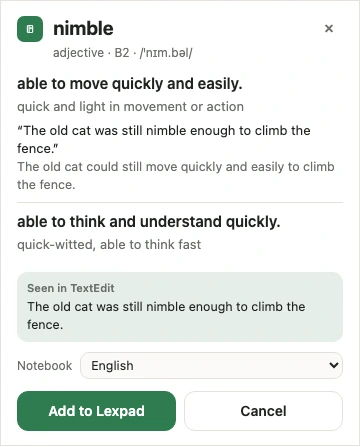
The desktop app is free. Its meanings use the same daily AI allowance as the rest of Lexpad, which Pro raises.
Part of speech, level, pronunciation and up to three meanings with examples, written by AI with your sentence as context. You can edit them later.
The sentence the word was in becomes its first example, when the app let Lexpad read the text around your selection. When it did not, no sentence is kept, and none is made up.
A private note with the app’s name, such as “Seen in Preview”. Never the window title, so never the document’s or the book’s name.
Want to practise one book at a time? Give its words a topic, such as the book’s title, on each word’s page, then filter the notebook by that topic and choose Practise these.
Lexpad first asks the system for your selection and the text around it (Accessibility on a Mac, UI Automation on Windows). Some apps do not share that. Then Lexpad copies the selection instead, with ⌘C or Ctrl+C, and puts your clipboard back exactly as it was. The word arrives, but without its sentence. Two ways to keep the sentence anyway:
We have not tested every PDF and e-book app, so we do not publish a list. If the card opens empty, the two steps above still work.
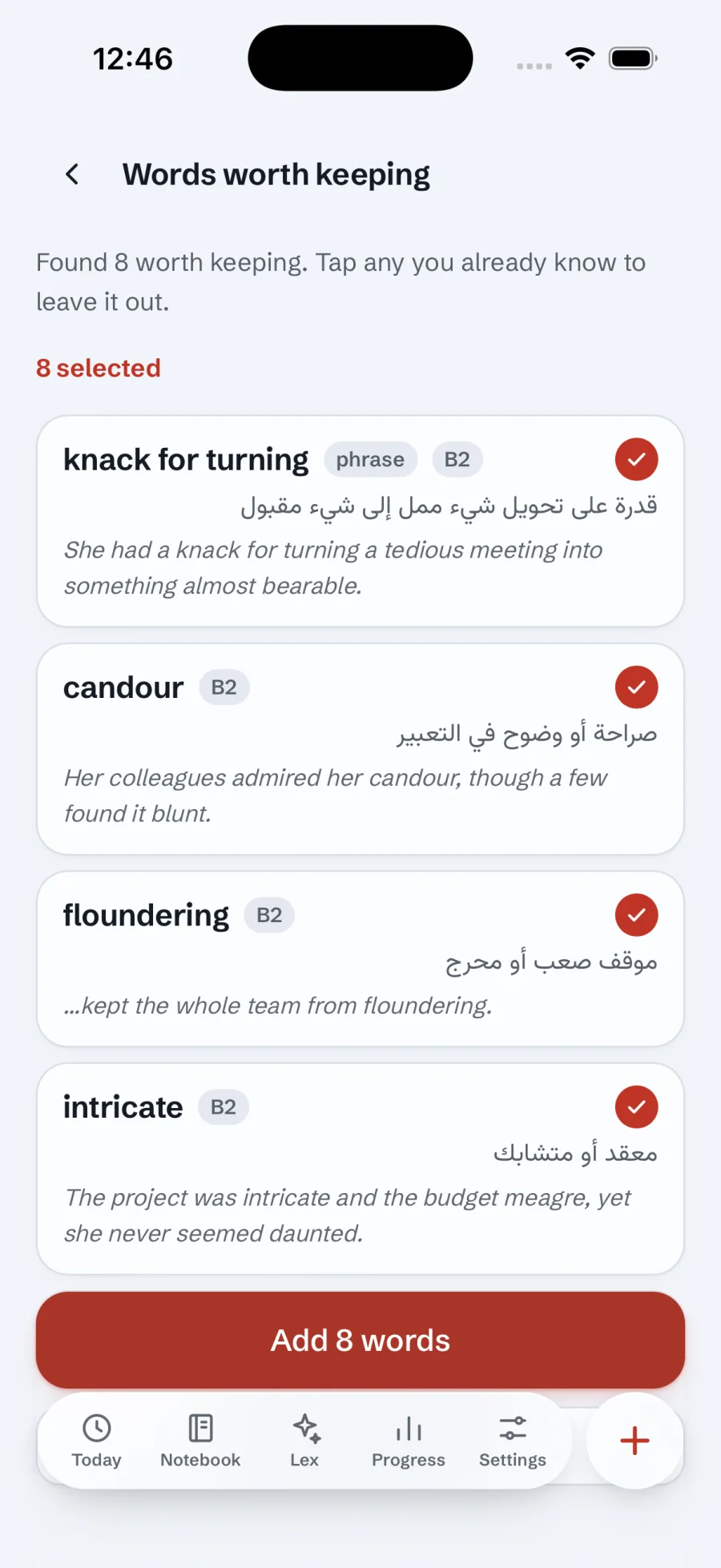
More on the desktop app page.
A saved word starts in box 1 and is asked today. Answer it right and it waits longer each time: 1, 3, 7, then 21 days, and up to a year once it is mastered. Miss it and it comes back today. How to memorize vocabulary explains why this works.
Good to know
It works in any app where you can select text: Lexpad reads the selection through the system, or copies it. Whether the sentence comes along depends on the app. We have not tested every reader, so if a sentence is missing, select the whole sentence and press the shortcut.
No. Lexpad does not import PDF or e-book files. Copy the text and use Paste a text, then pick the words you want.
No. It reads only what you selected, and the text around it to find the sentence; only that one sentence is sent. It never records the document’s name.
The extension is made for web pages. For a PDF, use the desktop app’s shortcut, which works in any app, browsers included.
Yes. The desktop app is free. Meanings written by AI use the same daily allowance as the rest of Lexpad; Pro raises it.
Adding a word needs a connection, because the meaning is written online. Practice in the app’s window works offline.
Lexpad
Lexpad is free to start, on the web and on Android. Bring the words you meet.